On this page
The dashboard — a clinic mid-flightPatients — the billing matrix at a glanceInvoices — the numbers reconcileTreasury — funded from day oneInventory — bought and consumedInsurance — region-matched insurersStaff roster — roles, permissions, and loginsThe calendar — a working scheduleFeature Tour (screenshots)
These are real screenshots captured from the live branch sandbox at feat-sandbox-seed.sandbox.anastawfik.com, logged in as the seeded owner. Everything you see was produced by the dynamic seeder in descriptive naming mode, Saudi Arabia preset, sandbox "small profile" scale (1 branch, 2 doctors, 12 patients, ~3 months of history).
Because it's descriptive mode, the record names double as labels — "Patient 011 · Insured 50%", "Dr 1 · 45% Commission · Salary 4000". For polished visuals, the seeder can instead use realistic localized names (see For Marketing).
The dashboard — a clinic mid-flight
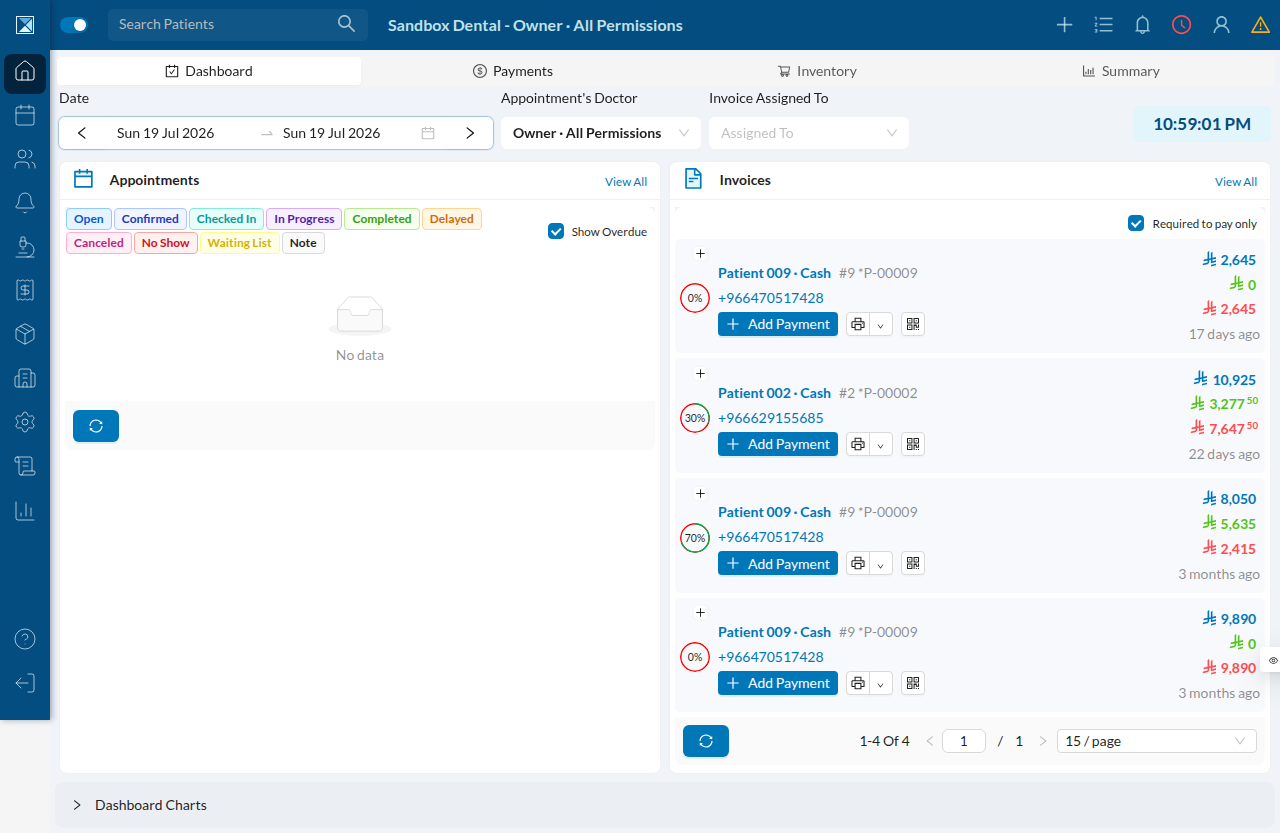
The moment you log in, the dashboard is populated: an invoice feed with real amounts, payment-progress indicators, and timestamps spread across the seeded history. This is what "rich seed" buys you over an empty preview.
Patients — the billing matrix at a glance
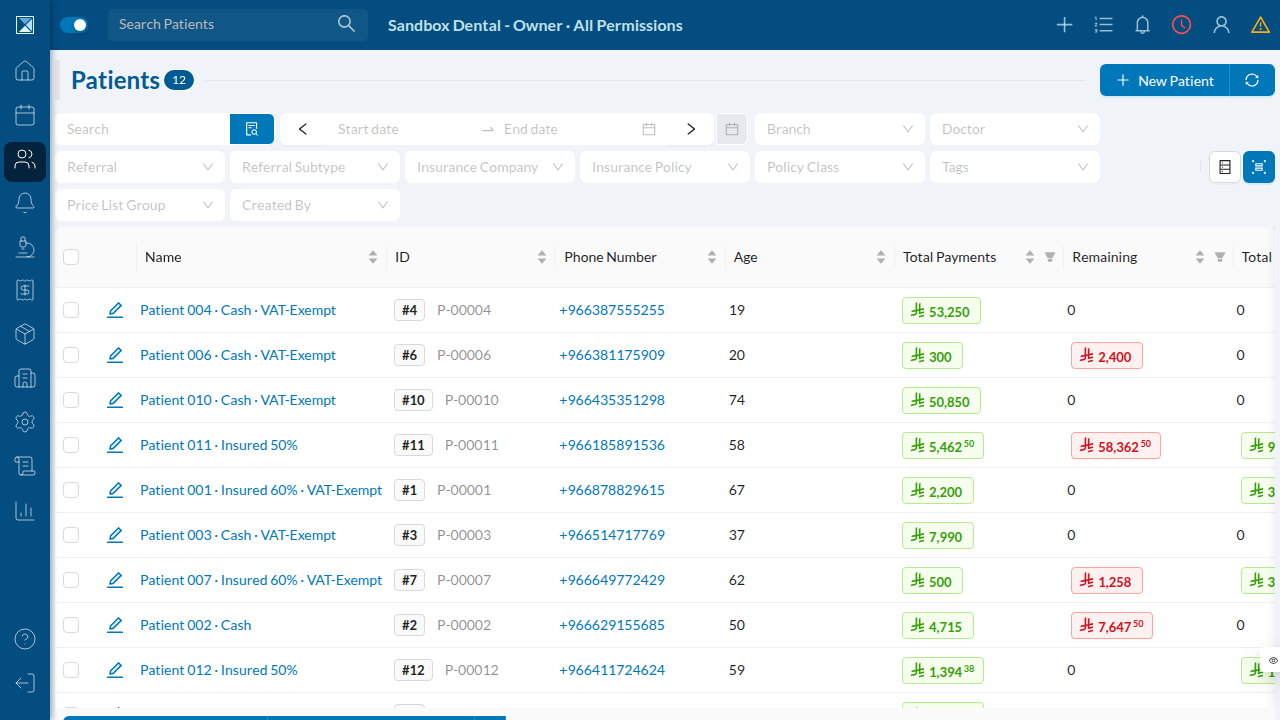
Descriptive naming shines here. Each patient's name tells you whether they're cash or insured (and at what percentage) and whether they're VAT-exempt — so QA can pick exactly the test subject they need straight from the list. The Total Payments and Remaining columns are the denormalized lifetime totals the seeder accumulates across every visit. Filters for branch, doctor, insurance company, policy class and tags are all backed by seeded data.
Invoices — the numbers reconcile
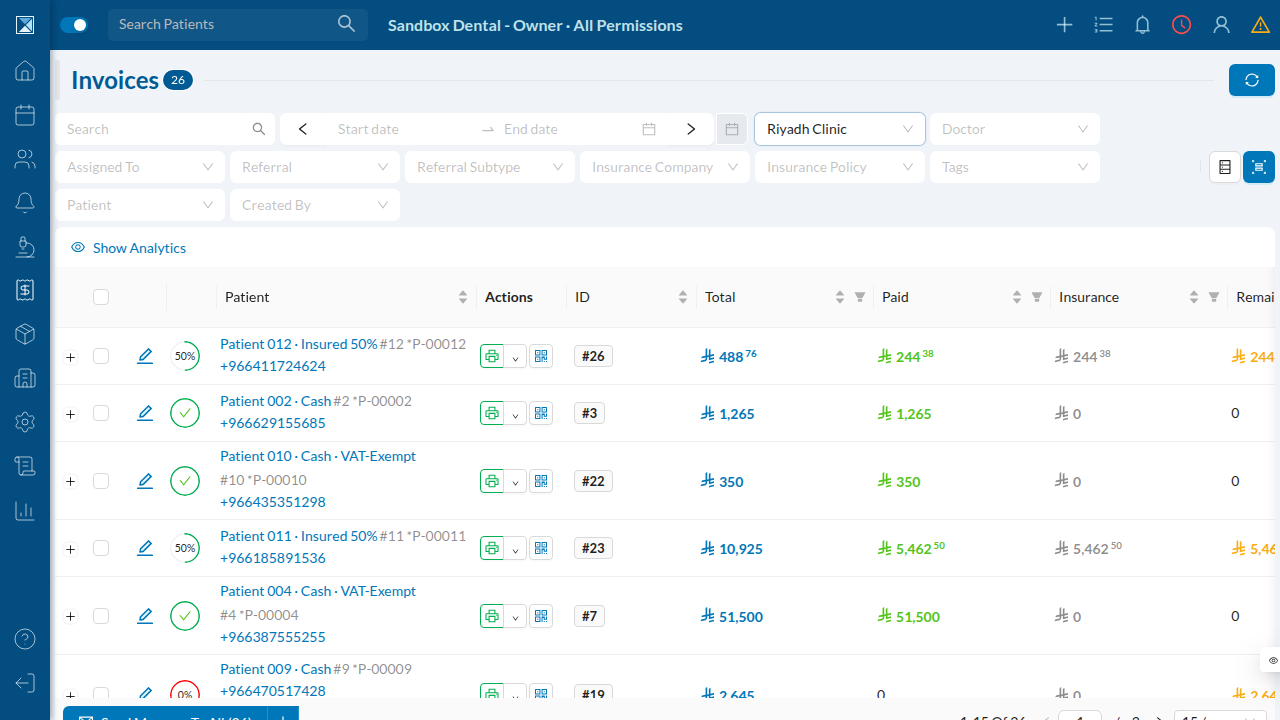
Twenty-six invoices, each with a Total / Paid / Insurance / Remaining breakdown. Insured patients carry an insurance portion; cash patients don't. VAT is baked into the totals, discounts appear on a quarter of visits, and payments land in every state — full, partial, none. See The money model for the exact arithmetic behind each row.
Treasury — funded from day one
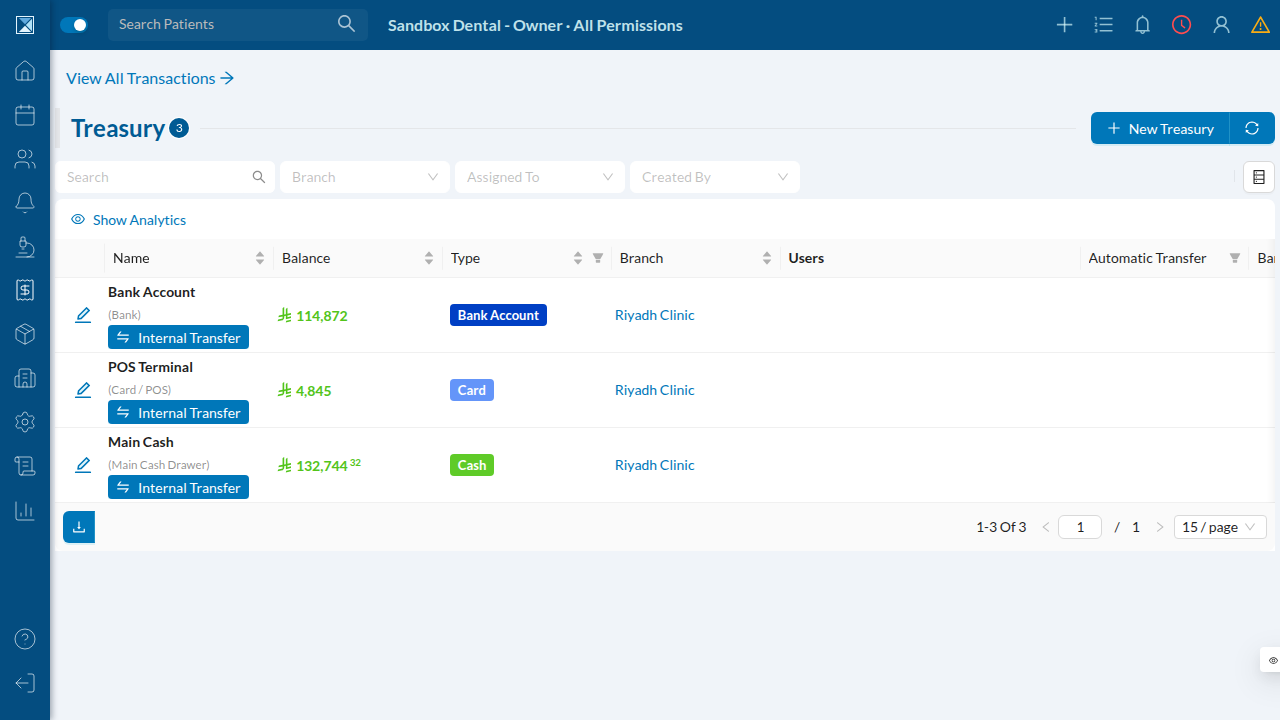
Every branch gets three treasuries — cash drawer, card/POS terminal, and bank — created by S-2. Owner capital is injected into the bank before any spending, so balances stay positive as equipment is bought, stock is purchased, expenses are paid, and patient payments flow in. The balances you see are the net of all that seeded activity.
Inventory — bought and consumed
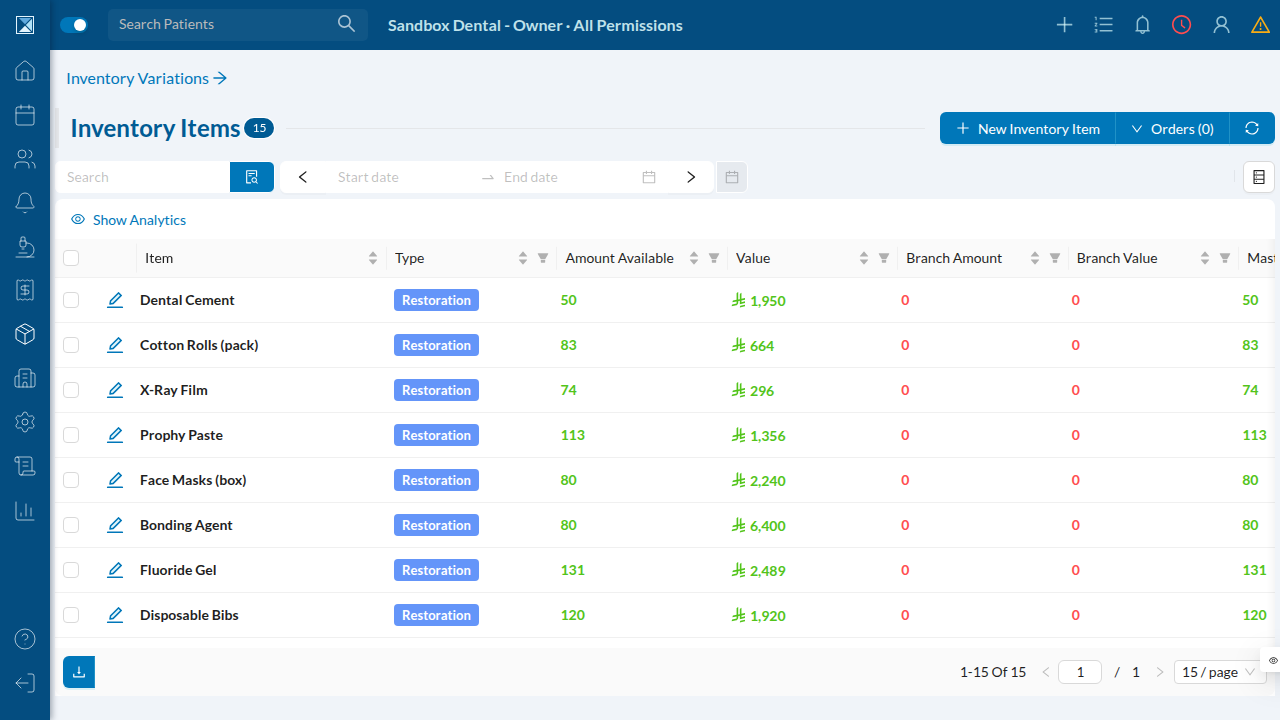
Fifteen realistic dental consumables from the seeder's catalog, each stocked via supplier purchases and then partially consumed on visits. The Amount Available and Value columns reflect net on-hand after that activity — not flat placeholder numbers.
Insurance — region-matched insurers
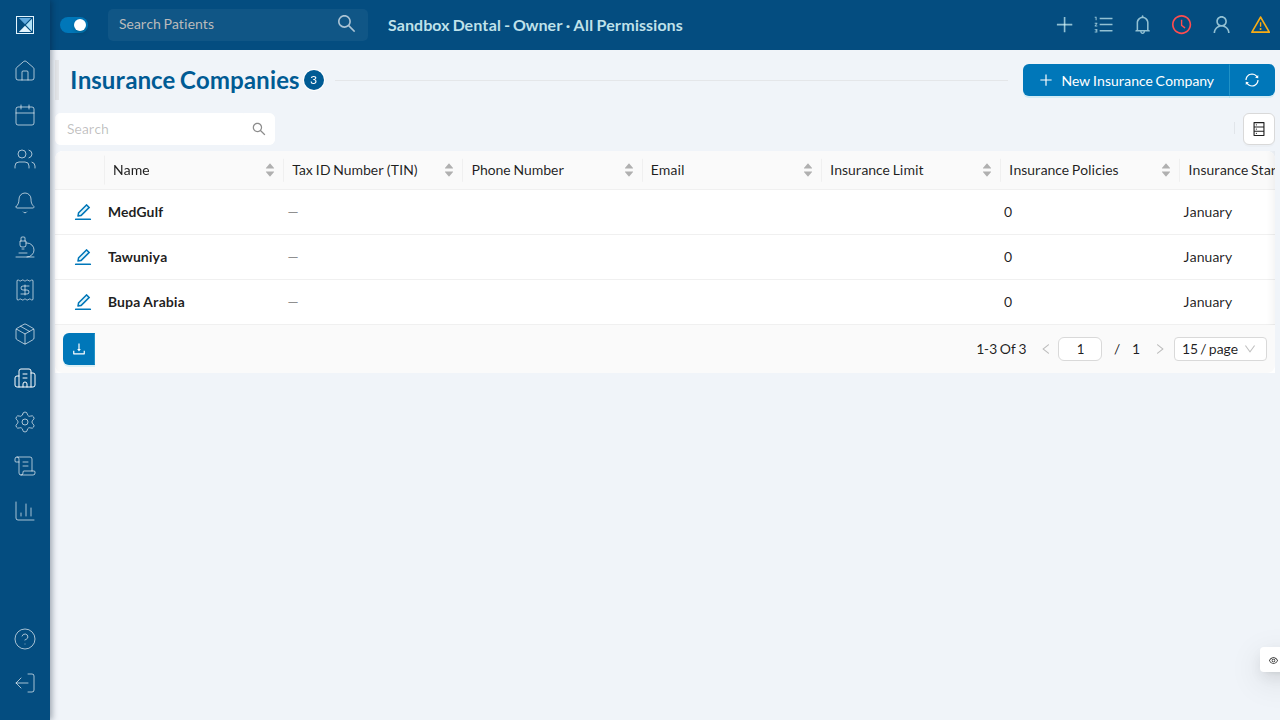
The insurers come straight from the Saudi Arabia country preset (Bupa Arabia, Tawuniya, MedGulf). Each gets a policy and several policy-class tiers (Class A–D at 100% / 80% / 60% / 50% coverage), which is what the insured patients are attached to. Switch the country to AE and you'd get Daman, AXA Gulf, and Oman Insurance instead.
Staff roster — roles, permissions, and logins
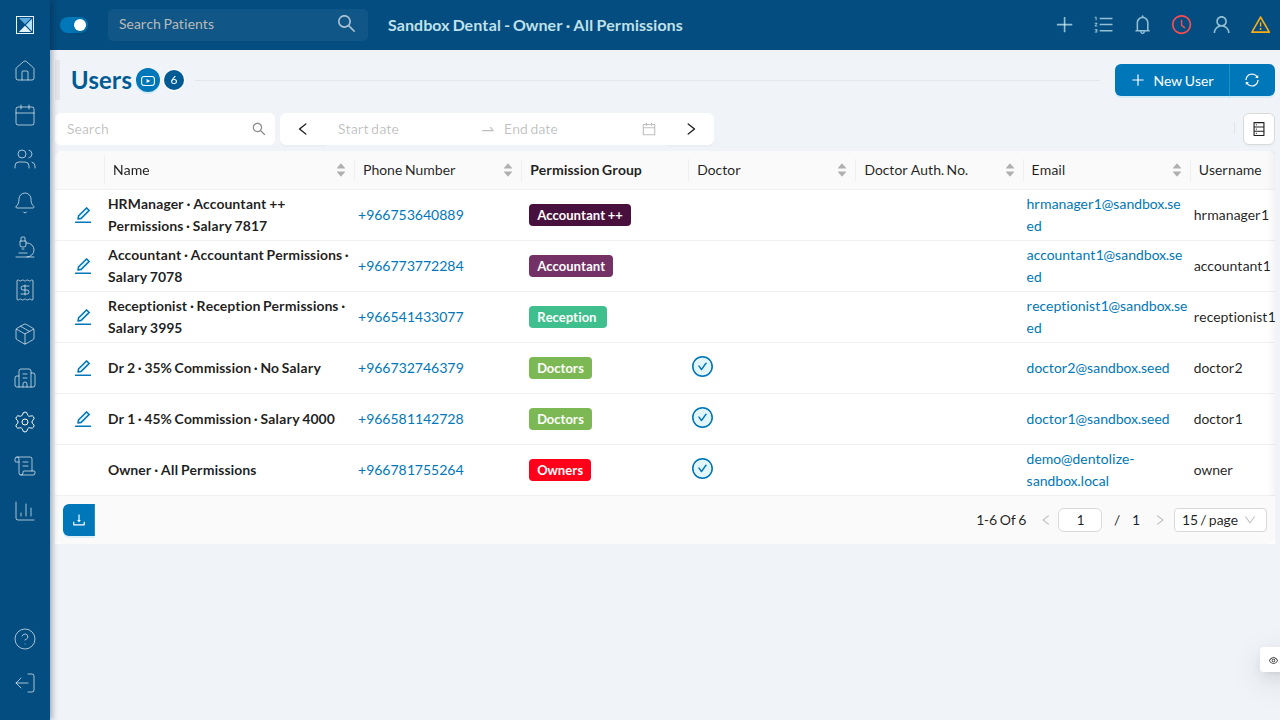
This is the roster the PR comment advertises. Names encode role · permissions · salary/commission; each user is wired to the right permission group and has a predictable username. Every login shares one password, so QA can jump between roles instantly to test permission boundaries.
The calendar — a working schedule
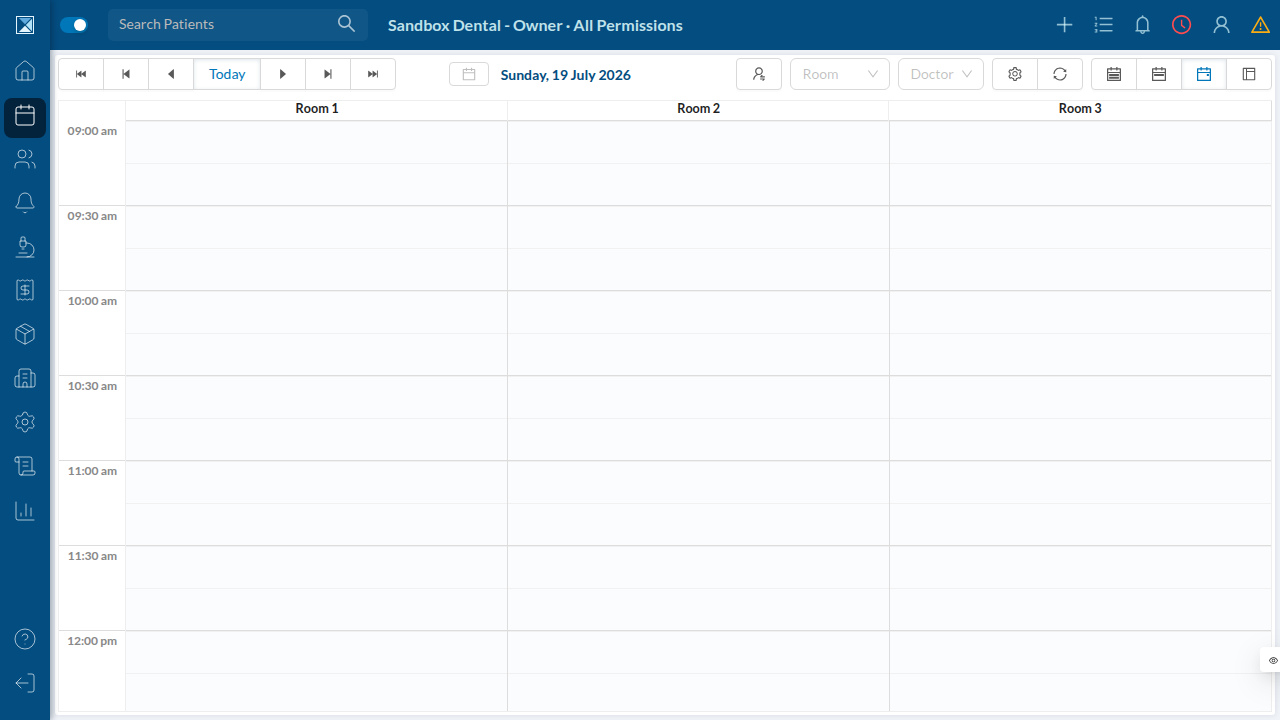
The calendar shows the seeded three-room layout and the 09:00–21:00 business hours set on the branch. Beyond the history of completed visits, the seeder books a batch of upcoming appointments — a few today (in mixed open / confirmed / checked-in states) and the rest across the next two weeks — so the calendar and dashboard aren't empty on arrival.