On this page
The HR Hub — Overview & the live Today boardPeople — the staff directoryThe employee profile — one record per personPayroll — runs, breakdowns, and the WPS fileLeave — the approval queueCommission — policies and per-doctor ratesTalent Hub — the whole people lifecycleOperations — roster, attendance, org chartReportsSettings — the payroll policyFeature Tour
Real screenshots captured from the live branch sandbox (feat-hr-module.sandbox.anastawfik.com), logged in as the clinic owner so every screen and every field is visible. Dates in the seed run around July 2026.
The HR Hub — Overview & the live Today board
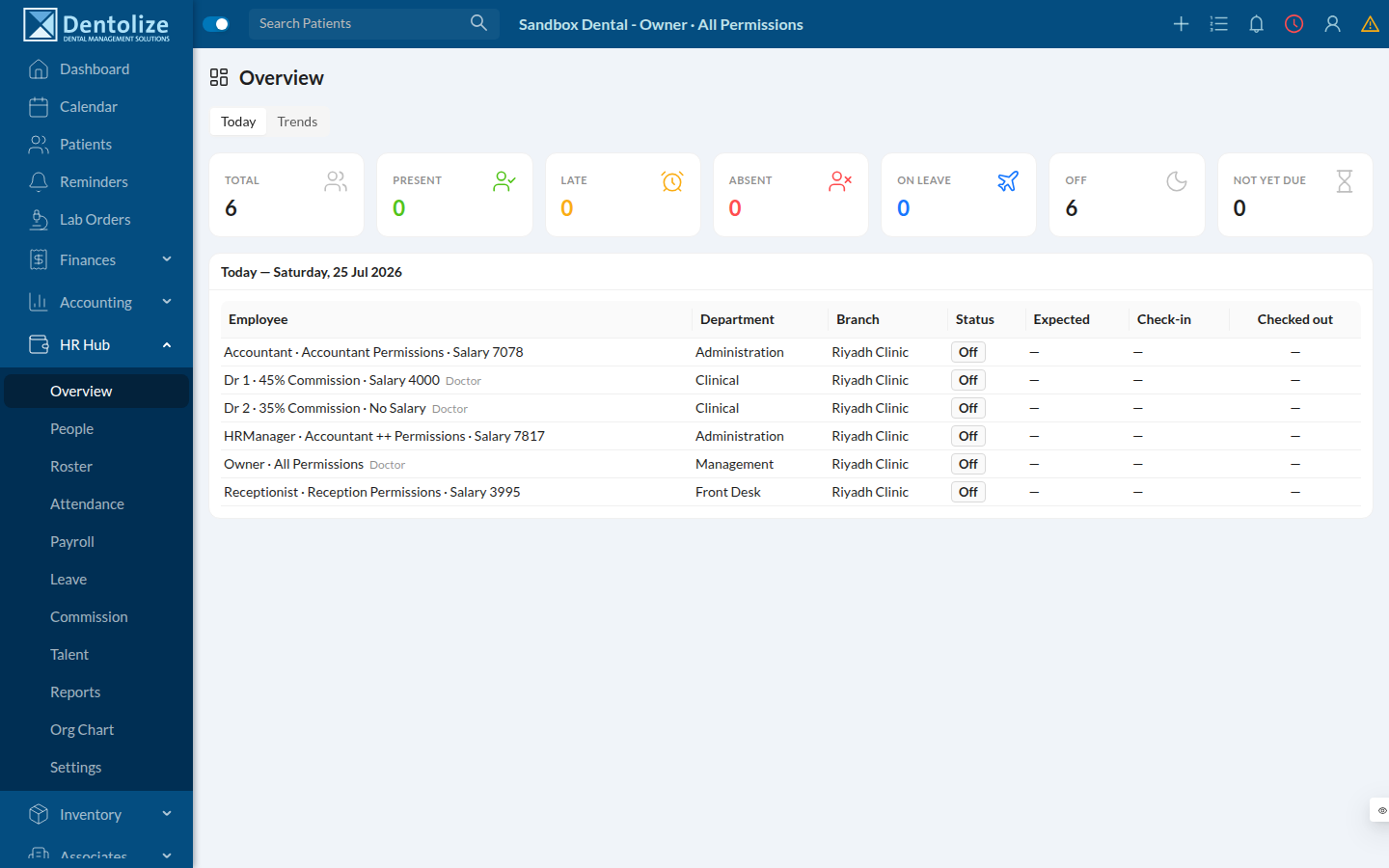
The module opens at HR Hub → Overview. The Today view is a live attendance board: headline counts (Total / Present / Late / Absent / On leave / Off / Not yet due) over a per-employee table showing each person's department, branch, status, expected hours, check-in and check-out.
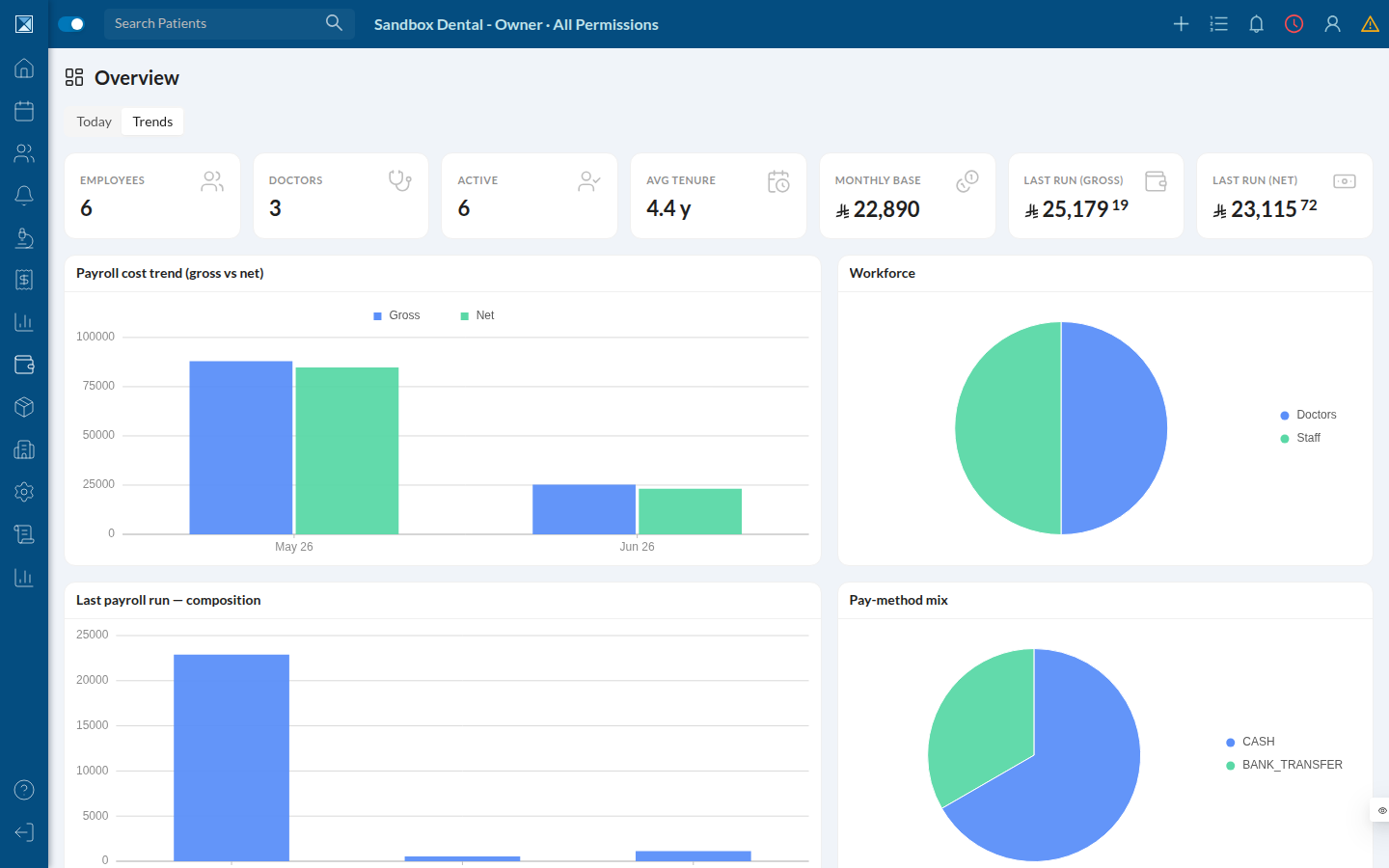
The Trends view turns the same workforce into charts — headcount, doctors, average tenure, monthly base cost, and payroll gross-vs-net.
People — the staff directory
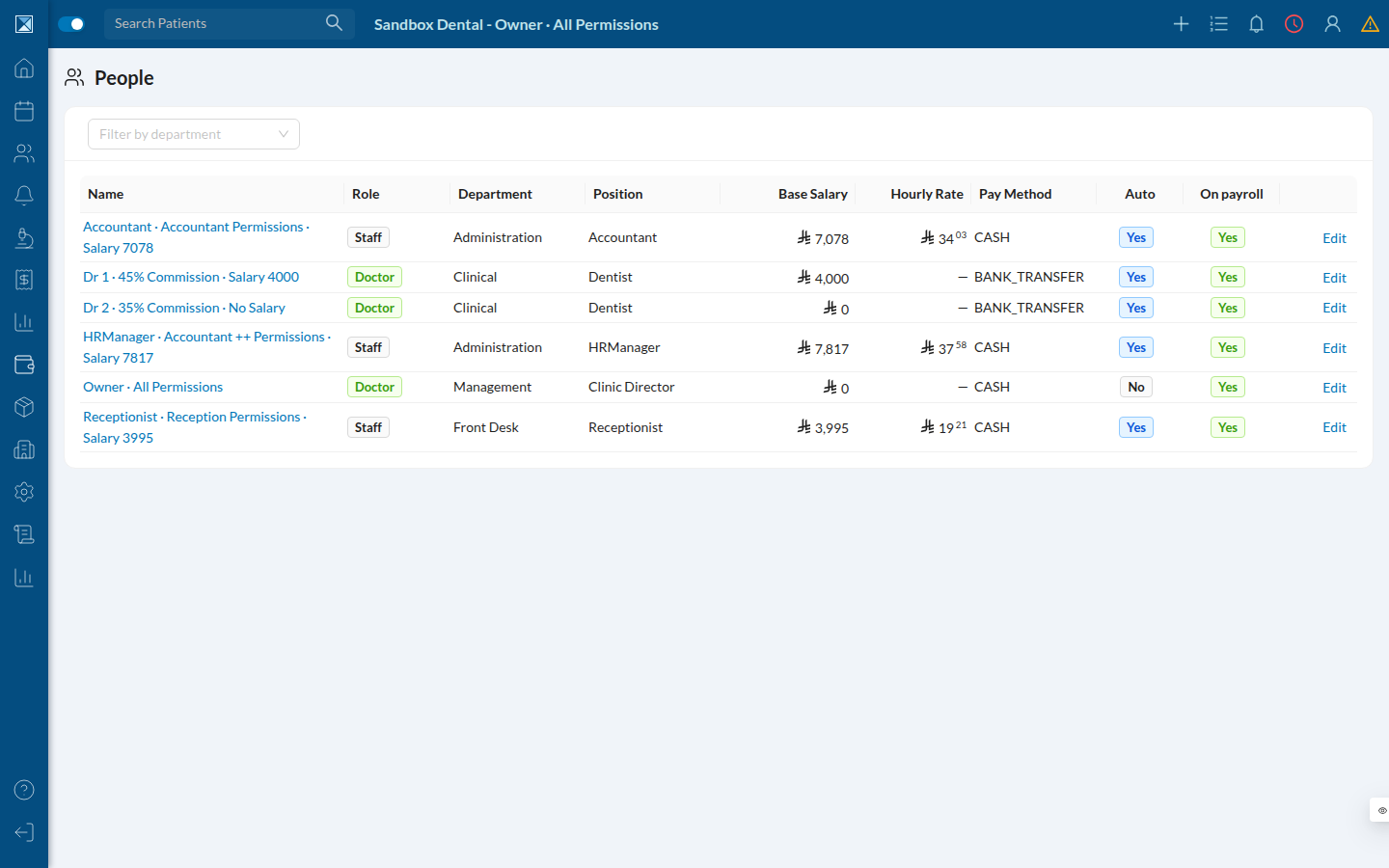
HR Hub → People is the roster: name (links to the full profile), role, department, position, base salary, hourly rate, pay method, whether they're in the auto-run, and whether they're on payroll. Filterable by department.
The employee profile — one record per person
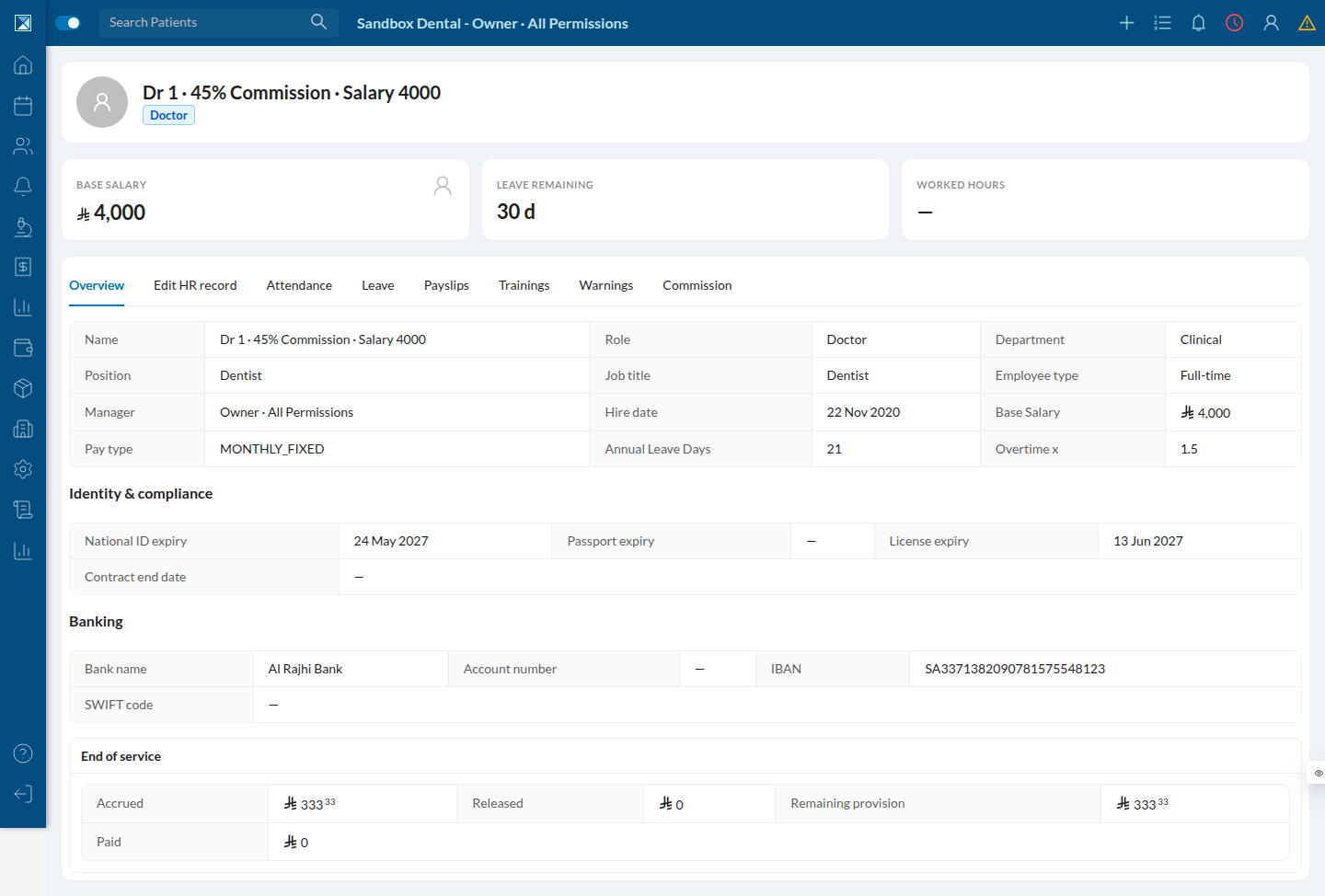
Opening a person (/people/profile/<id>) shows the full employee record with tabs: Overview, Edit HR record, Attendance, Leave, Payslips, Trainings, Warnings, Commission. The Overview stitches together employment, identity & compliance (with expiry dates), banking (IBAN visible here because the owner holds DO_ALL — weaker viewers see it masked), and the end-of-service accrual.
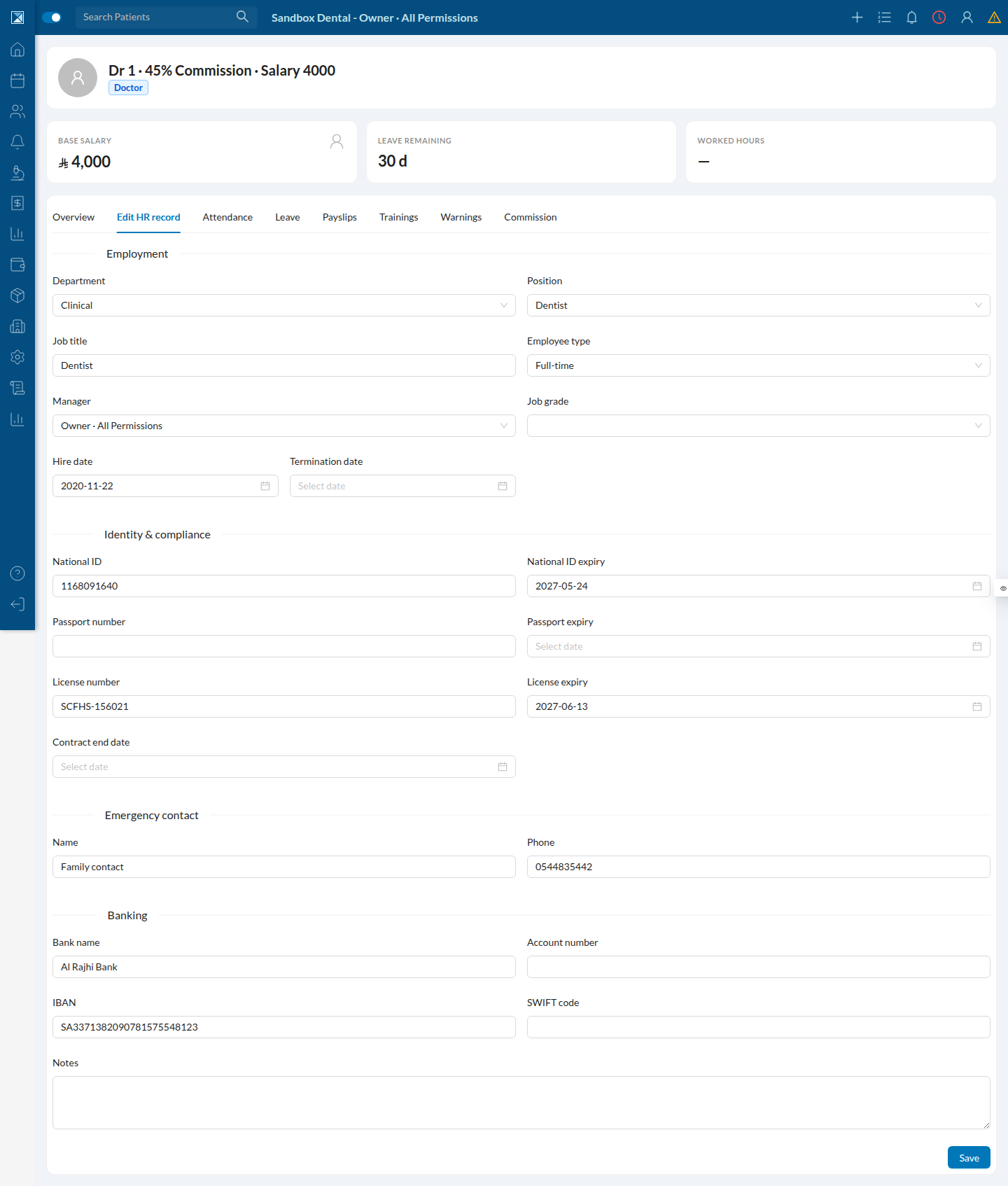
The Edit HR record tab is the master form — department, position, manager, grade, dates, compliance IDs, emergency contact, and banking. It sends only the fields you changed.
Payroll — runs, breakdowns, and the WPS file
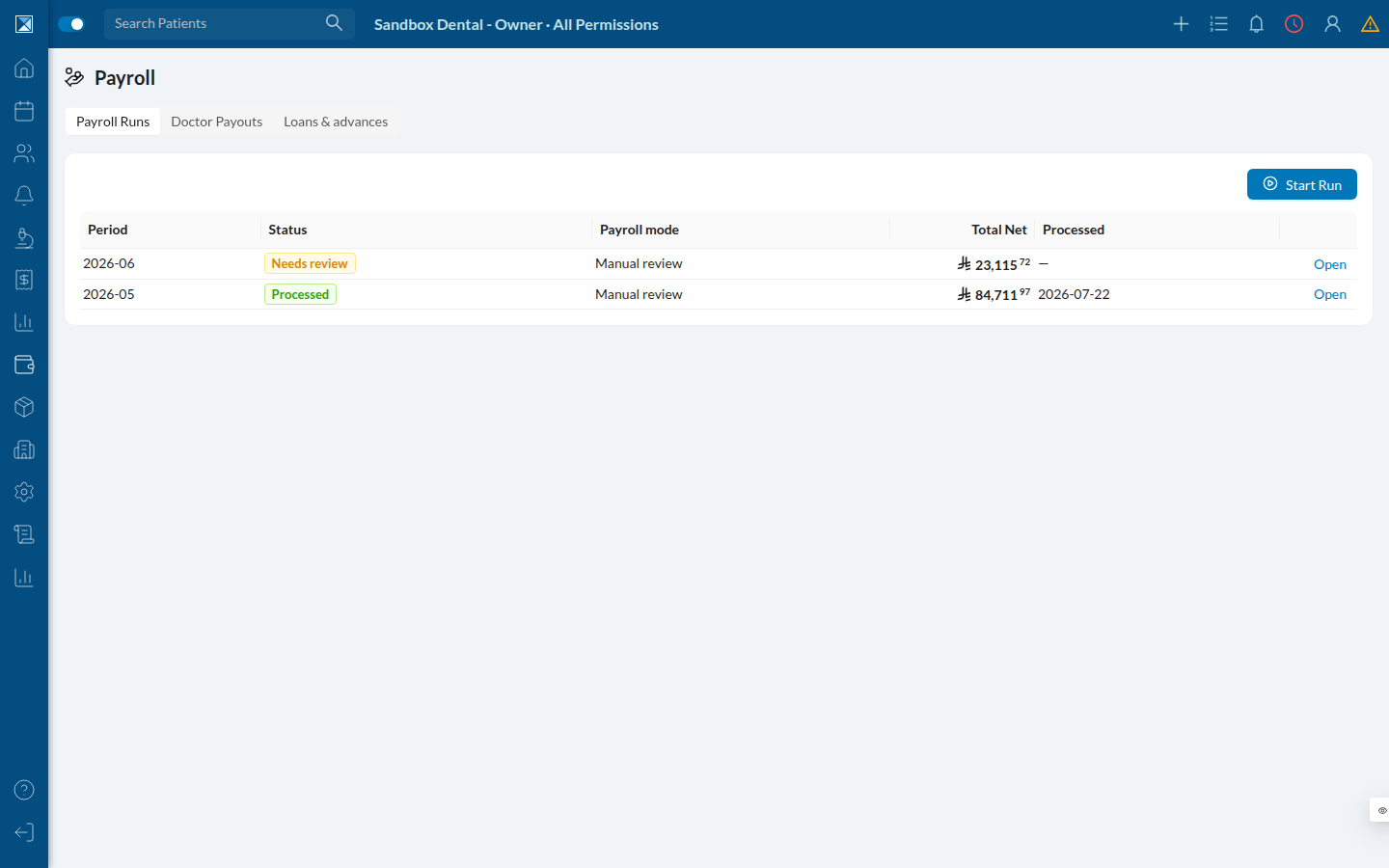
HR Hub → Payroll lists monthly runs with status (Processed / Needs review), mode, total net, and the processed date.
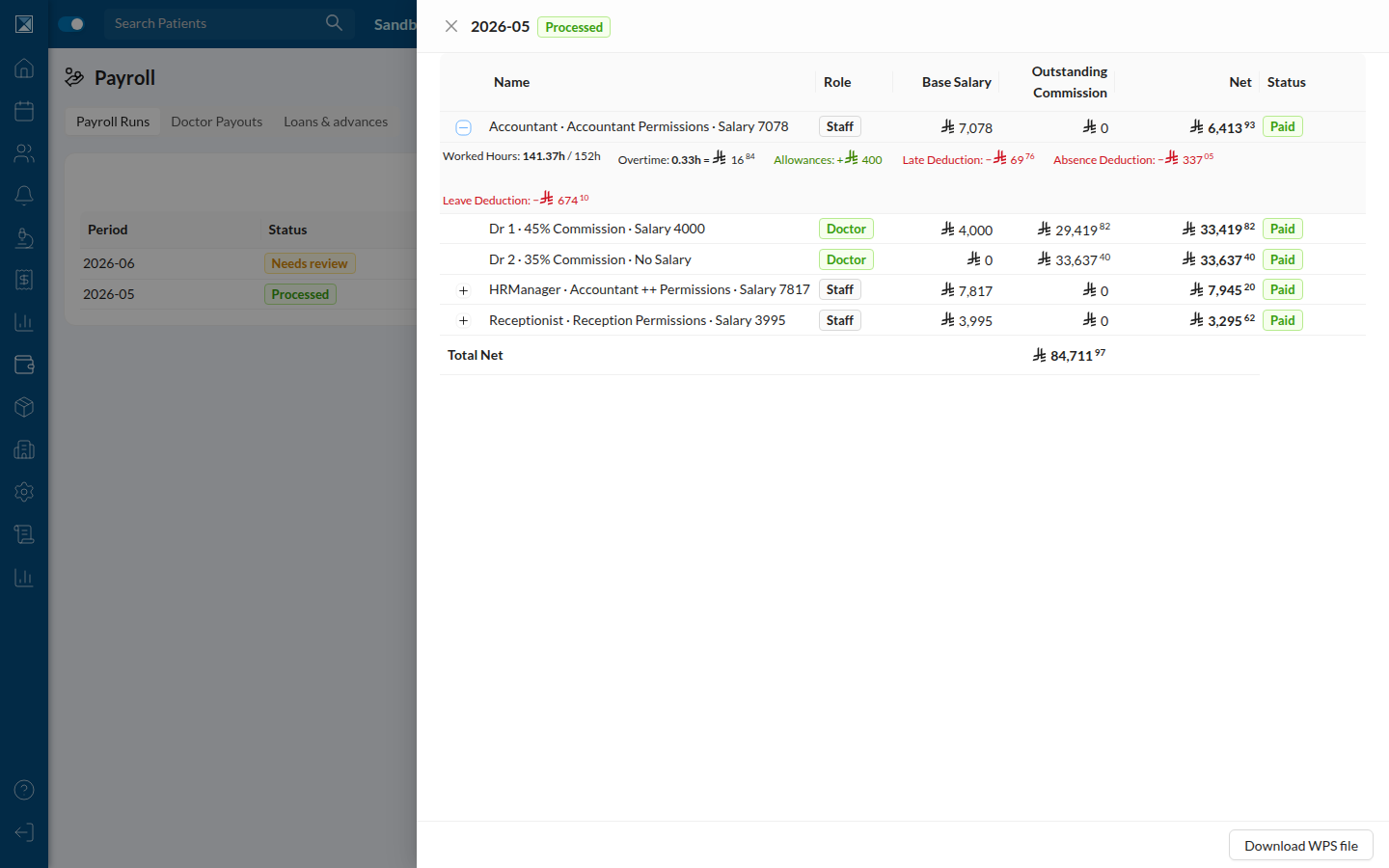
Opening a run shows every employee's line and net. Expanding a row reveals the full money breakdown — worked vs scheduled hours, overtime, allowances (+), and late / absence / leave deductions (−) — so the net is never a black box. The Total Net footer reconciles, and Download WPS file produces the bank export whose control total matches that net exactly.
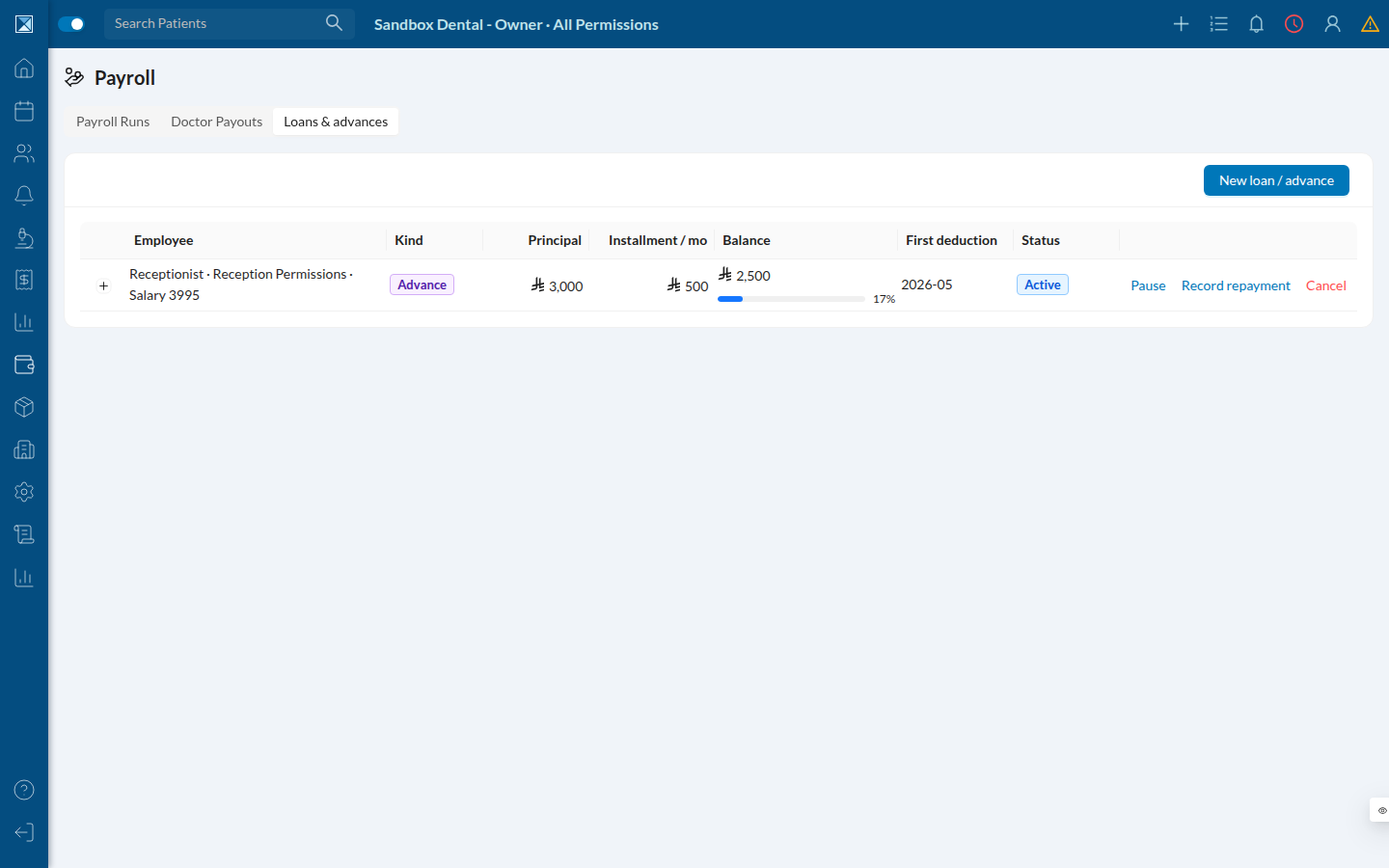
The Loans & advances tab manages employee loans: principal, monthly installment, balance, and status. Disbursement posts to the ledger; installments are withheld in future runs and re-checked against the live balance at process time.
Leave — the approval queue
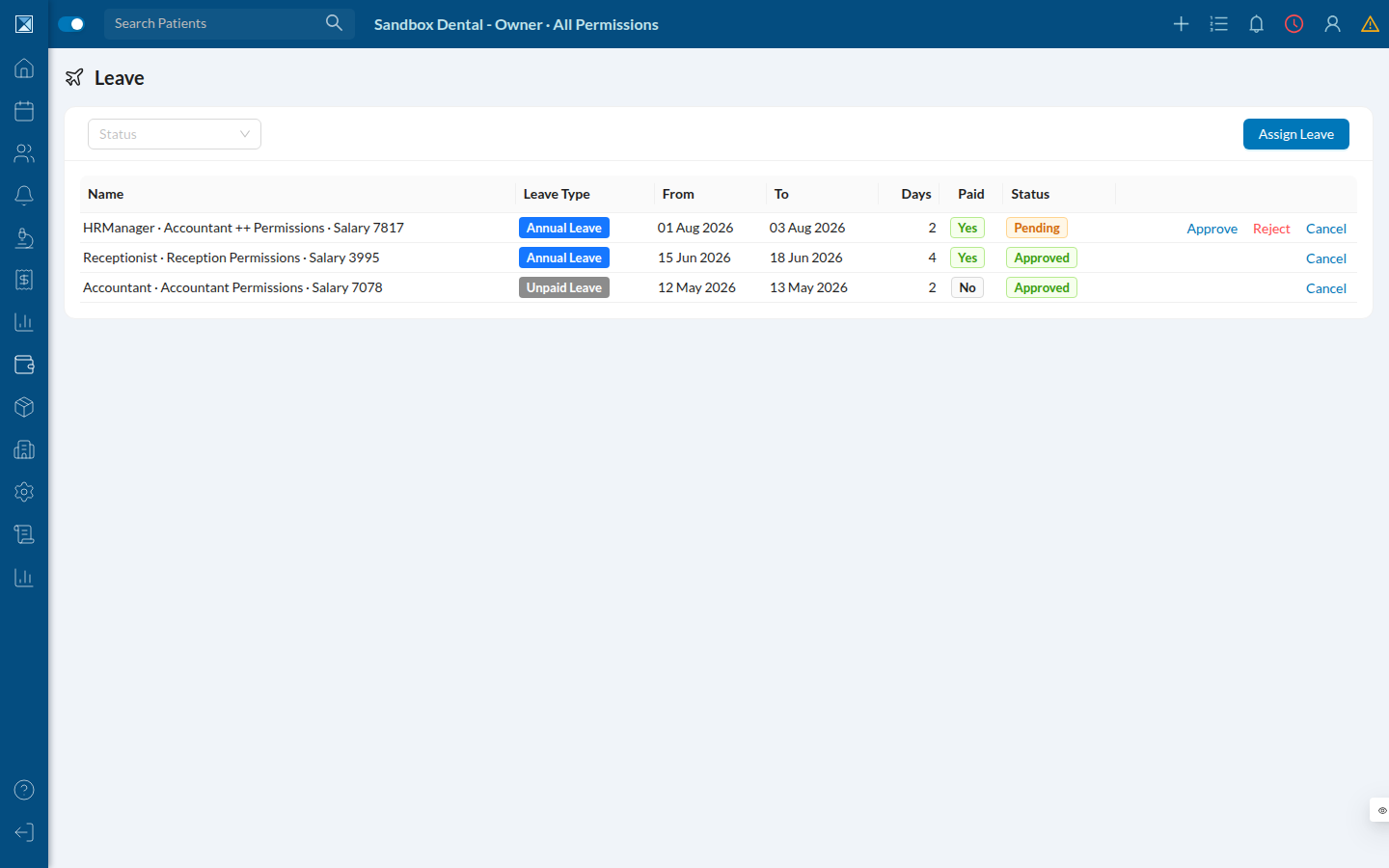
HR Hub → Leave is the request queue: who, type, dates, days, paid/unpaid, and status, with Approve / Reject / Cancel. The Assign Leave button lets a manager book leave on someone's behalf (a web-only action). Self-approval is blocked.
Commission — policies and per-doctor rates
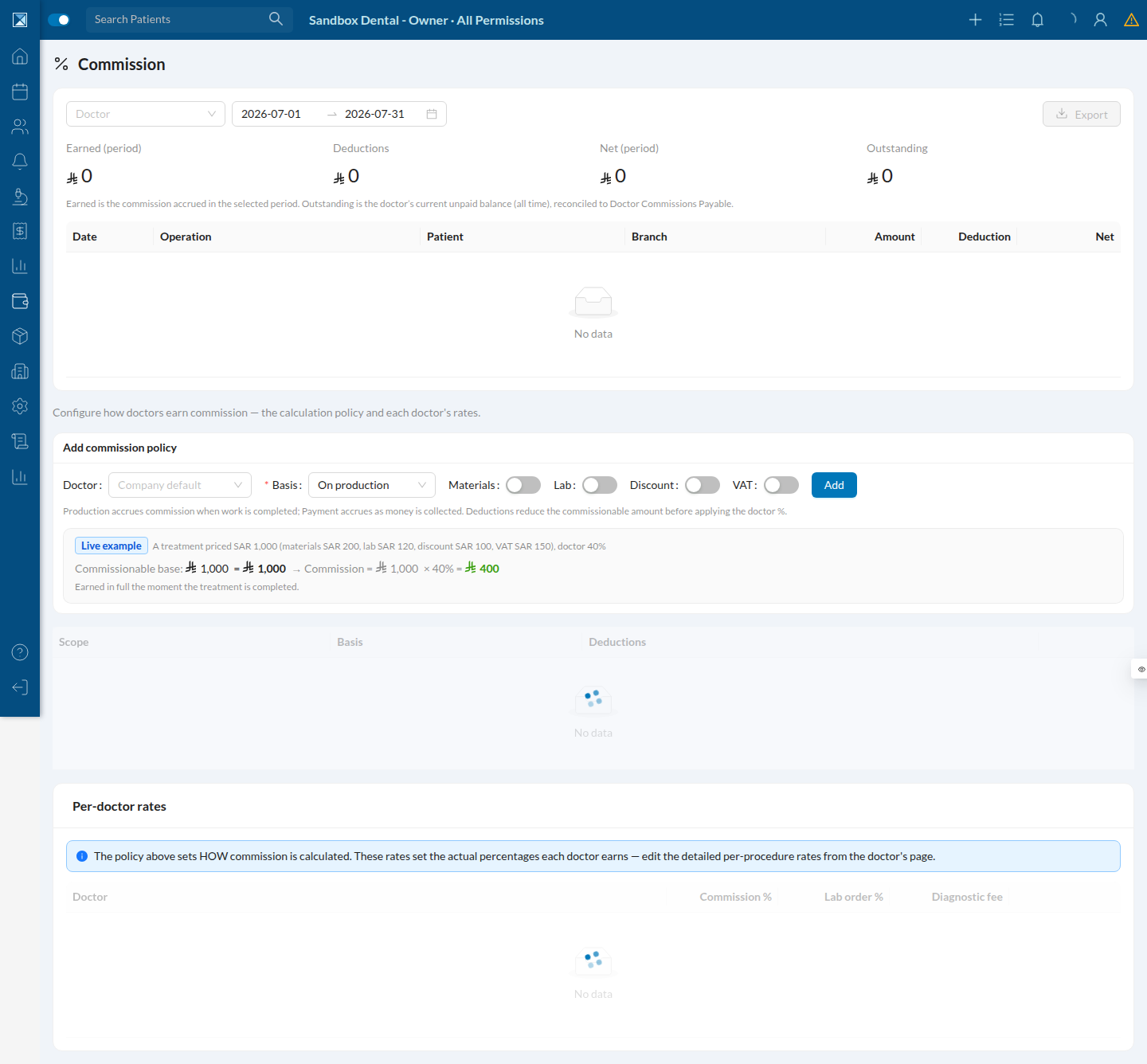
HR Hub → Commission shows commission policies and, for managers, the per-doctor rates that feed the payroll run. Per-procedure rates live at /hr/commission/rates/<doctorUserId>.
Talent Hub — the whole people lifecycle
HR Hub → Talent is a five-tab hub. Recruitment is a lightweight ATS: vacancies with openings and application counts, and staged applications.
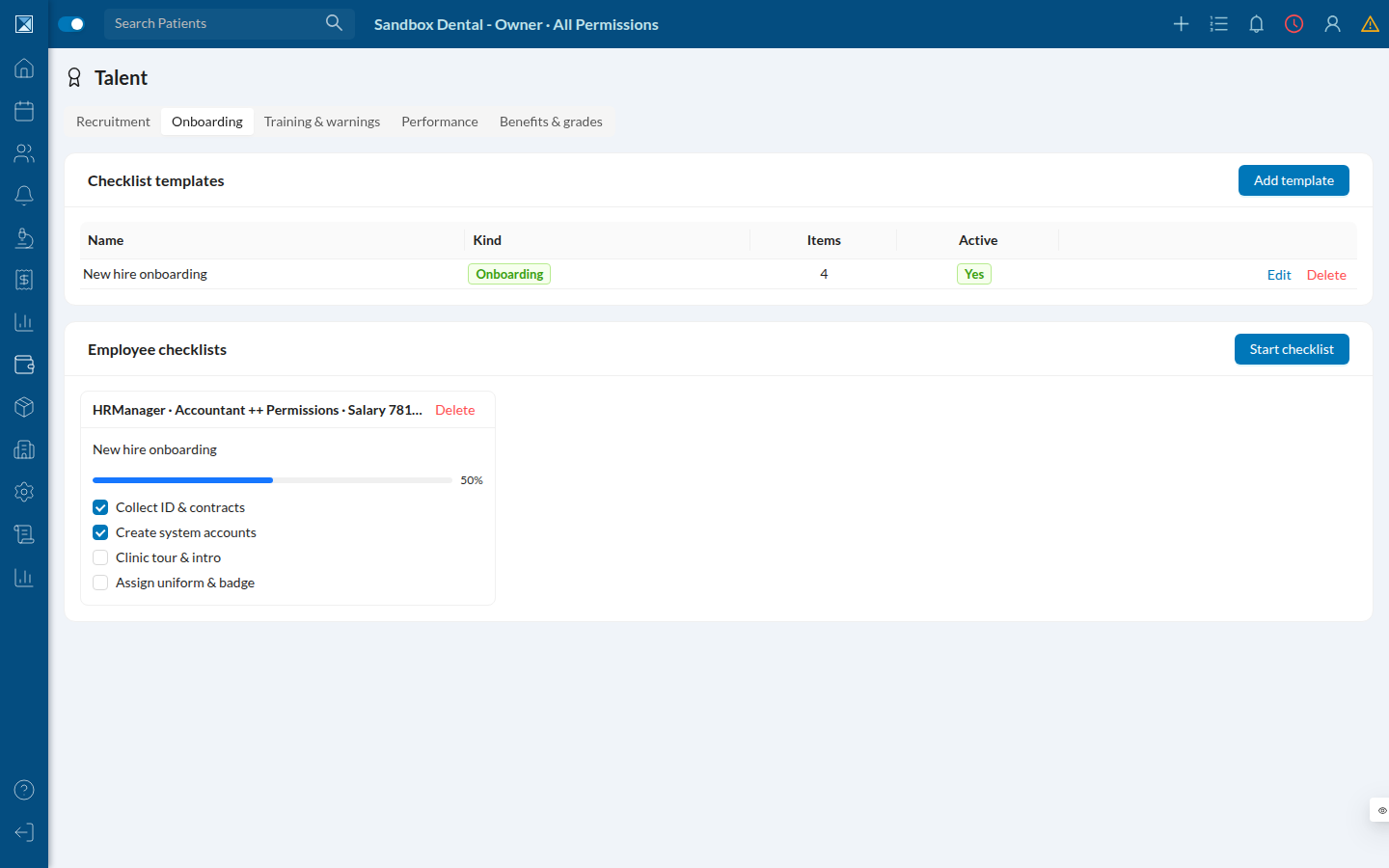
Onboarding manages checklist templates and per-employee progress (they auto-complete when every item is ticked).
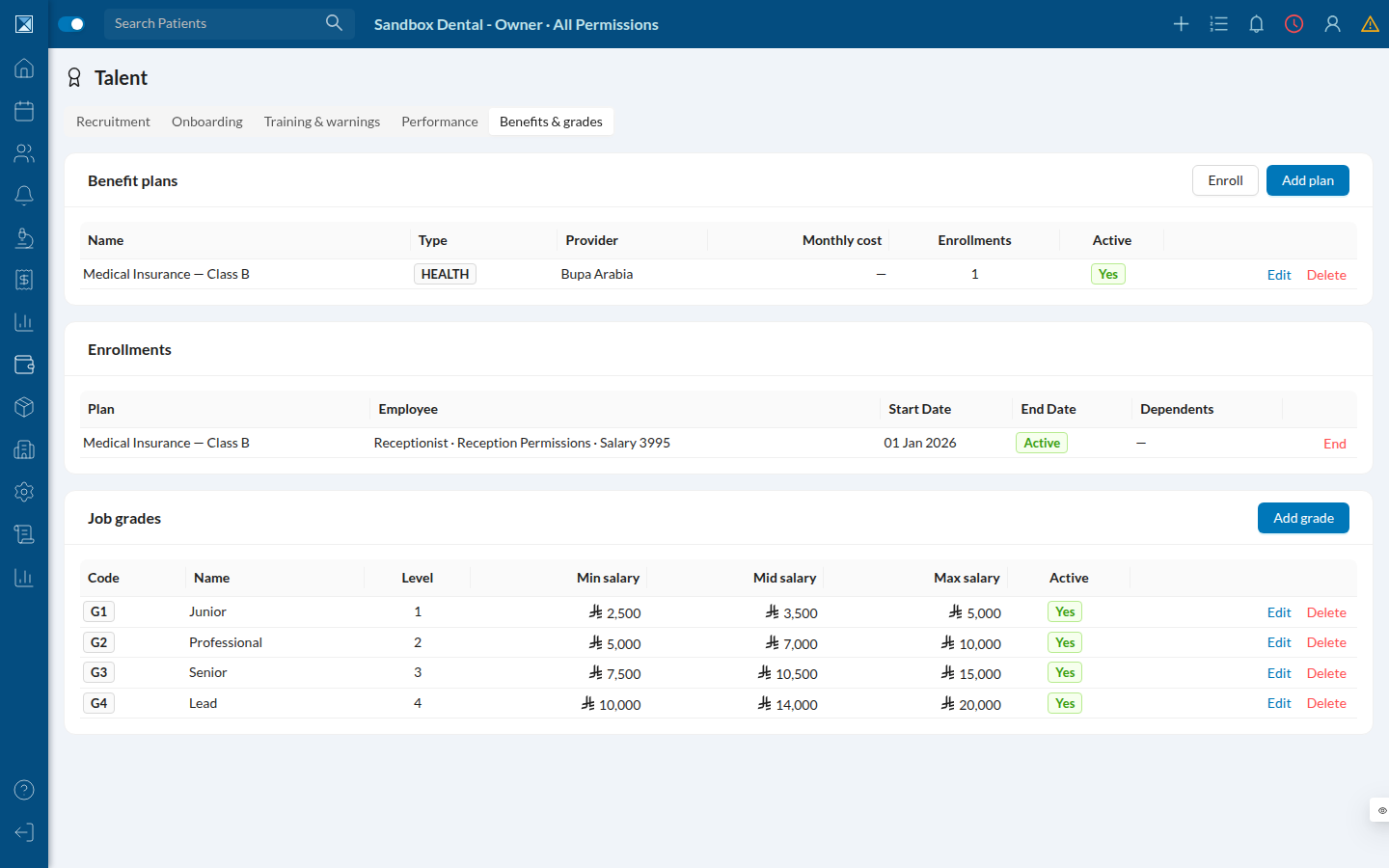
Benefits & grades holds benefit plans, enrollments, and job grades with min/mid/max pay bands.
Operations — roster, attendance, org chart
Roster shows the expected working week per employee.
Attendance is the manager's attendance view for corrections and overtime approval.
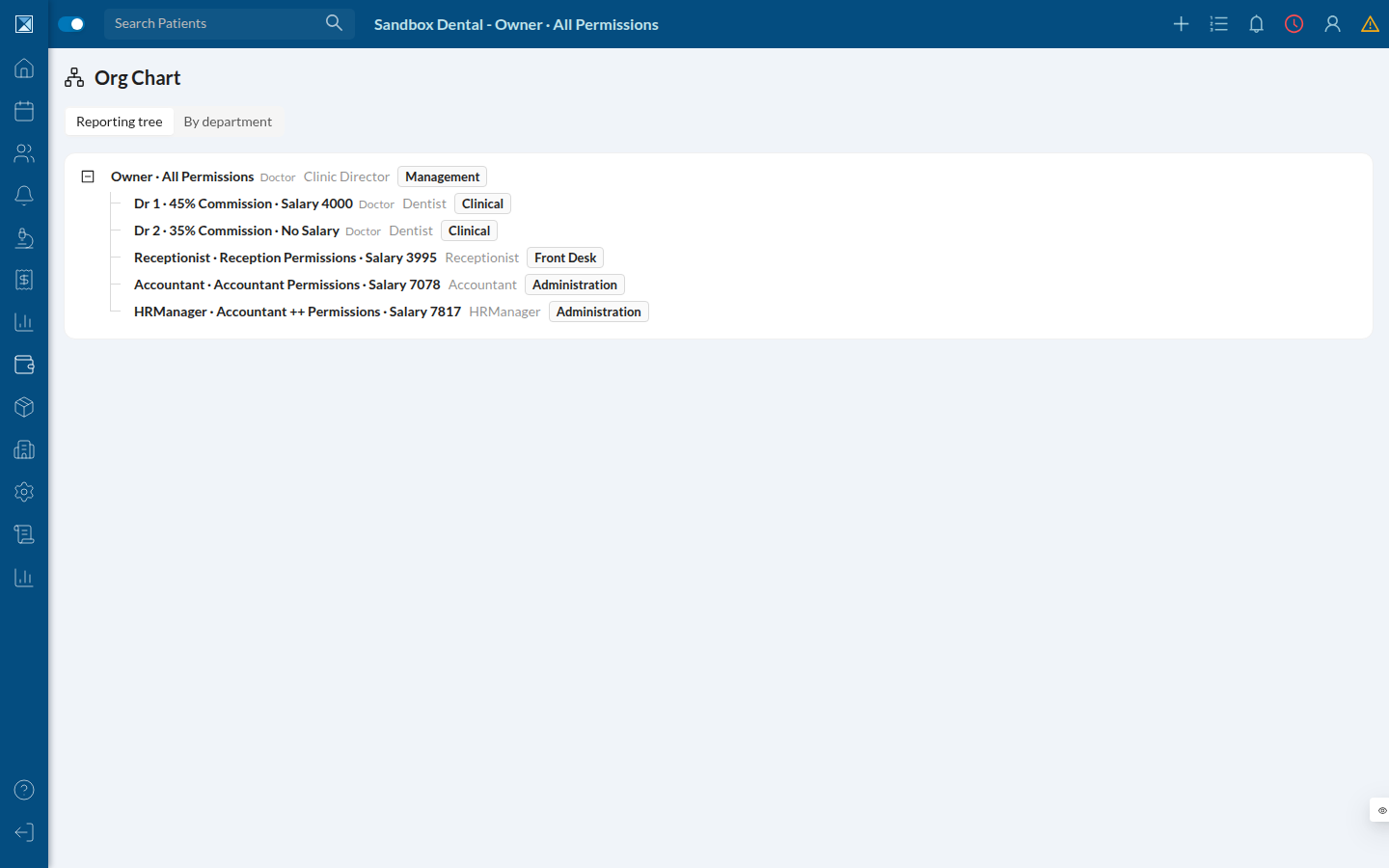
Org Chart draws the reporting tree from each employee's manager link (also viewable by department).
Reports
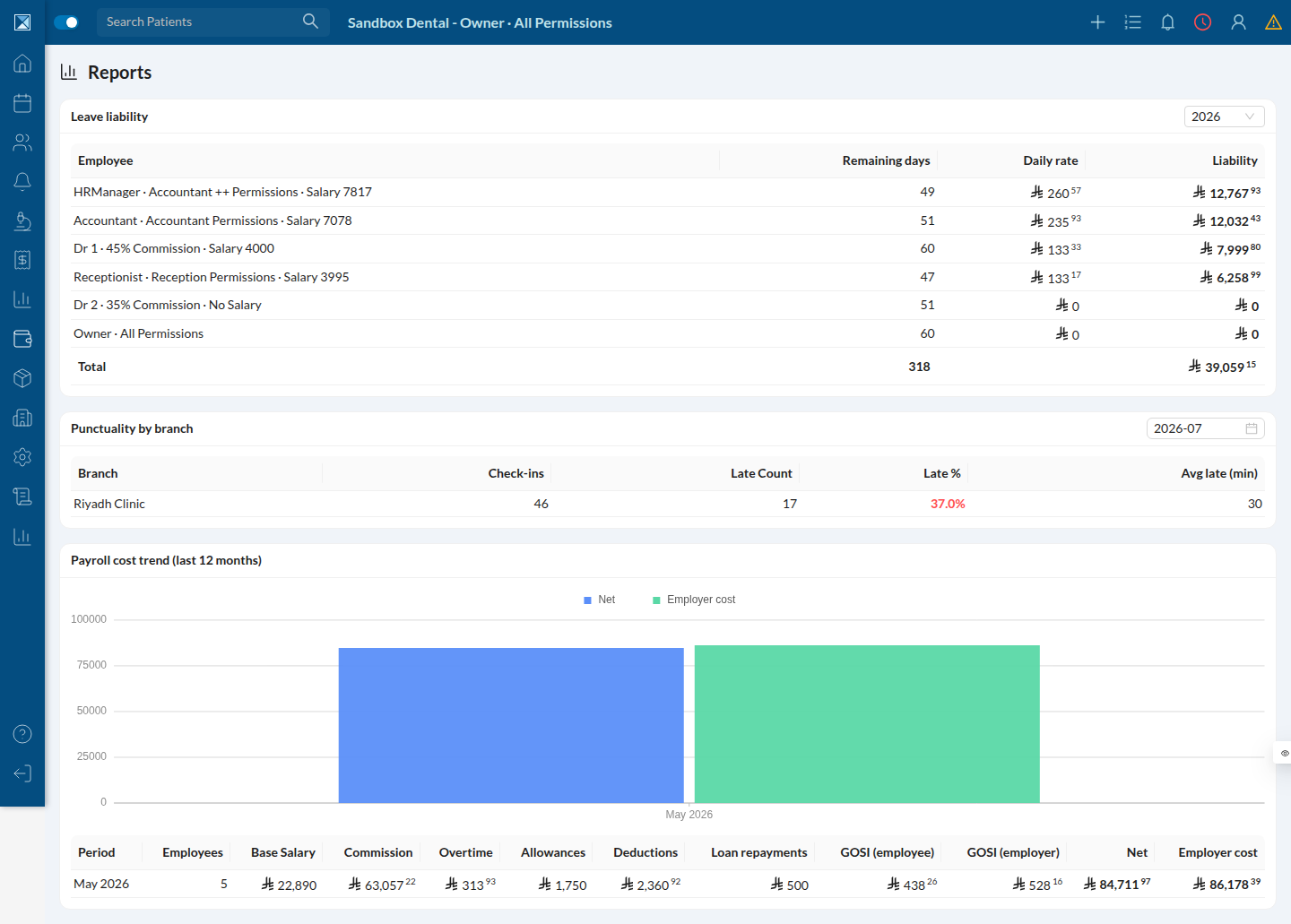
HR Hub → Reports stacks three: Leave liability (what unused paid leave is worth), Punctuality by branch, and the 12-month Payroll cost trend (base, commission, overtime, allowances, deductions, loan repayments, GOSI employee & employer, net, employer cost). Each report is period-scoped — a period with no processed data honestly shows "No data," while the columns document exactly what each report tracks.
Settings — the payroll policy
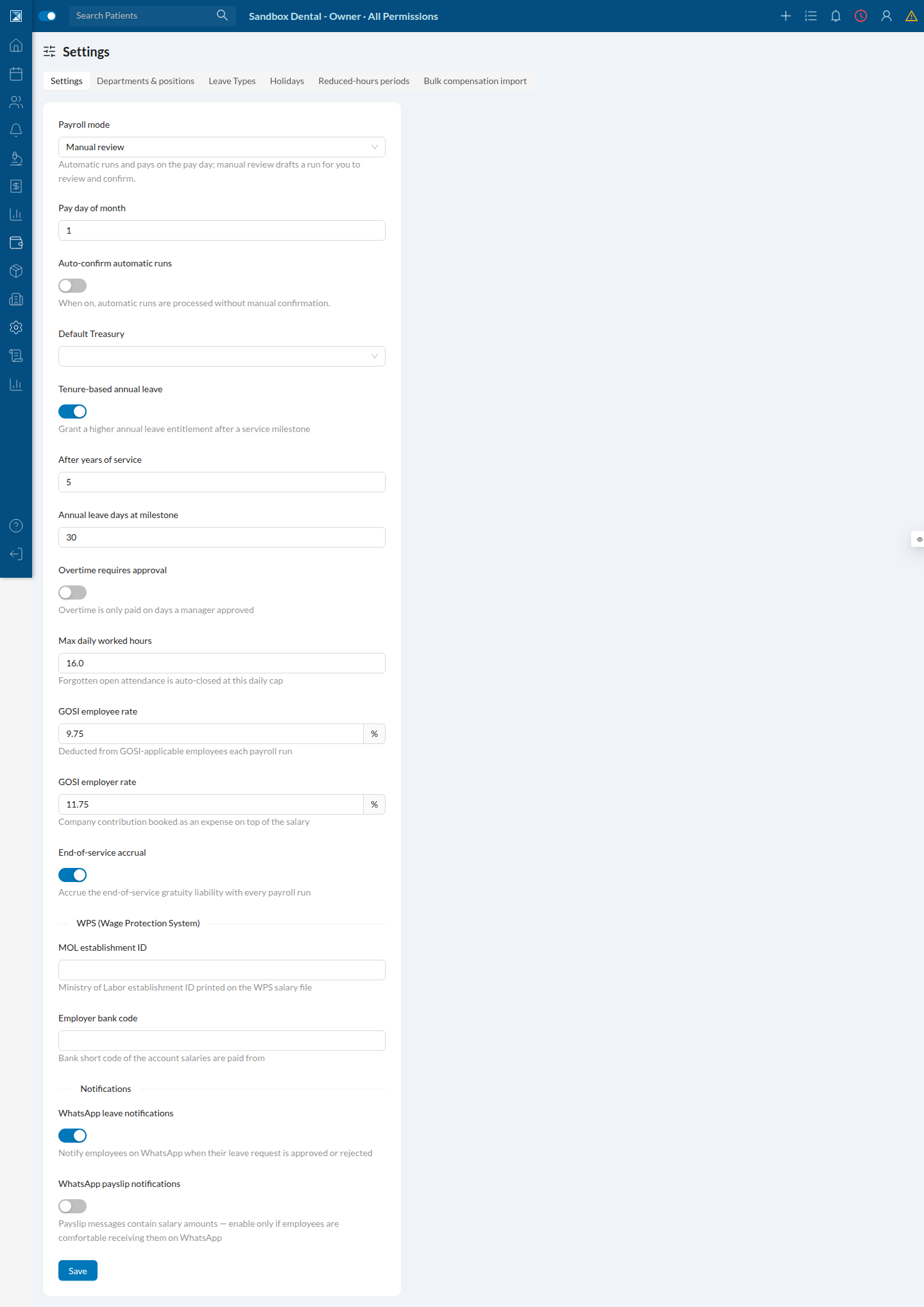
HR Hub → Settings holds the payroll policy form: run mode, pay day, auto-confirm, default treasury, tenure leave, overtime approval, max daily hours, GOSI rates, end-of-service toggle, WPS identifiers (MOL / bank code), and WhatsApp leave & payslip toggles — plus (for managers) departments & positions, leave types, holidays, reduced-hours periods, and bulk compensation import.