On this page
1. Start from a patient's profile2. Fill in the Add Balance form3. Where the result would land4. The other trigger: overpaying an invoice5. The webhook configuration screen — not available in this sandboxWalkthrough
This is a guided tour of the screens involved, captured from the sandbox (sandbox clinic, logged in as owner). It follows the direct balance top-up path, which is the simplest way to see the new webhook events fire.
1. Start from a patient's profile
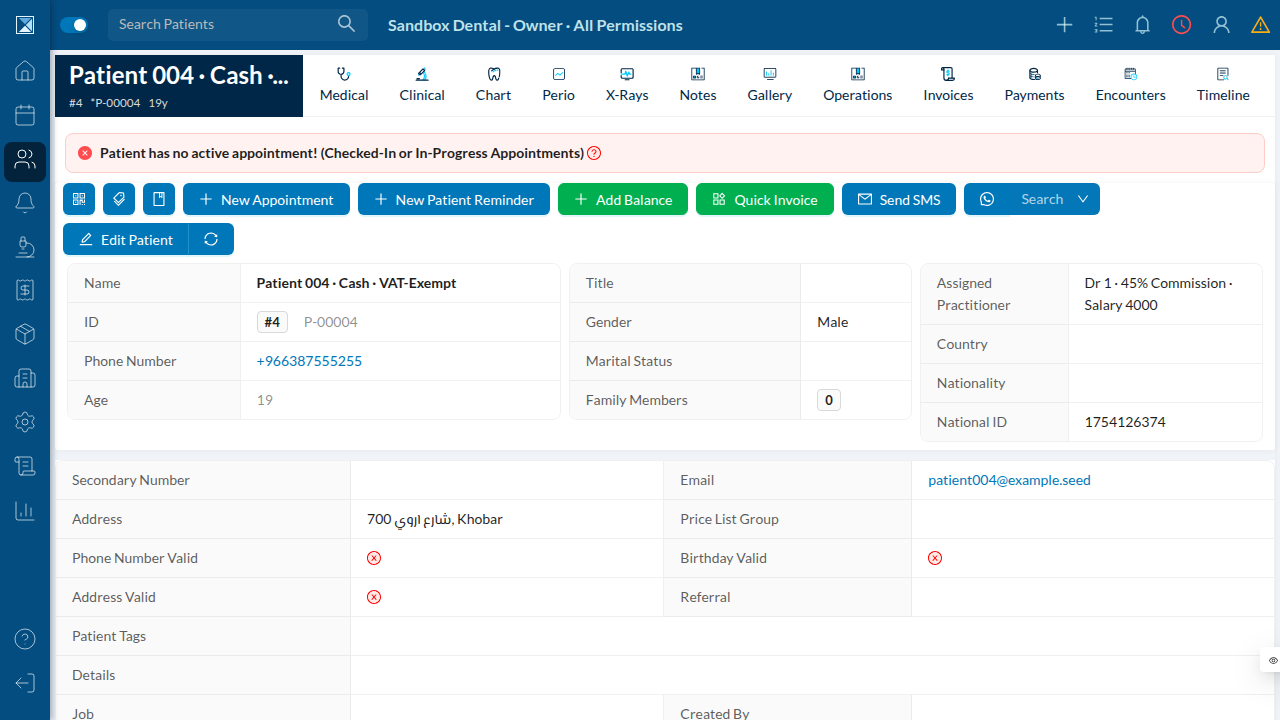
Every patient profile has an Add Balance button next to New Appointment and Quick Invoice. This button already existed — it's the entry point this PR wires up to fire webhooks.
2. Fill in the Add Balance form
Clicking Add Balance opens a modal: amount, payment type (Cash, Card, Cheque, Voucher, Bank Transfer, Mobile Wallet, Other), an optional subtype, which treasury the money lands in, and free-text details.
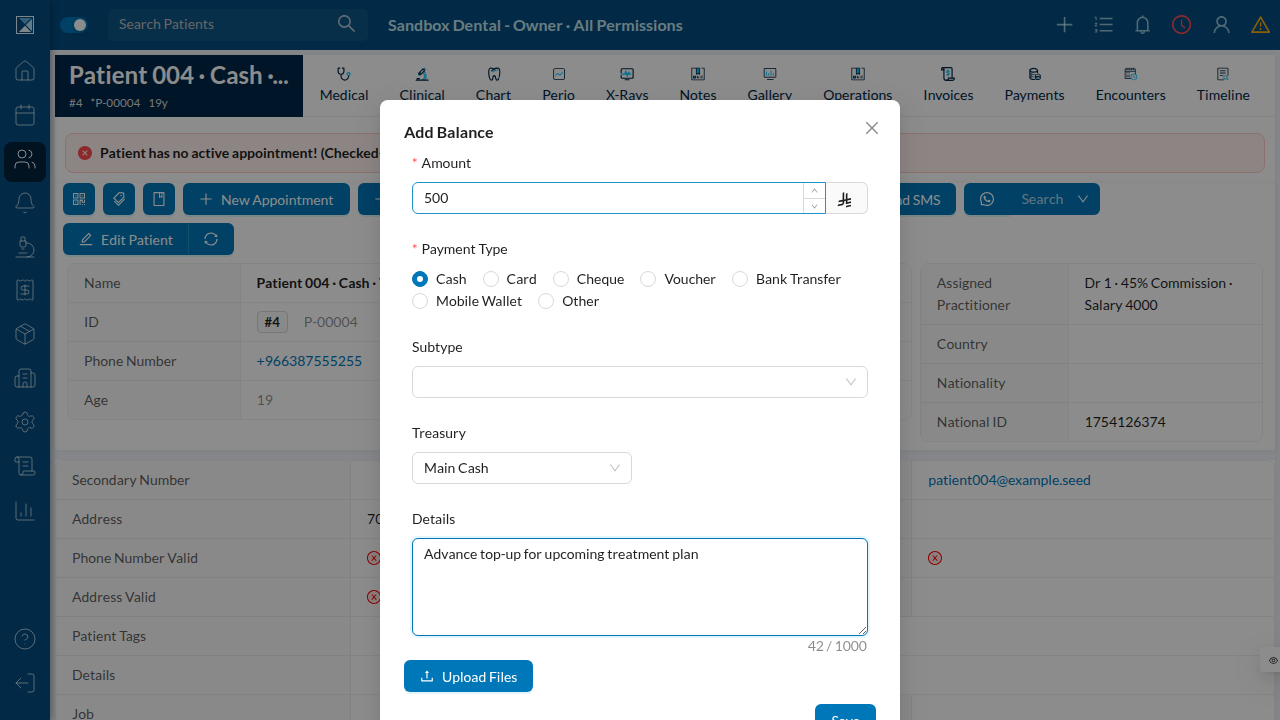
Submitting this form calls the addPatientBalance mutation (packages/server/src/resolvers/mutations/actions/appointments/addPatientBalance.js). Under the hood it:
- Increments the patient's
balanceandtotalPaid. - Creates a fully-paid Balance Invoice (
balanceInvoice: true,details: 'Balance Invoice'). - Creates a matching Balance Payment against that invoice.
- New in this PR — fires a
NEW_BALANCE_INVOICEwebhook, then a
NEW_BALANCE_PAYMENT webhook, to every configured API Config endpoint subscribed to those events.
Sandbox note: in this environment theaddPatientBalancemutation currently fails server-side with a Prisma error (Argument \id\must not be null.) because the seededsandboxcompany record has nocreatedByIdset — a value the balance-invoice code path has always required (see For Quality). That line is unchanged by this PR; it's a pre-existing requirement that this sandbox's seed data doesn't satisfy, not a regression. The screenshots above show the real UI up to the point of submission; the resulting invoice/payment records and the outbound webhook calls are described from the source in Balance webhook events since they could not be triggered end-to-end in this environment.
3. Where the result would land
A successful balance top-up shows up like any other invoice, in the patient's Invoices tab — fully paid, zero remaining:
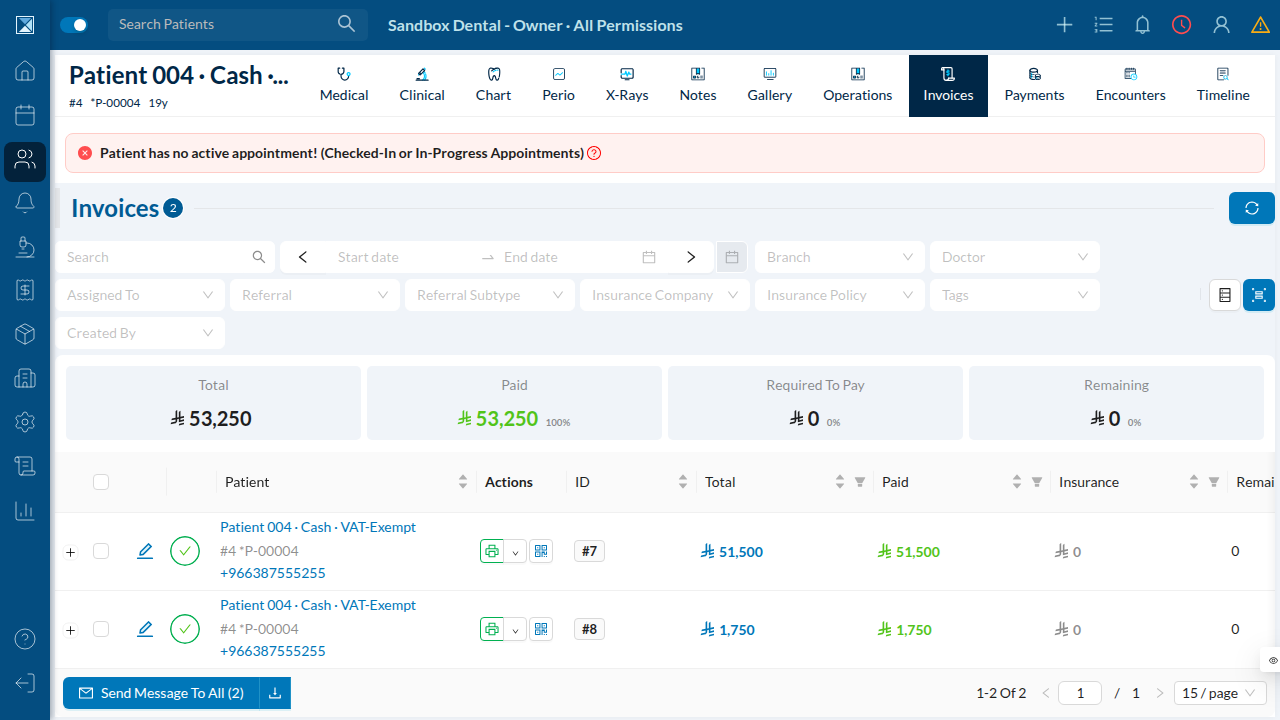
A balance invoice created by this flow looks the same, except its details field reads "Balance Invoice" and balanceInvoice is true.
4. The other trigger: overpaying an invoice
The second way these webhooks fire doesn't involve the Add Balance button at all. If staff record a payment against a regular invoice for more than the remaining amount owed, Dentolize automatically creates a second "Balance Invoice" for the difference and credits it to the patient's balance — this is existing behavior in handleNewPayment (packages/server/src/resolvers/mutations/mutationUtils/paymentUtils.js). This PR adds the same NEW_BALANCE_INVOICE / NEW_BALANCE_PAYMENT webhook calls to that path too (around line 1687 and 1701), so overpayment-driven balance credit is now just as visible to integrations as a direct top-up.
5. The webhook configuration screen — not available in this sandbox
Settings → Integrations → API Config is where clinics register webhook URLs and pick which events to subscribe to (including the two new balance events). It's gated behind a company-level apiEnabled flag that is off by default and only turned on by Dentolize staff for clinics using this integration. The sandbox company used for this walkthrough doesn't have it enabled, and the admin console needed to flip it was unreachable during this session, so this screen could not be screenshotted live. Its form fields are documented from source in API Config: one shape instead of three.