On this page
1. The calendar — where scheduling starts2. The month-view picker3. Repeating appointments — checking availability across datesWhat you won't see in these screenshotsWalkthrough
This is a guided tour of the three screens this PR touches, captured from a pre-release sandbox running this branch. None of these screens are new — what's new is that they no longer crash under a specific timing condition (the branch's opening-hours data not having loaded yet). The screenshots below show the "after" state: every one of these flows completing normally.
1. The calendar — where scheduling starts
Everything in this PR is reachable from the clinic's Calendar screen. Owners, doctors, and receptionists land here to see the day's bookings by room.
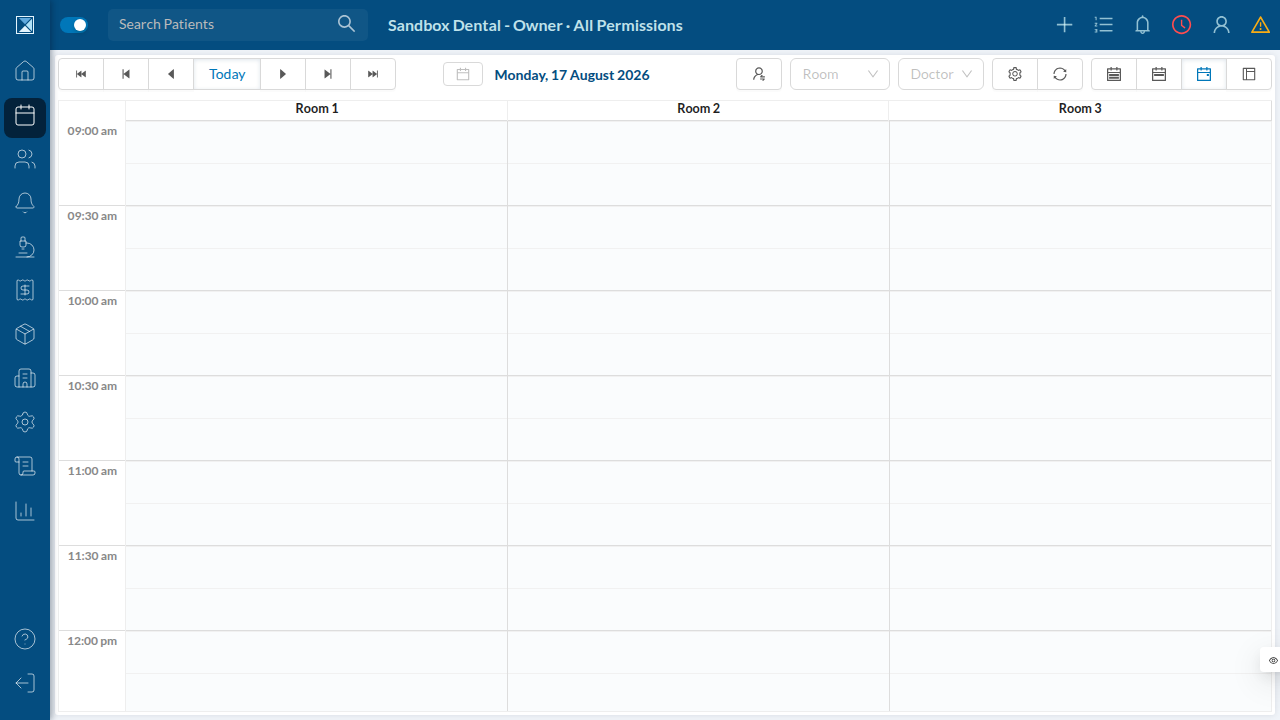
Clicking an empty slot opens Create New Appointment — the form that hosts all three of the fixed components.
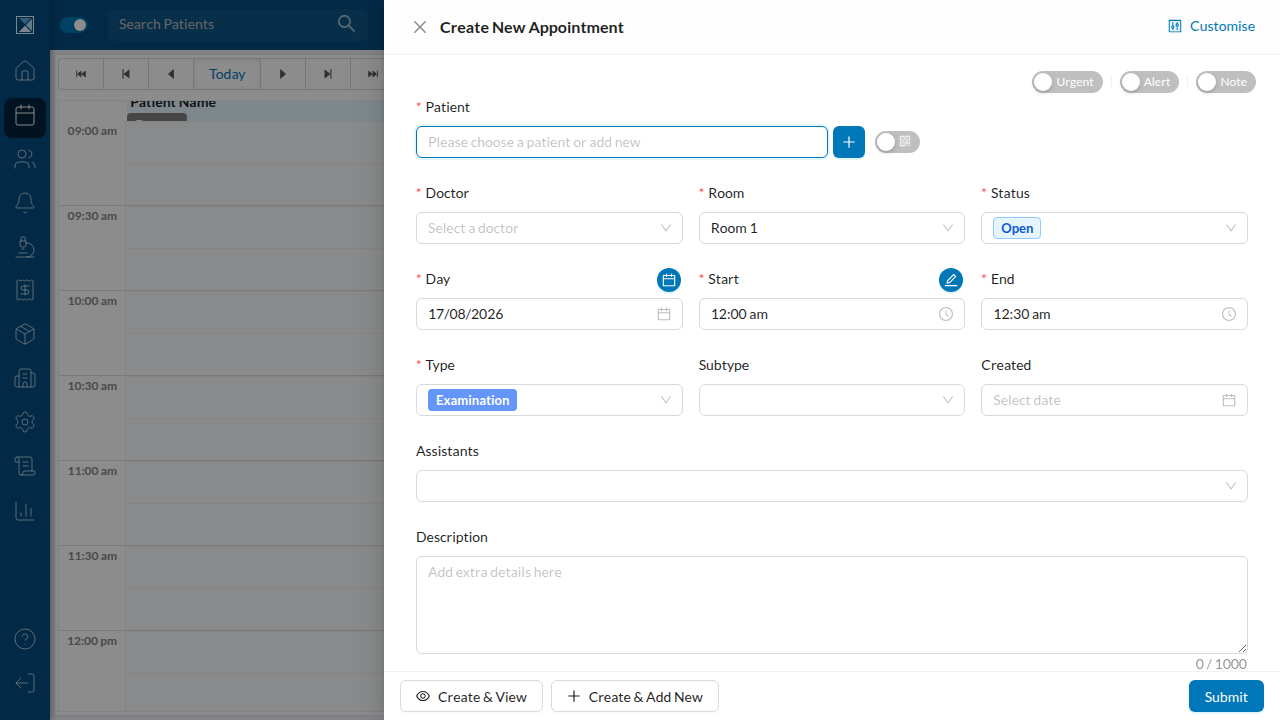
2. The month-view picker
Next to the Day field is a small calendar-icon button. It opens a month-at-a-glance view where each day shows a red badge (booked appointments) and a green badge (remaining open slots), computed from the branch's opening hours, breaks, and holidays.
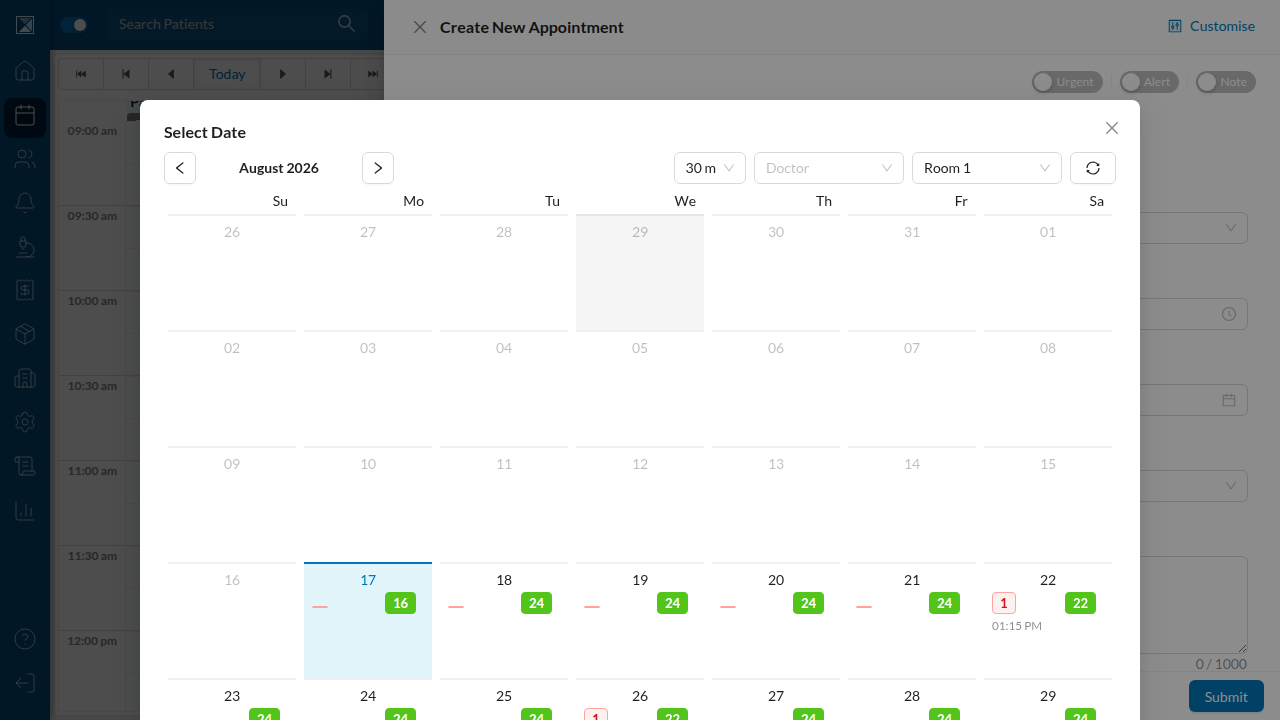
This is the MonthlyCalendar component. Before this PR, if the branch's opening-hours query hadn't resolved yet when this grid tried to compute slot counts, the whole app crashed here. Now it either shows the grid (once data is ready) or nothing at all — never a crash.
3. Repeating appointments — checking availability across dates
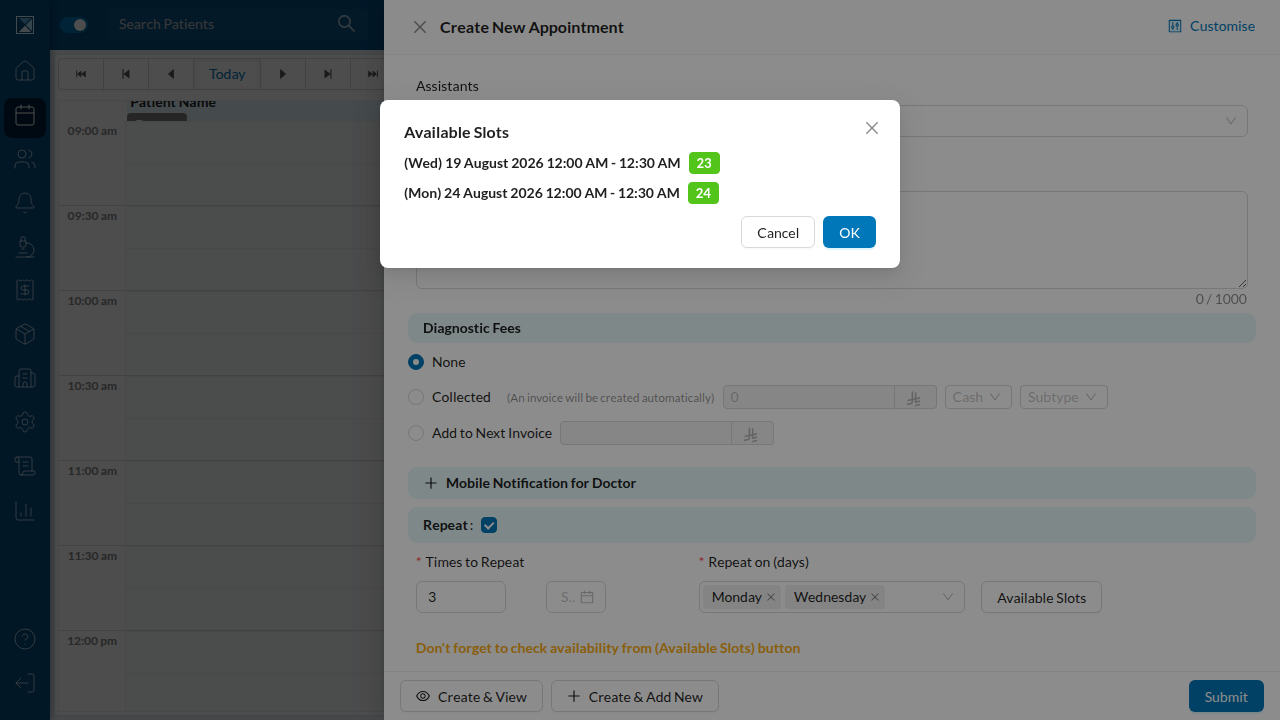
Turning on Repeat on the appointment form reveals how many times to repeat, which days of the week, and an Available Slots button that checks all the resulting dates against the branch's calendar before you commit.
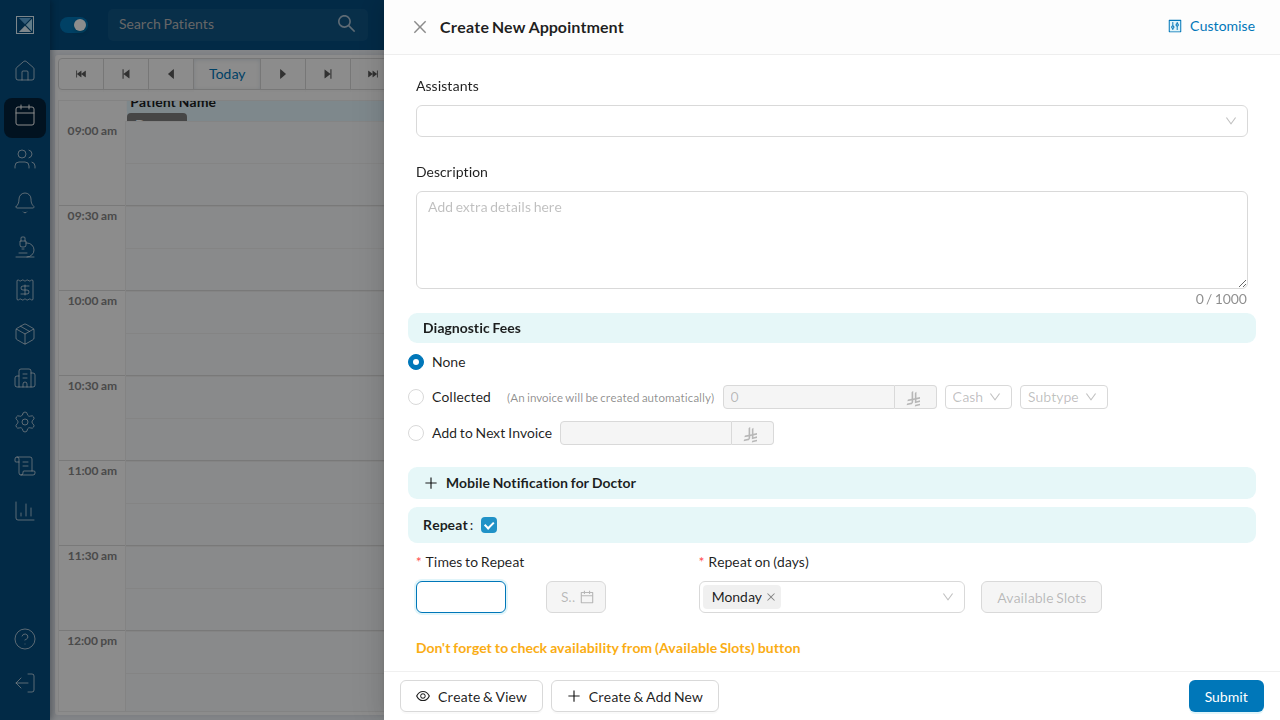
Clicking Available Slots fetches existing appointments for every repeat date and shows how many open slots remain on each one — this is the CheckRepeatTimesAvailabilityButton component, the component most directly implicated in the crash this PR fixes (see The branch-switch crash for why).
What you won't see in these screenshots
The bug this PR fixes only manifests in a narrow timing window — right after switching to a branch whose opening-hours data isn't cached yet — so it can't be captured as a single static screenshot of "the bug happening" in a stable sandbox. See The branch-switch crash for a precise, code-level description of the failure and For Quality for how to reproduce and verify it.