On this page
1. Granting the permission2. Adding an expense — without the permission3. Adding an expense — with the permission4. Recording an expense payment5. Adding a salary adjustment — without the permission6. Adding a salary adjustment — with the permissionWalkthrough
A guided tour of the feature, captured on the sandbox. All screenshots below are from an unreleased branch — nothing here is live for customers yet.
1. Granting the permission
Permission Groups gained a new Change Creation Date column on the Settings tab. It only appears for the two rows that support it: Expenses and Salary Hub. Before this PR, the column didn't exist — a group could add expenses or salary adjustments, full stop, with no separate control over whether it could also set their date.
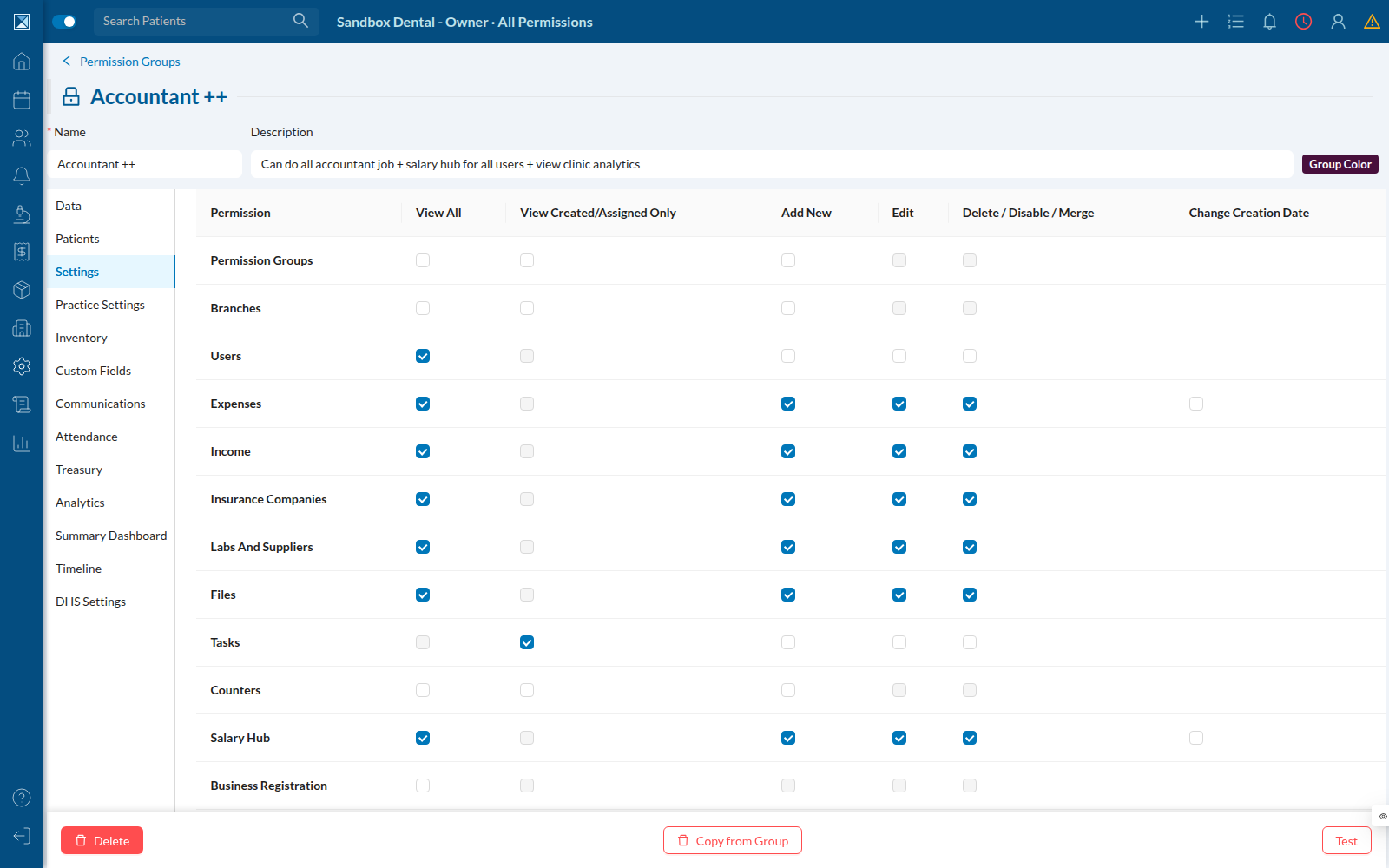
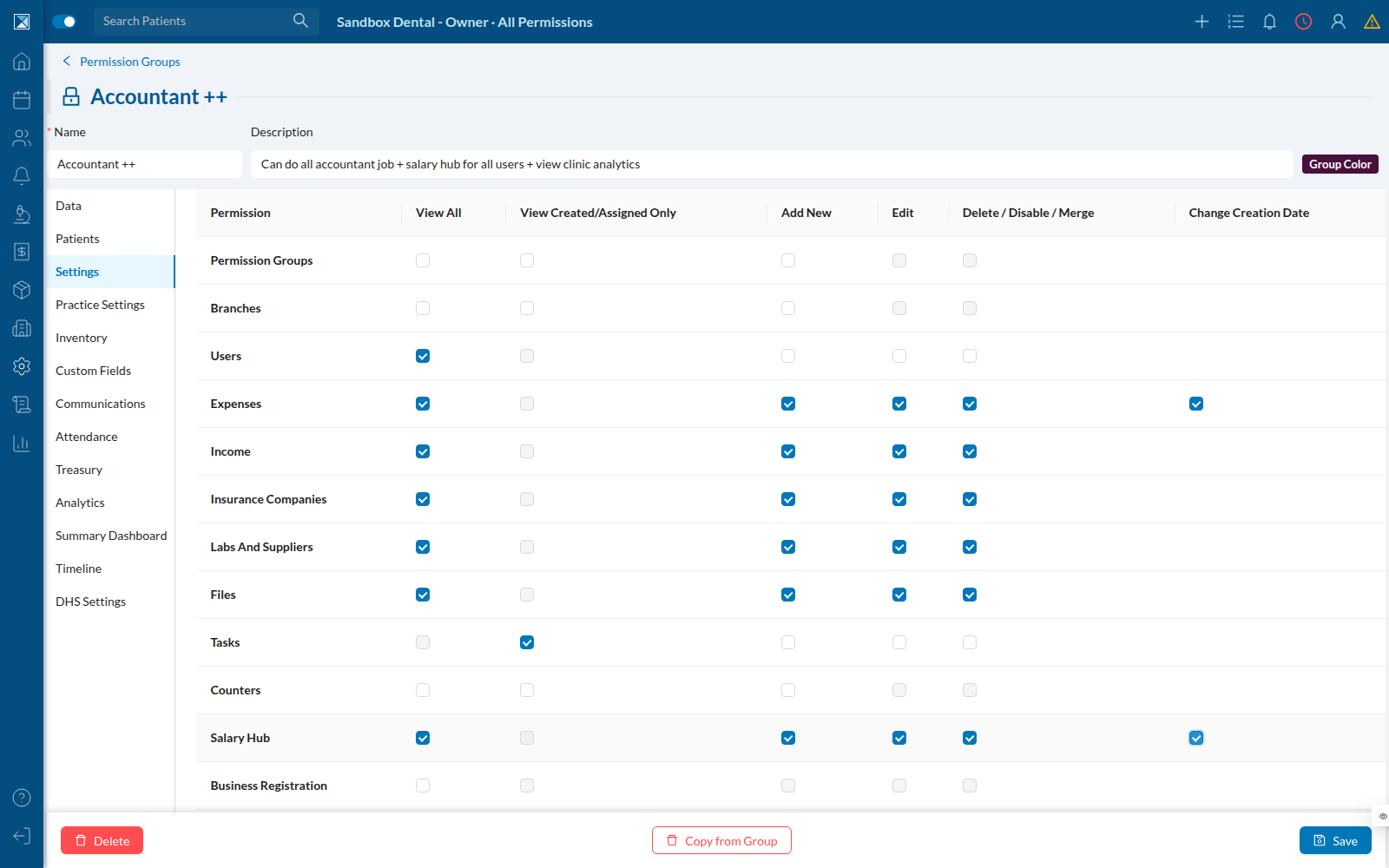
The checkbox stays disabled until the group already has Add New for that row — you can't grant "change the date" without first granting "add the record". Checking Add New unlocks it (and unchecking Add New clears it back to unchecked automatically):
2. Adding an expense — without the permission
A staff member whose group has Add Expenses but not Change Creation Date still sees the Date field on the New Expense form — it isn't hidden. It's just disabled, and hovering explains why:
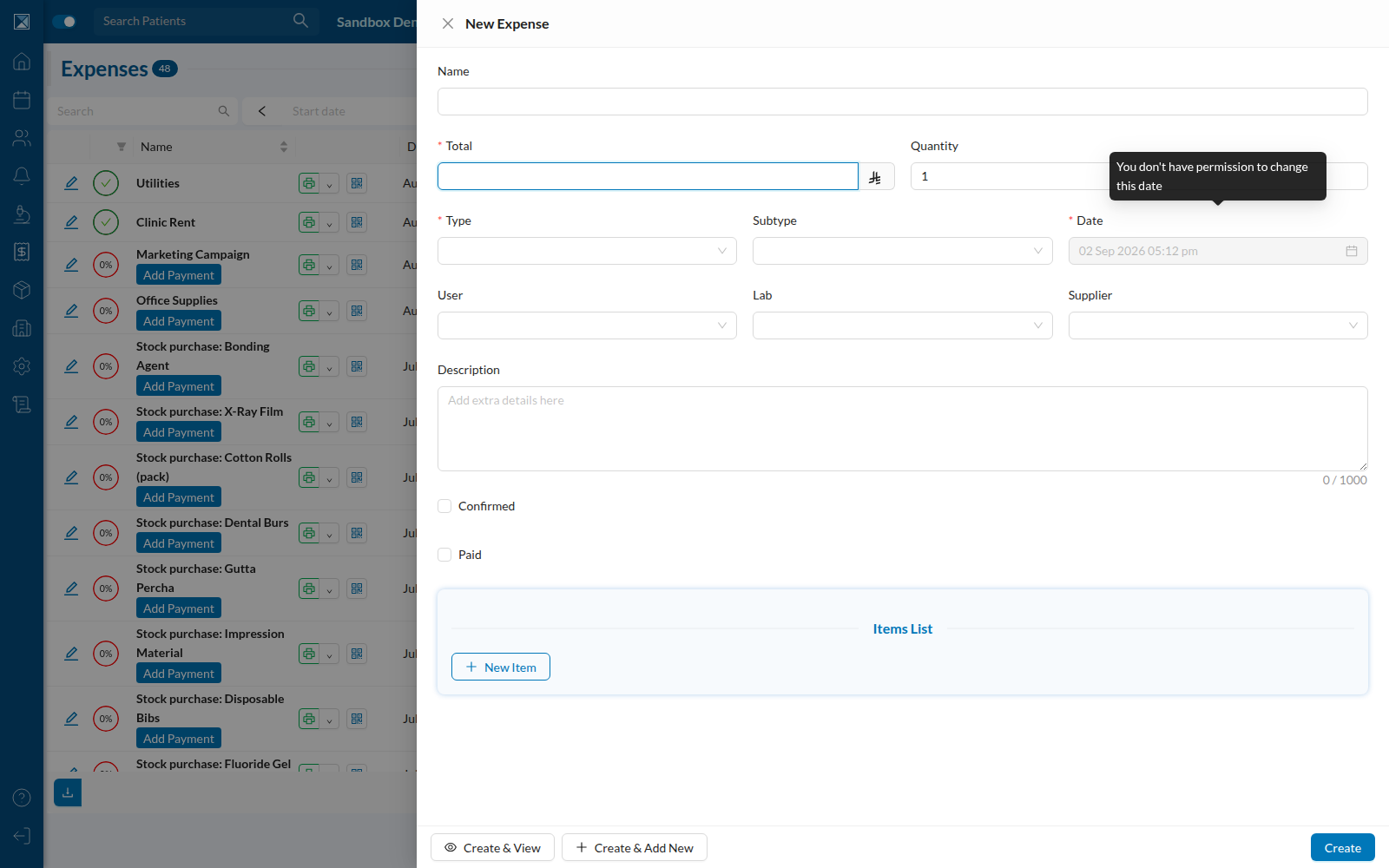
Submitting this form files the expense under today's date automatically — the user never has to think about it, and the field never silently accepts a value it can't use.
3. Adding an expense — with the permission
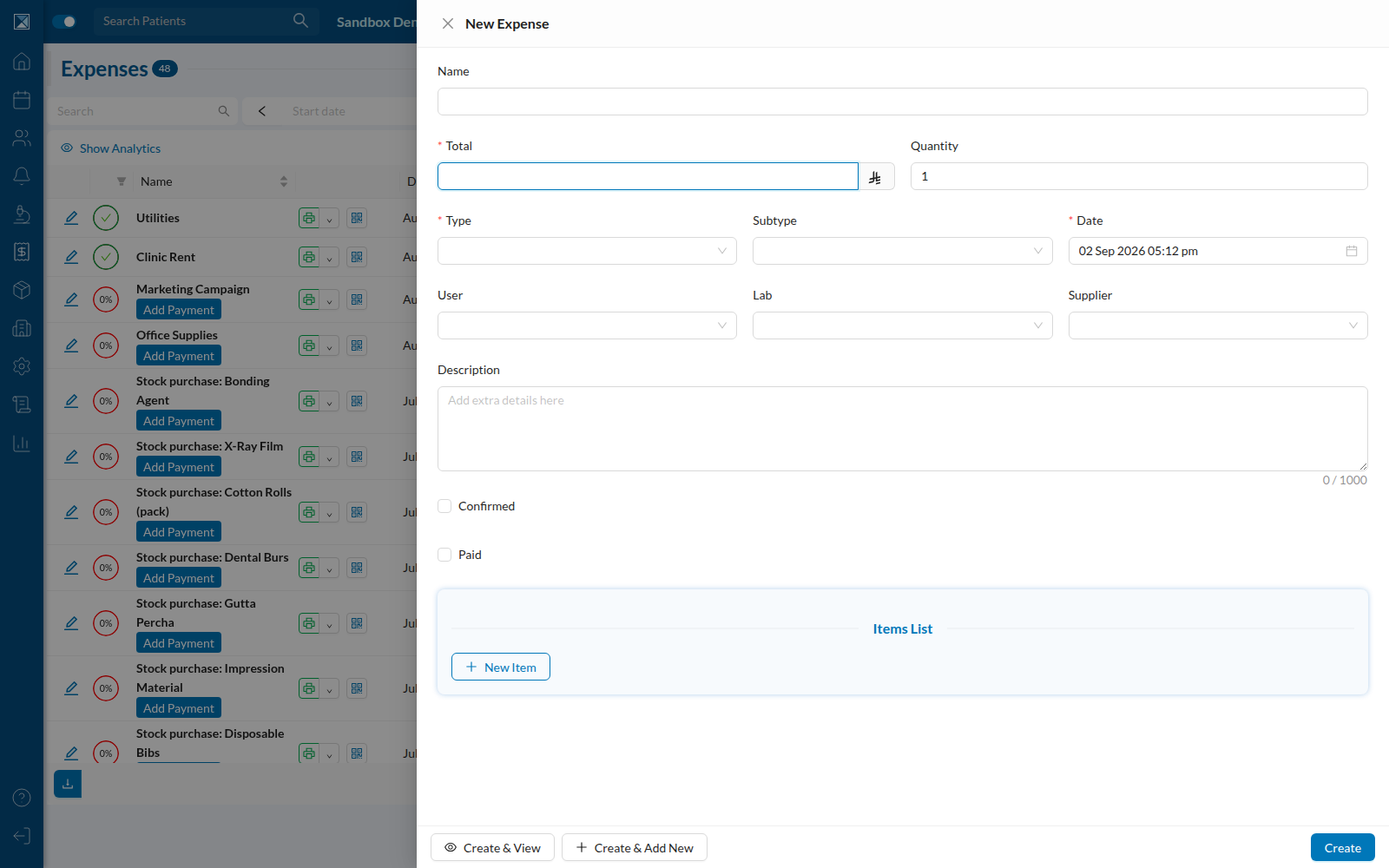
A staff member whose group also has Change Creation Date for Expenses sees the same field, fully interactive:
4. Recording an expense payment
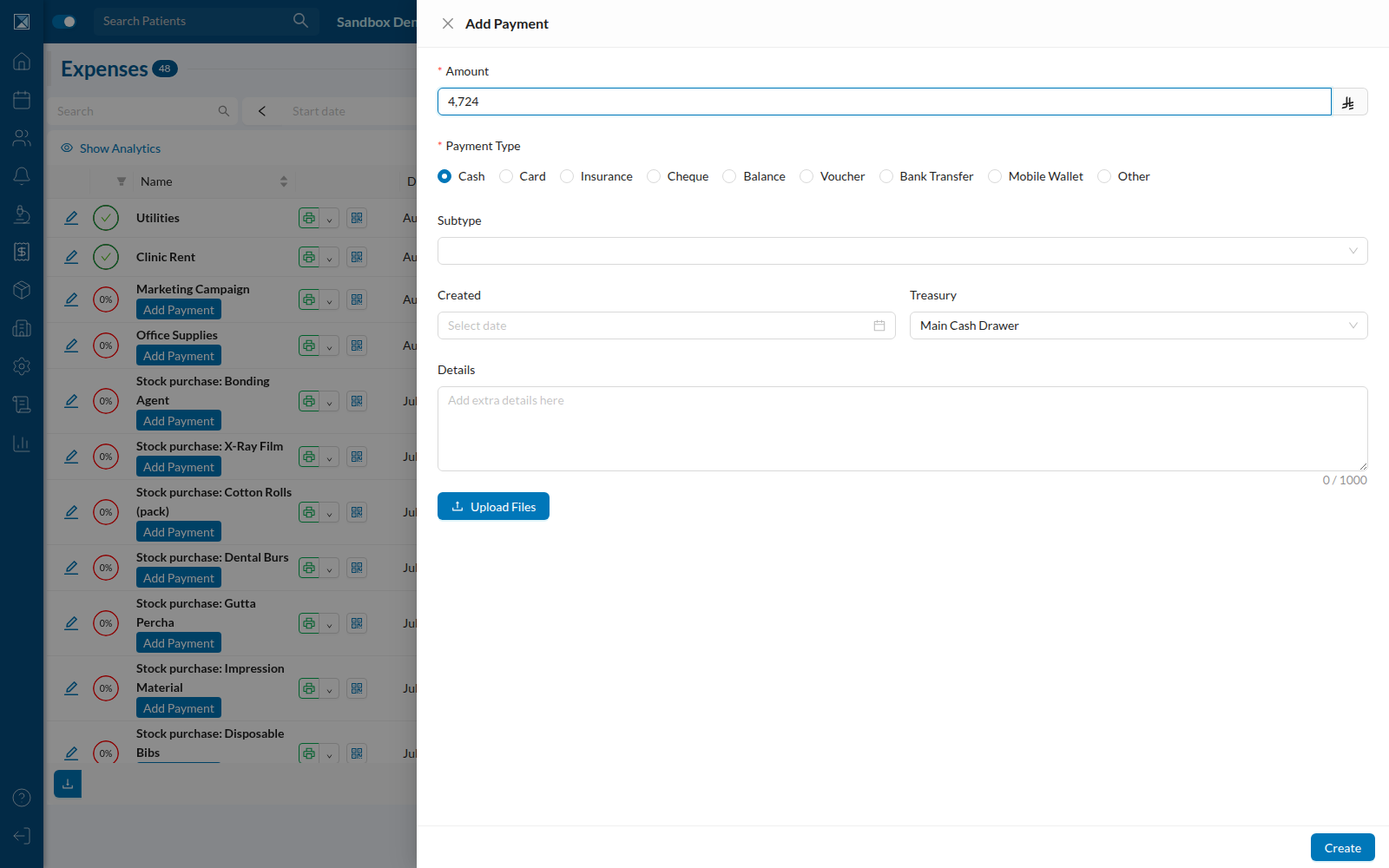
Expense payments used to have their date field visible only to owners (user.permissions.doAll). That's now folded into the same Expenses permission — anyone with Change Creation Date for Expenses can set the payment's createdAt, and everyone else sees it filed under today:
5. Adding a salary adjustment — without the permission
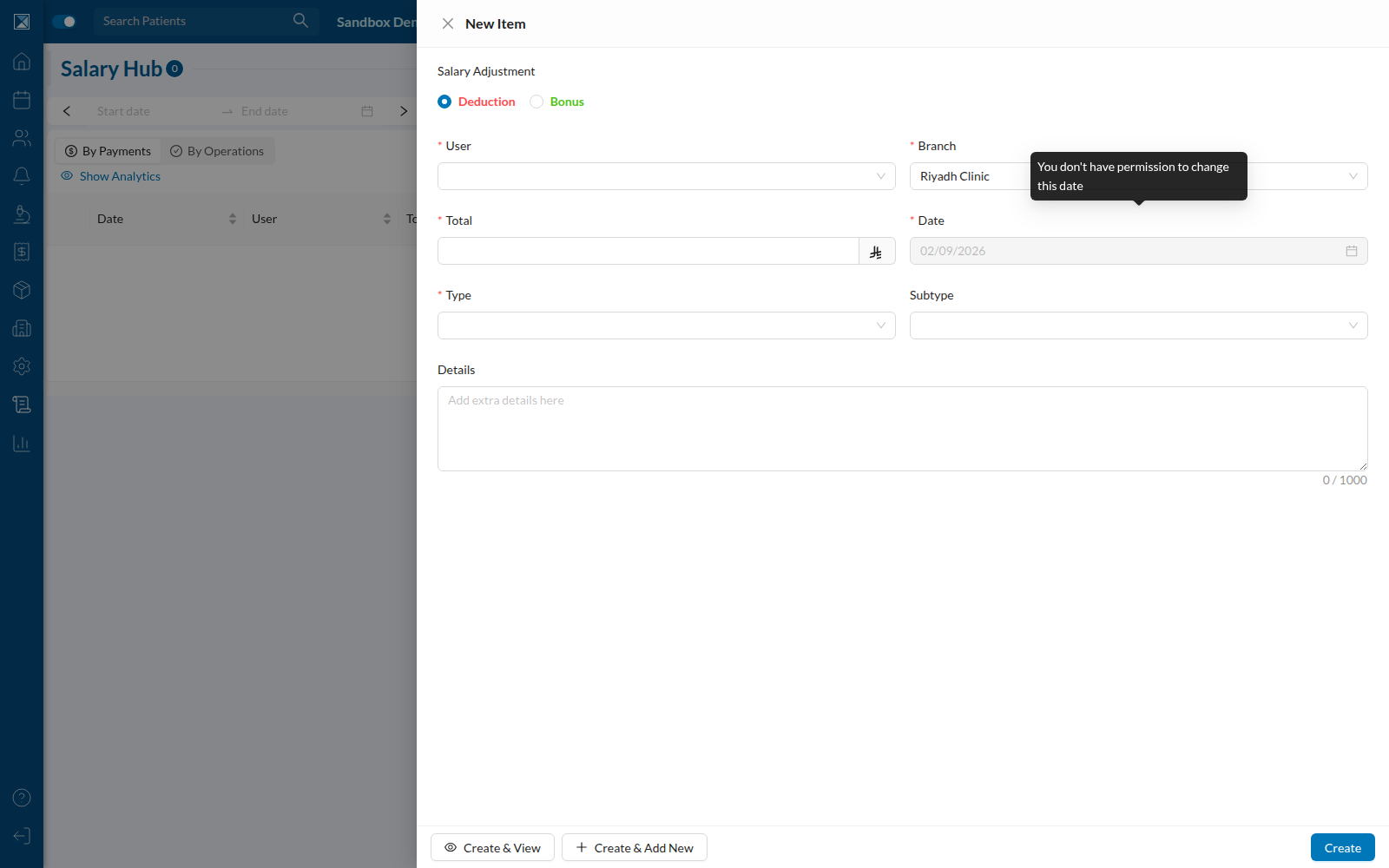
Salary adjustments follow the identical pattern, gated by its own permission (Change Creation Date for Salary Hub, independent from the Expenses one):
6. Adding a salary adjustment — with the permission
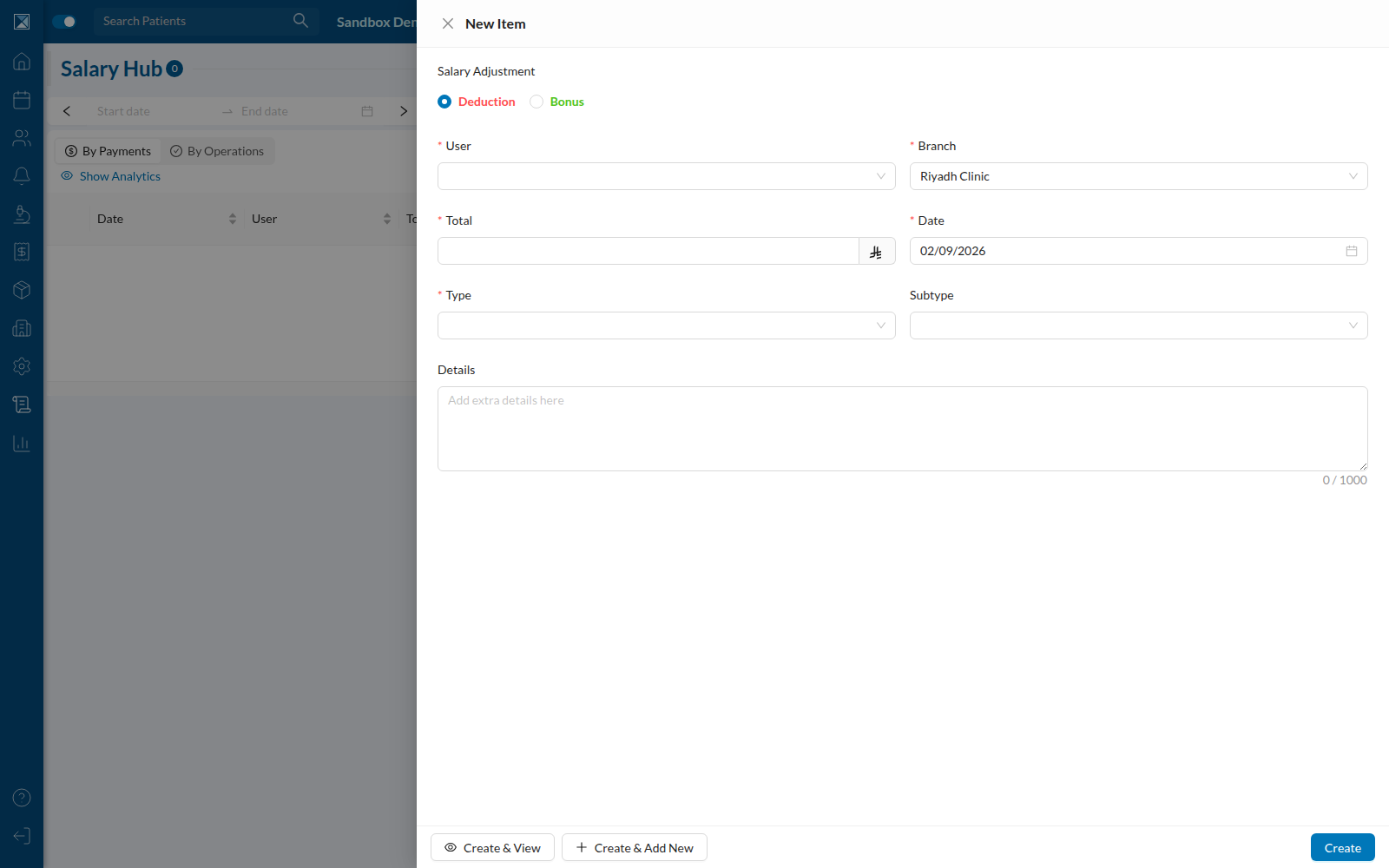
Editing an existing salary adjustment behaves the same way in reverse: a user without the permission can still edit the amount, user, or type, but the date field stays locked to whatever date the record already has.