On this page
1. Where the number lives2. The analytics bar3. The fix in action4. Whytotal + discount is the right baseWhat you will not seeWalkthrough (screenshots)
A guided tour of the exact screen this change touches, captured on the live branch sandbox while logged in as Owner · All Permissions. Every image is a real screenshot from the running app.
1. Where the number lives
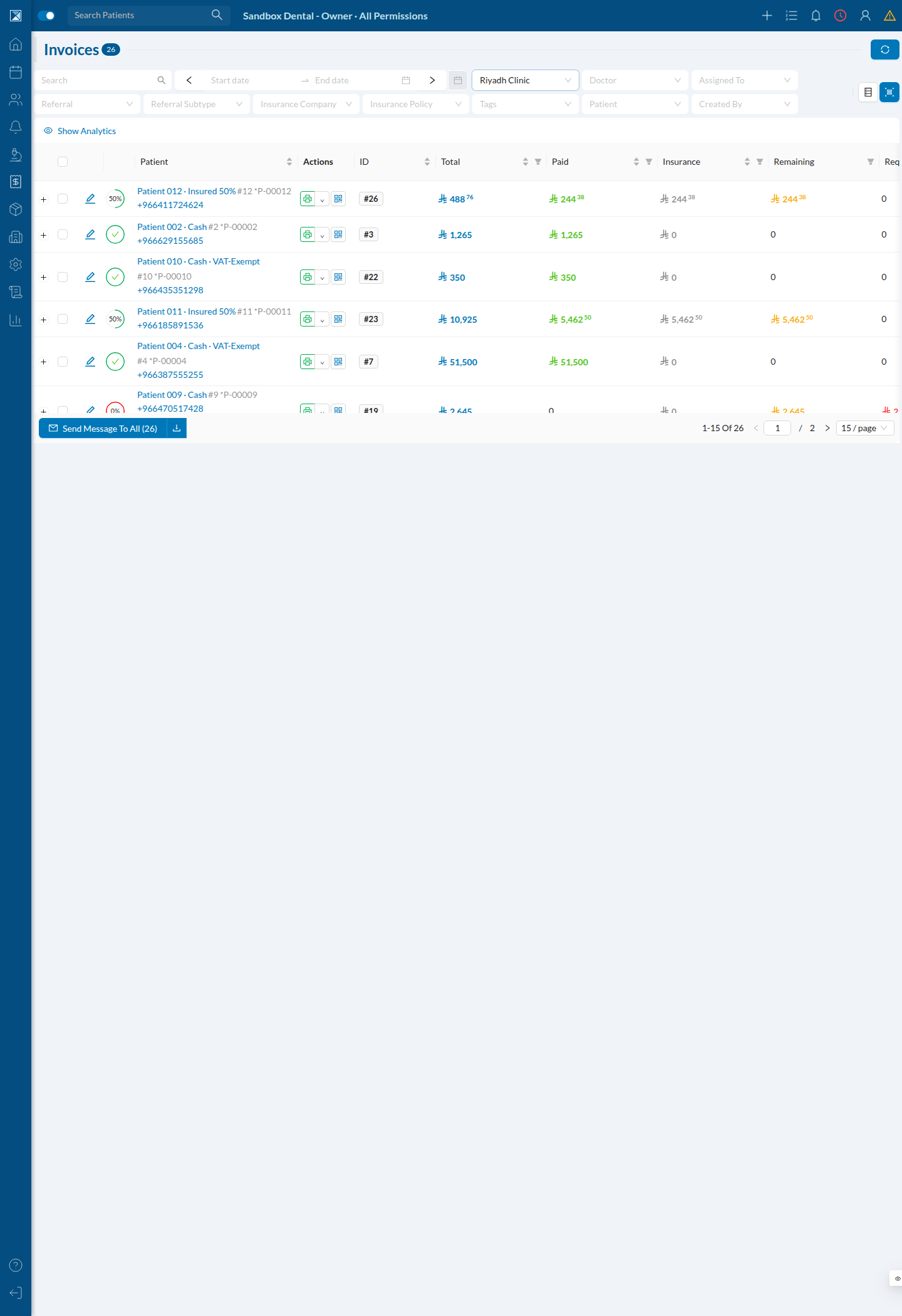
The change is on the Invoices screen (Finances → Invoices). By default the table shows the invoice rows; a Show Analytics toggle reveals a summary bar of tiles across the top.
2. The analytics bar
Clicking Show Analytics reveals the summary tiles: Total, Paid, Required To Pay, Remaining, Tax, Discount, Insurance. Each tile shows a money amount and a small percentage underneath it. The Discount tile is the one this change fixes.
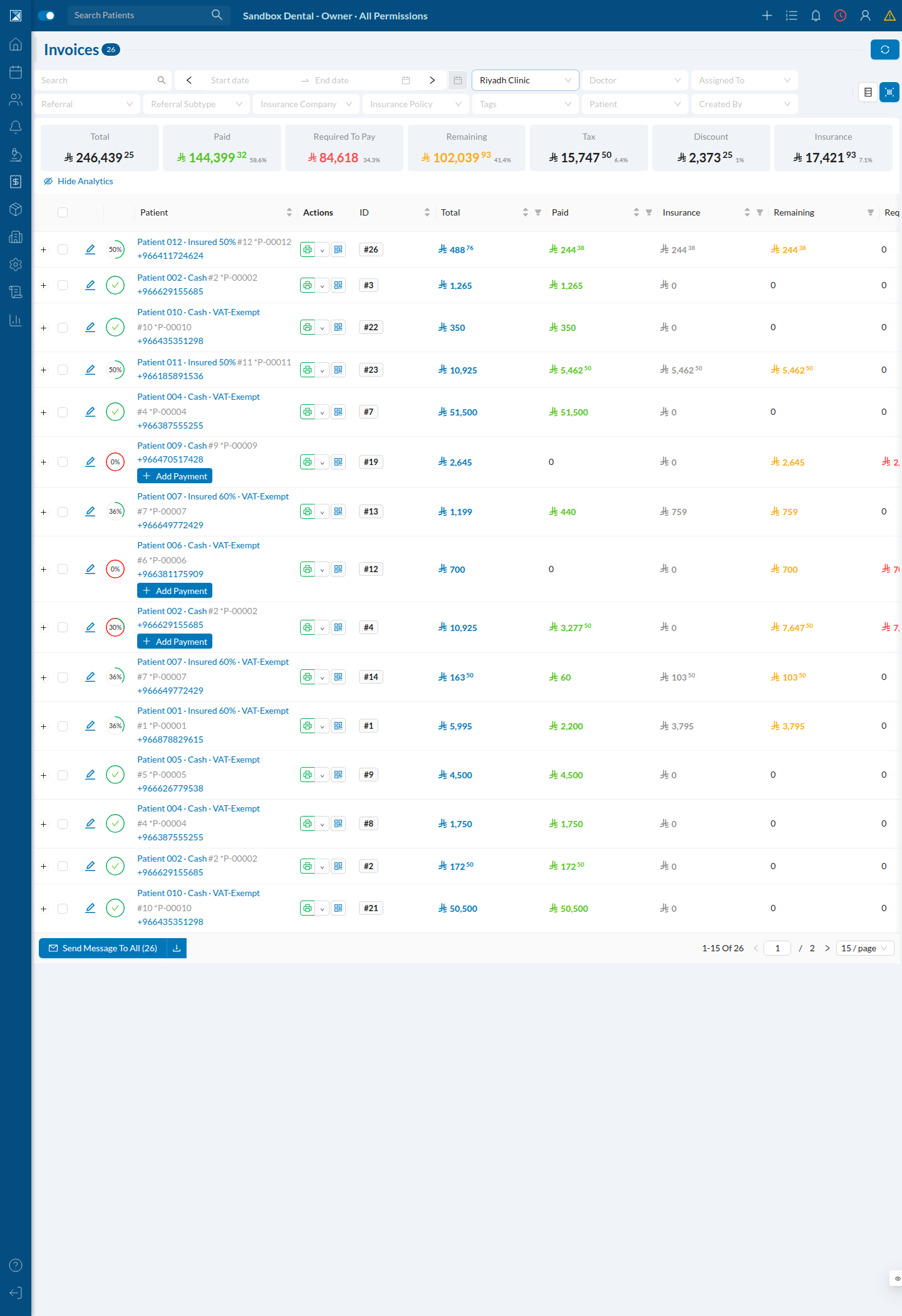
Across all invoices the discount here is tiny relative to revenue (₺2,373.25 out of ₺246,439.25), so it rounds to about 1 % either way. The bug is easy to miss until the discounts make up a bigger share of the mix — so let's isolate the discounted invoices.
3. The fix in action
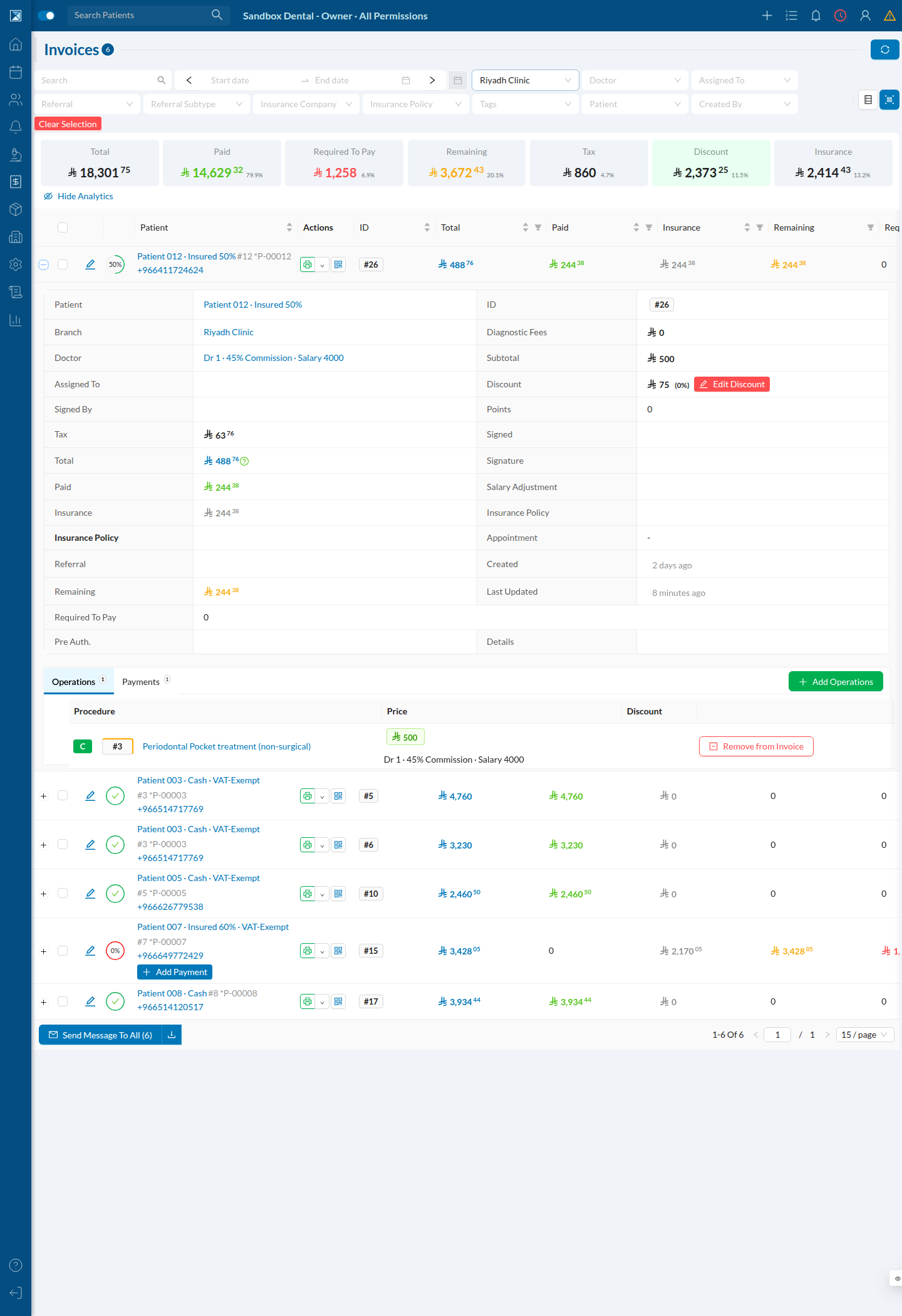
Clicking the Discount tile filters the table to only invoices that carry a discount. The summary now recalculates over those six invoices, and the percentage becomes meaningful.
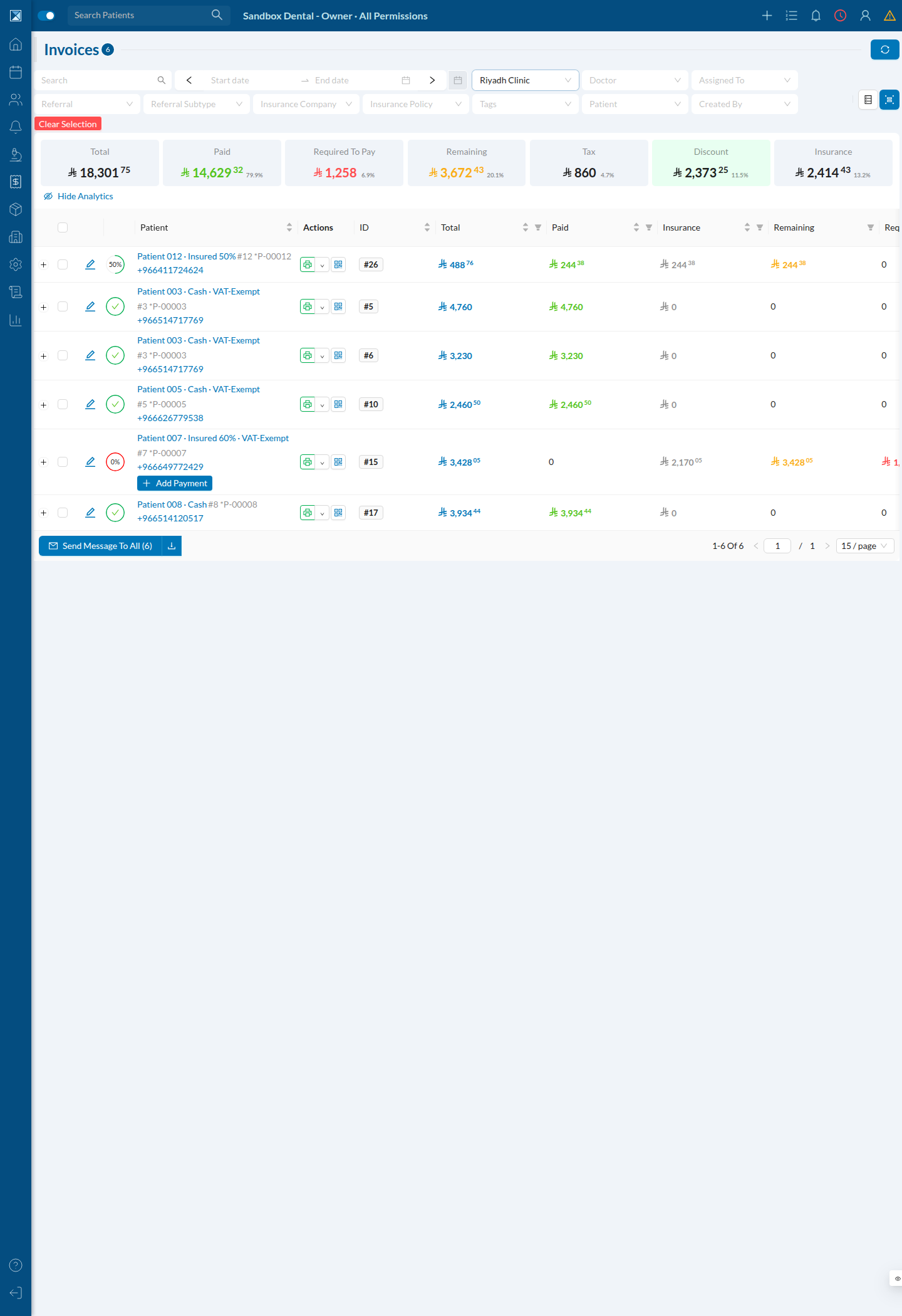
Here is the tile bar on its own:

The math, spelled out:
- Discount total: ₺2,373.25
- Post‑discount total (what the tiles call Total): ₺18,301.75
- Pre‑discount total (
total + discount): ₺20,675.00
| Version | Formula | Result |
|---|---|---|
| Old | 2,373.25 ÷ 18,301.75 | 13.0 % |
| New (this PR) | 2,373.25 ÷ 20,675.00 | 11.5 % |
The tile now reads 11.5 % — the discount as a share of what the work would have cost before the discount, which is what "we gave 11.5 % off" actually means.
4. Why total + discount is the right base
Expand any invoice row (the + on the left) to see how one invoice's numbers fit together.
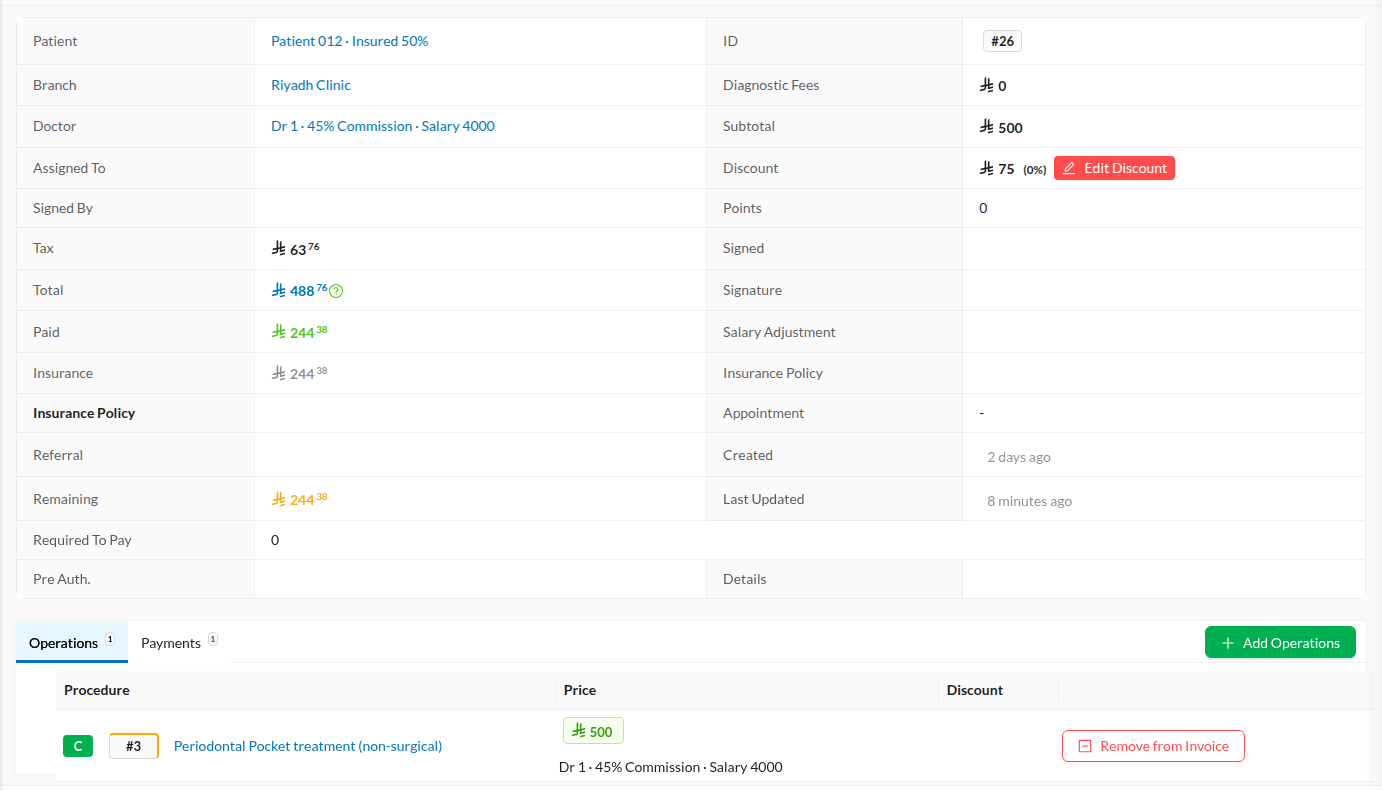
Read the money rows:
- Subtotal ₺500 — the list price of the work
- Discount ₺75 — taken off
- Tax ₺63.76 — added
- Total ₺488.76 — what remains:
500 − 75 + 63.76 = 488.76
Because Total already has the discount removed, you must add it back to recover the pre‑discount base. That is precisely what total + discount does. Dividing the ₺75 discount by the shrunken ₺488.76 total (the old behaviour) would have overstated the discount; dividing by the reconstructed base is honest.
For full context, here is the same expanded row in place — the detail panel, the Edit Discount control, and the per‑procedure Operations table that feeds these figures:
What you will not see
There is no new screen, button, toggle, setting, or onboarding step. The only visible difference is that the number under the Discount tile is now lower and correct. Every other tile (Paid, Remaining, Tax, Insurance, …) is unchanged.