On this page
1. Everyday starting point: the dashboard2. Invoices already show the split this PR extends to quotations3. Building a quotation: per-procedure line items4. The saved quotation5. Turning on the new print design6. The new print outputWalkthrough
A guided tour through the rebuilt quotation flow, captured from a live sandbox running this branch.
1. Everyday starting point: the dashboard
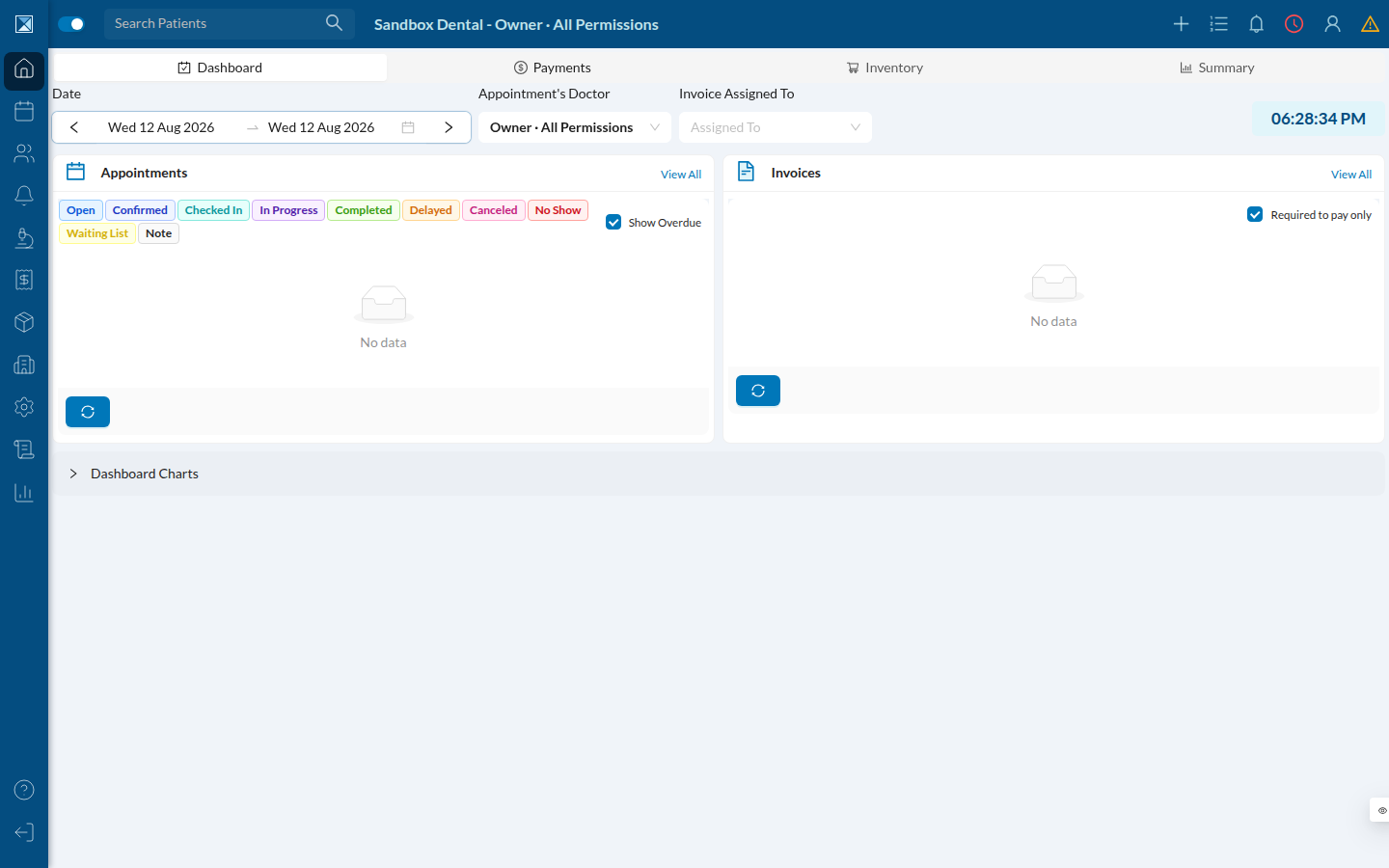
Staff land here after logging in. Quotations live inside a patient's chart, not as a standalone top-level menu — the same as before this PR.
2. Invoices already show the split this PR extends to quotations
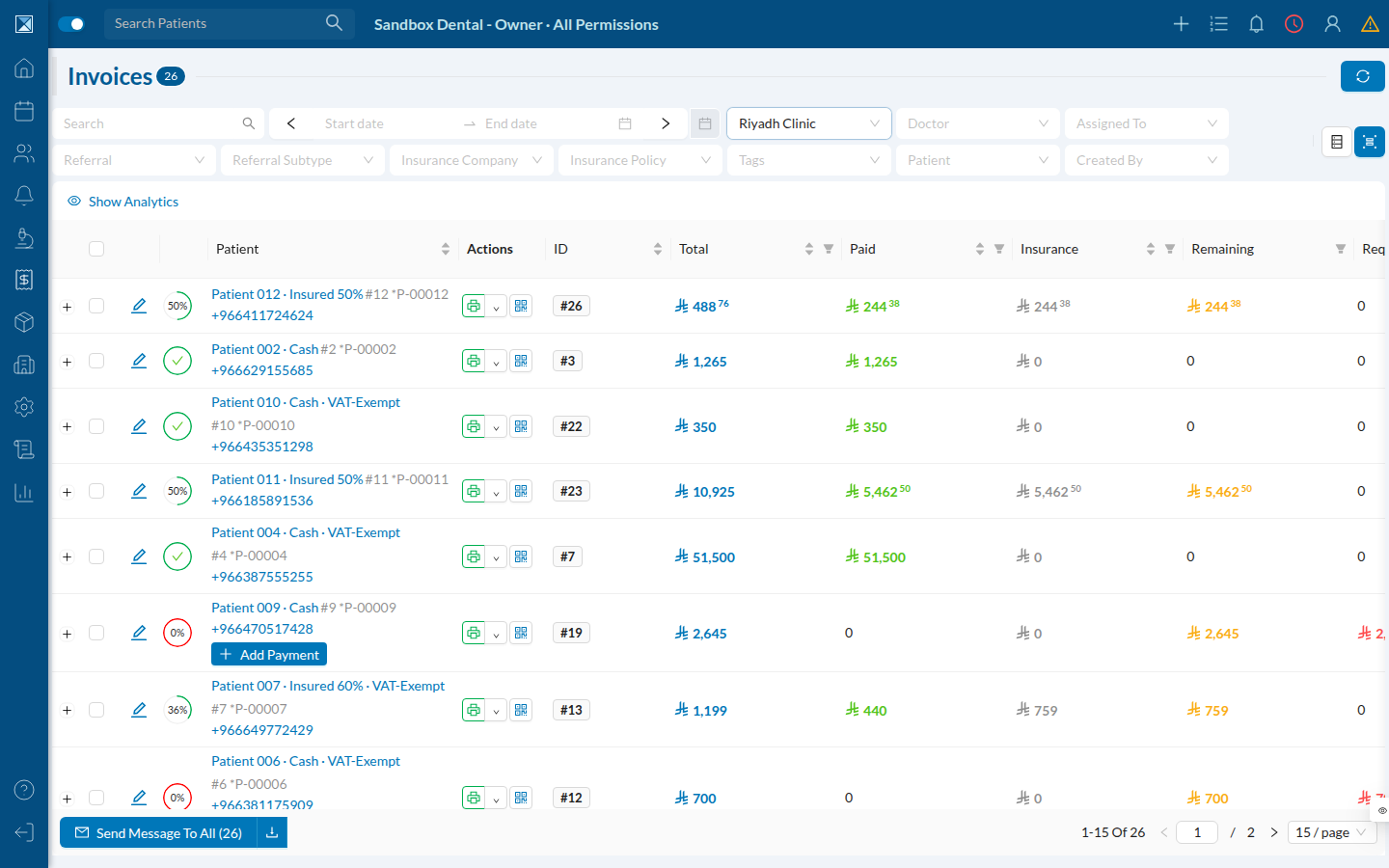
The Invoices list (Finances → Invoices) already breaks out Total, Paid, Insurance, and Remaining per patient — including patients on partial insurance coverage (e.g. "Insured 50%"). This is the existing, correct model that Quotations are being brought up to parity with.
3. Building a quotation: per-procedure line items
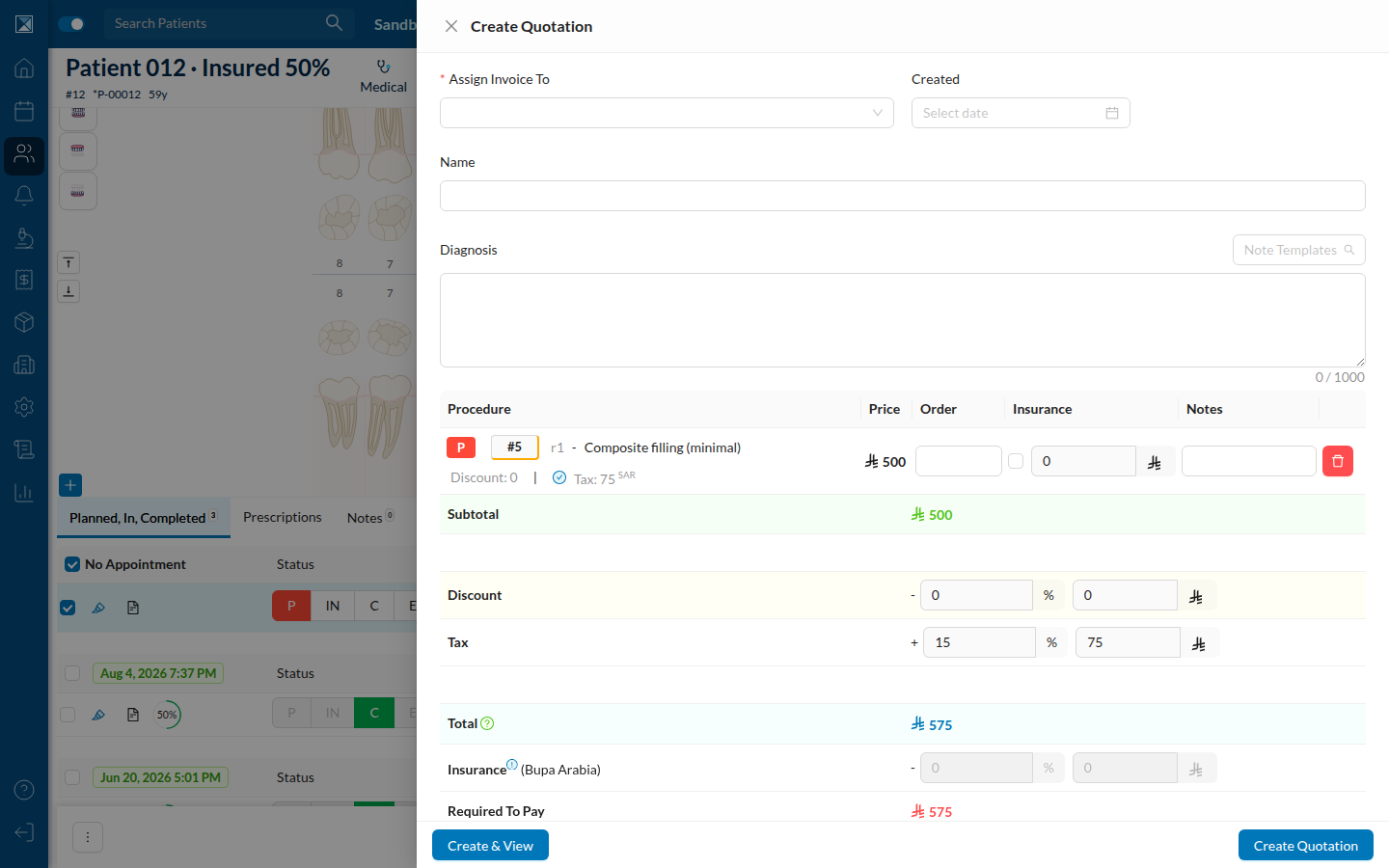
From a patient's Chart tab, staff select one or more planned procedures and click Create Quotation. Each procedure is now its own line item with independent price, an insurance checkbox + amount, a per-line discount, and a tax figure computed from that procedure alone — not one blended number for the whole quotation.
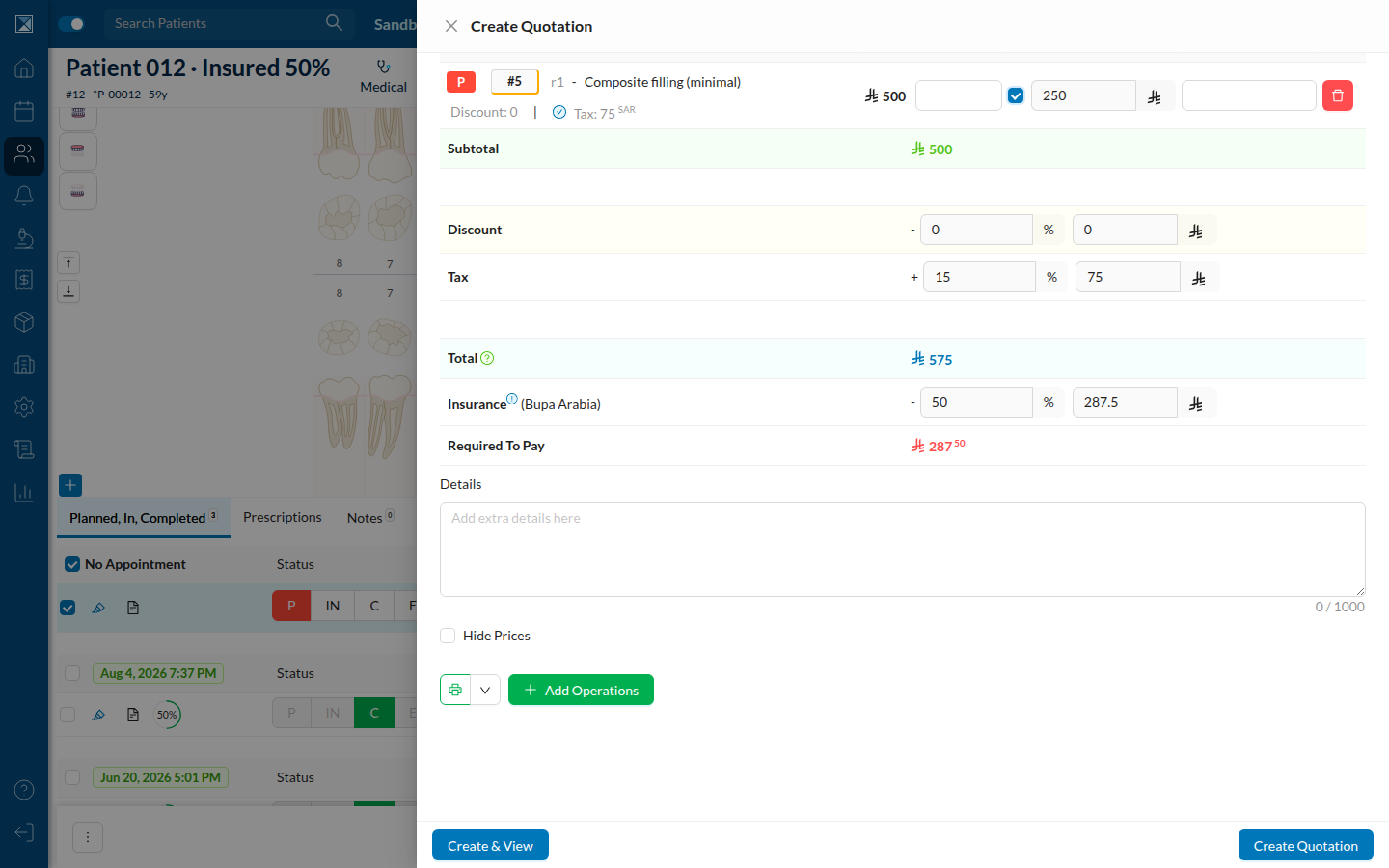
Ticking the insurance checkbox on a line auto-fills the covered amount from the patient's policy percentage (50% of 500 → 250 here) and immediately updates the bottom summary — Total, Insurance, and Required to Pay all recompute from the line items, not the other way around.
4. The saved quotation
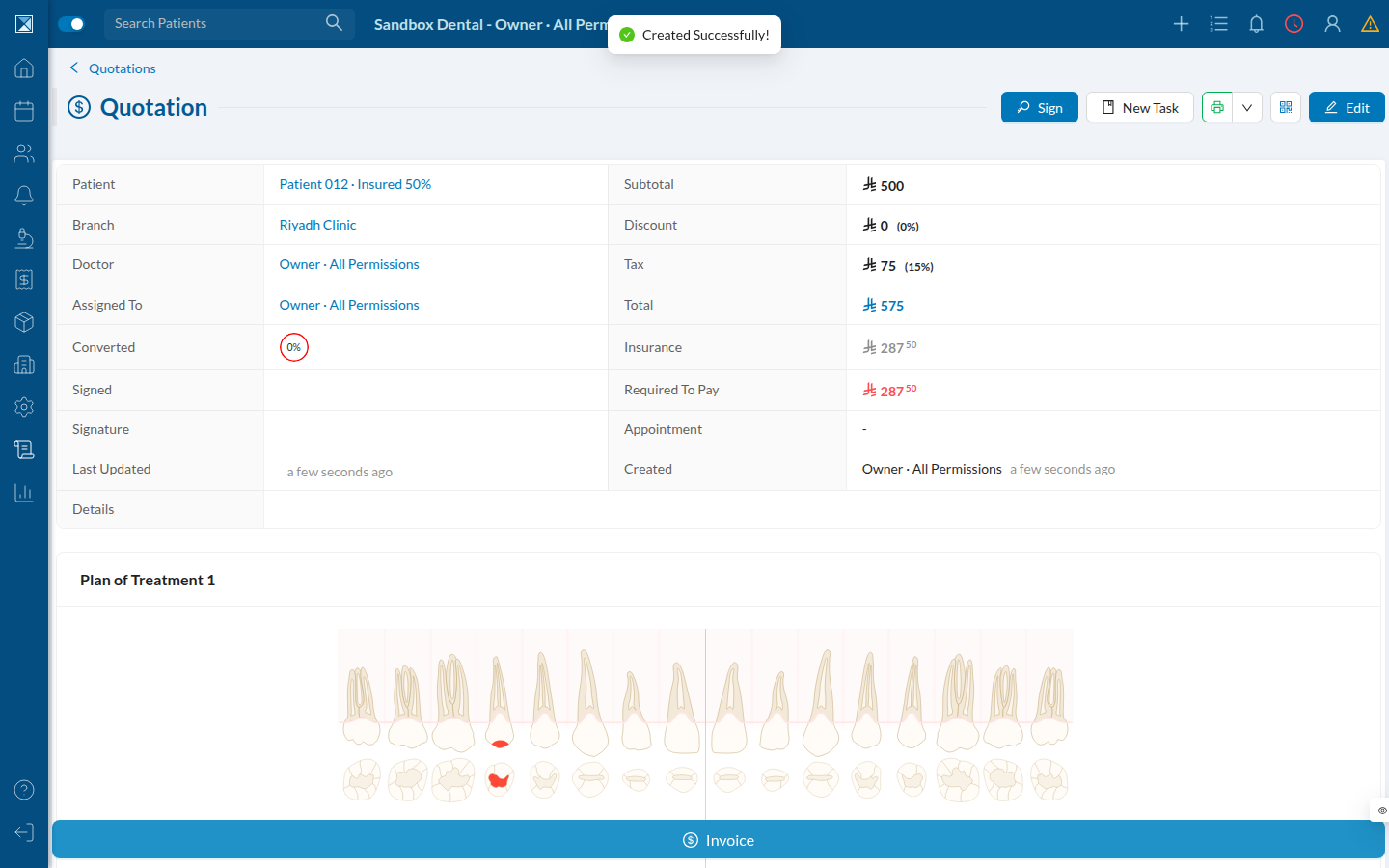
Once created, the quotation gets its own detail page with Subtotal, Discount, Tax (with its effective %), Total, Insurance, and Required to Pay laid out clearly, plus the treatment-plan tooth chart for context.
5. Turning on the new print design
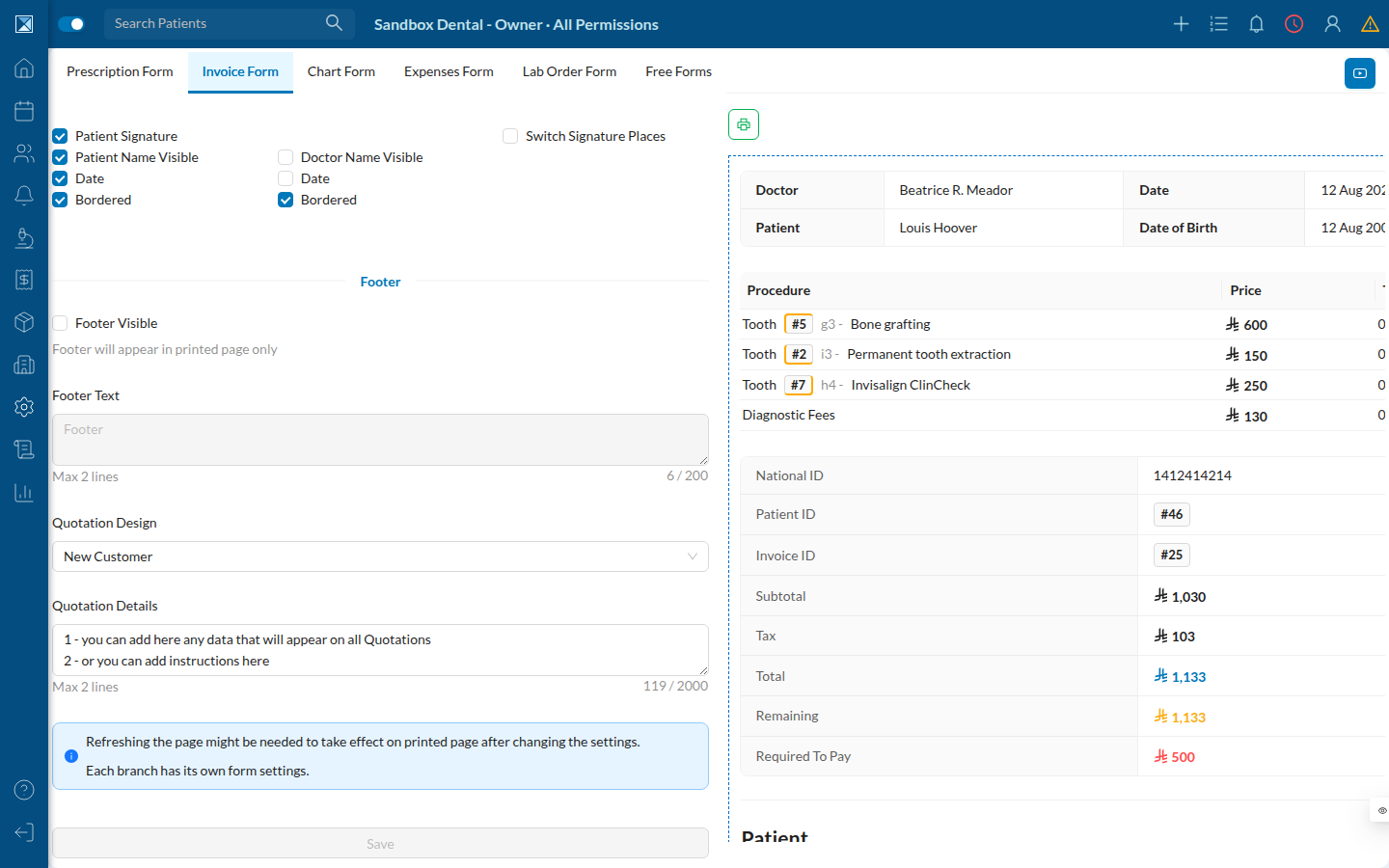
In Settings → Print → Invoice Form, a Quotation Design dropdown lets a branch opt into the new itemized layout (its option is currently labeled "New Customer" in the UI — a reused translation string, not a quotation-specific label; see For Quality). This is per branch, and takes effect after a page refresh.
6. The new print output
With the new design turned on, printing this quotation produces an itemized page: clinic header with a QR code, a procedure table (tooth, count, price before/after discount, insurance), teeth/discount/tax/total summary rows, a free-text details box (from the branch's Quotation Details setting), and separate Doctor/Patient signature blocks.
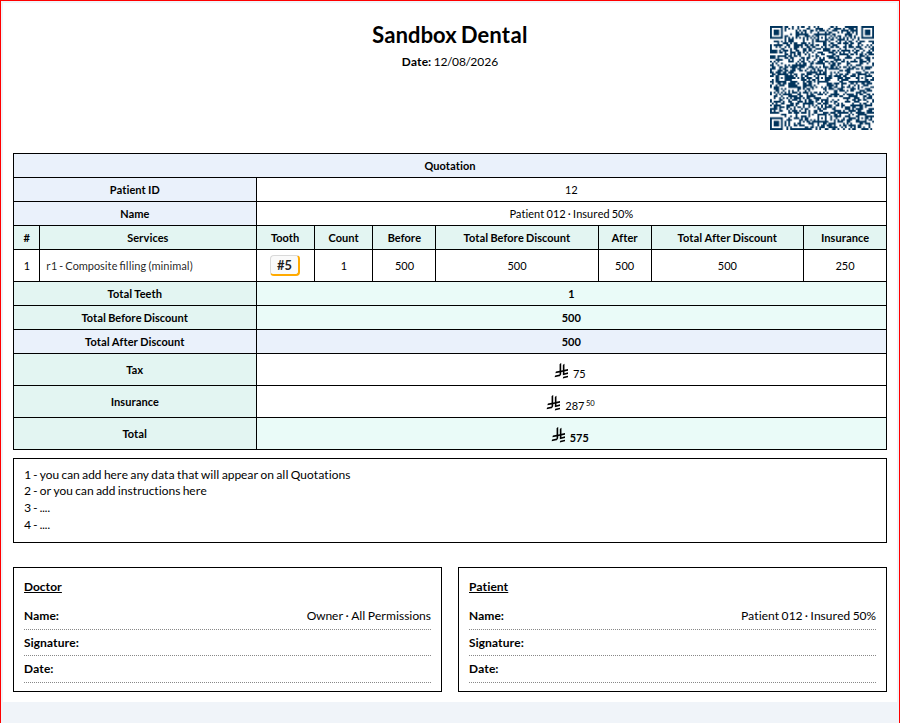
Note what this printout does not show: even though this quotation's tax was split behind the scenes into a patient rate and an insurance rate (see Patient vs. Insurance Tax Split), the printed page collapses it back into one Tax line. The split is a calculation-accuracy fix, not (yet) a new line on the patient's paper estimate.