On this page
1. The pricing notice2. Filtering conversations by free window3. The Messages Cost report4. Setting a daily spending capWhat isn't pictured hereWalkthrough
This is a guided tour of the sandbox (mo-whatsapp-paid-messages), logged in as the owner demo user (all permissions). The sandbox's seed data doesn't include any WhatsApp conversation history yet, so several screens below are shown in their empty state — the UI shell, filters, and settings fields are all real and live in the current branch; only the sample data is missing.
1. The pricing notice
Opening WhatsApp → Conversations shows a new warning banner above the conversation list, letting staff know the pricing change is coming and linking to an explainer video.
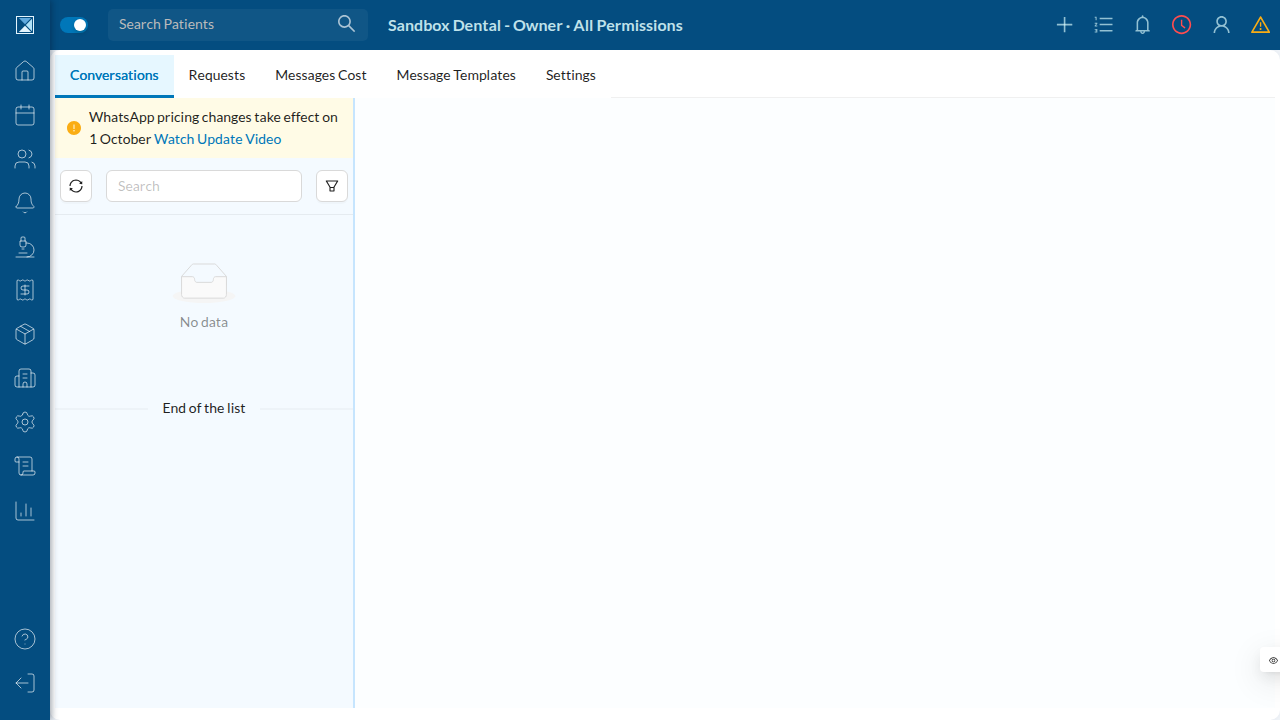
Notice the tab bar: Conversations · Requests · Messages Cost · Message Templates · Settings — "Messages Cost" is the new tab this PR adds.
2. Filtering conversations by free window
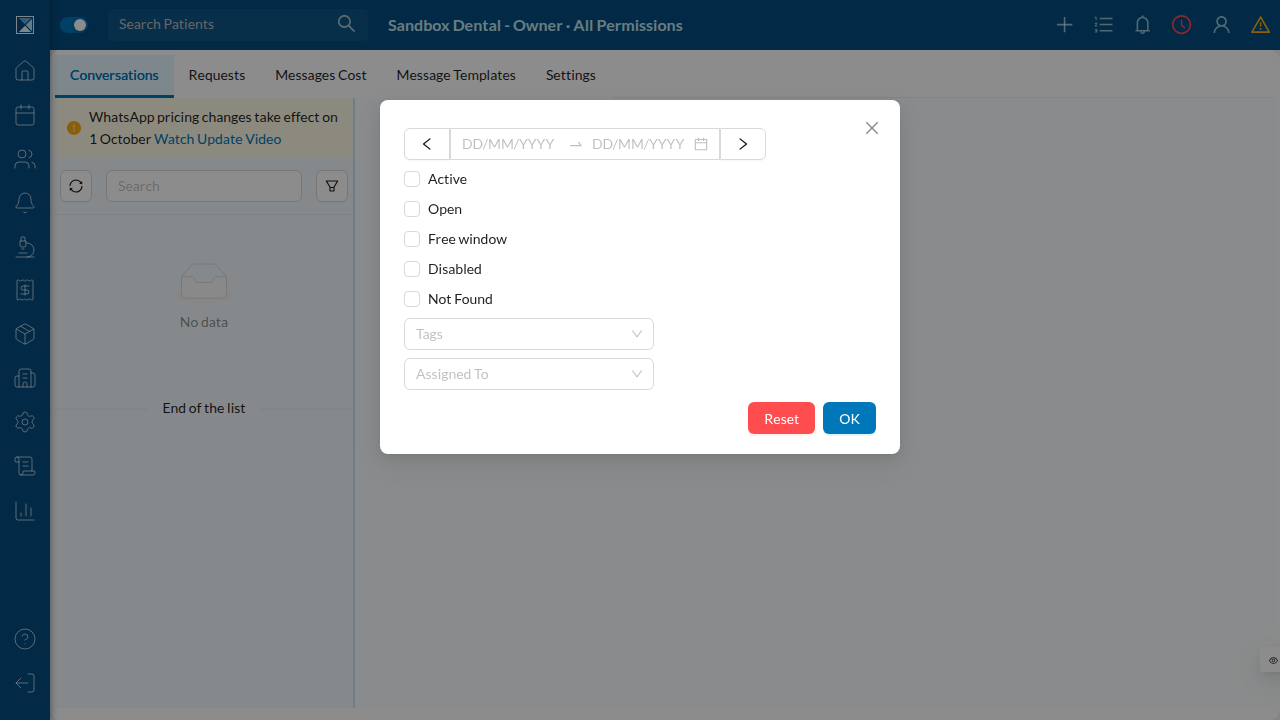
Clicking the filter icon on the conversation list reveals a new "Free window" checkbox, next to the existing Active/Open/Disabled/Not Found filters. Checking it narrows the list to contacts the clinic can currently reply to at no charge.
3. The Messages Cost report
The new Messages Cost tab is a company-wide table of every message the clinic has sent, with columns for Category (Service / Utility / Marketing / Authentication) and Cost (Free / Paid), plus a "Show Analytics" toggle that reveals the free/paid/unknown breakdown boxes.
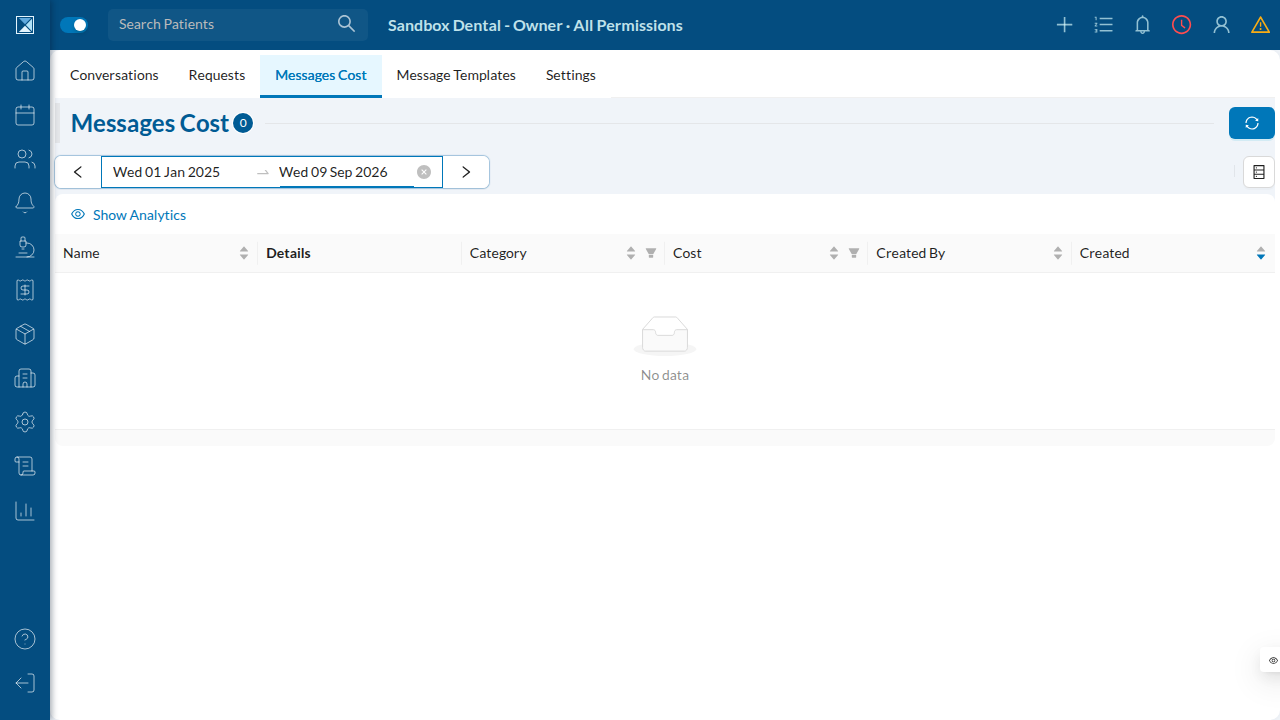
Clicking a row's conversation name jumps straight into that chat, the same way the older Requests tab does.
4. Setting a daily spending cap
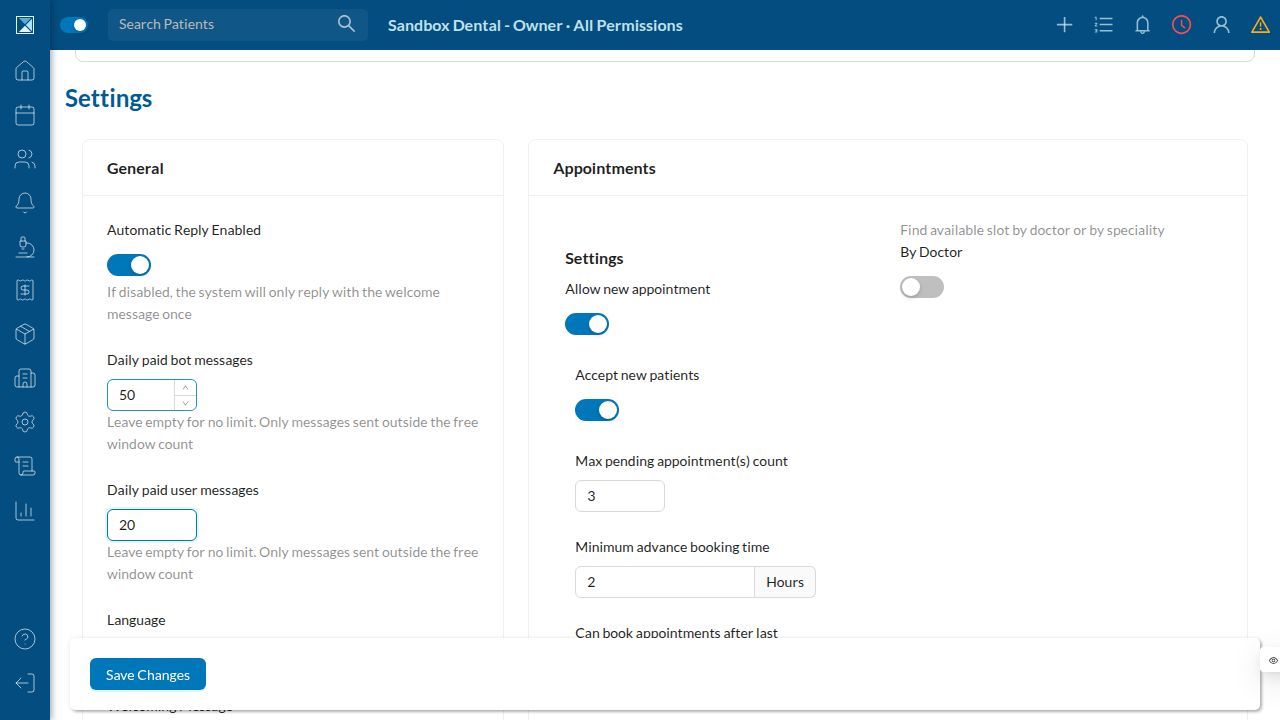
Under WhatsApp → Settings → General, two new fields sit right below the existing "Automatic Reply Enabled" toggle: Daily paid bot messages and Daily paid user messages. Leaving either blank means no cap; entering a number caps how many paid replies (i.e. replies sent outside a free window) that sender is allowed to send per day.
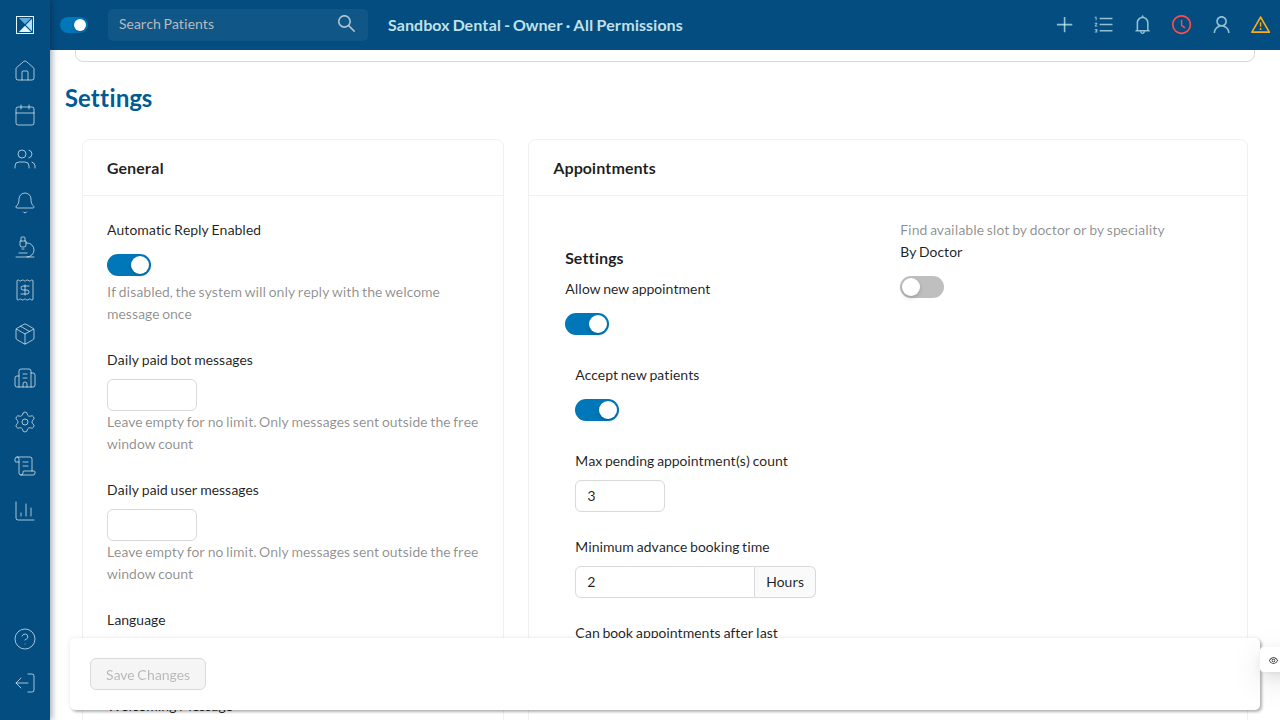
Filling them in shows the values staff would actually set — for example capping the bot at 50 paid replies a day and staff at 20:
What isn't pictured here
A few states depend on live WhatsApp traffic and can't be reproduced from a static sandbox with no seeded conversations — they're covered in the feature-breakdown pages instead, with the exact file:line that renders them:
- The chat header's Free / Paid / Free (ad) tag and countdown, on both
web (Chats.js) and mobile (WhatsAppChatHeader.js) — see Conversation Windows.
- A populated Messages Cost report, with real rows and the analytics
boxes filled in — see Cost Reporting & Analytics.
- The "Daily Paid Messages Limit Reached" error a staff member sees
once they hit their cap — see Daily Spending Limits.