On this page
1. Open Account Settings2. Scroll to "Show Notifications For"3. Read what each toggle actually promises4. Turn a toggle offWhat you won't see in a screenshotWalkthrough
This is the guided tour, captured against the PR's sandbox deployment (clinic login sandbox, user owner). The feature has no dedicated page of its own — it lives entirely inside the existing per-user notification preferences screen, so the "walkthrough" is really: open your account settings, scroll to the notifications list, and find two new switches.
1. Open Account Settings
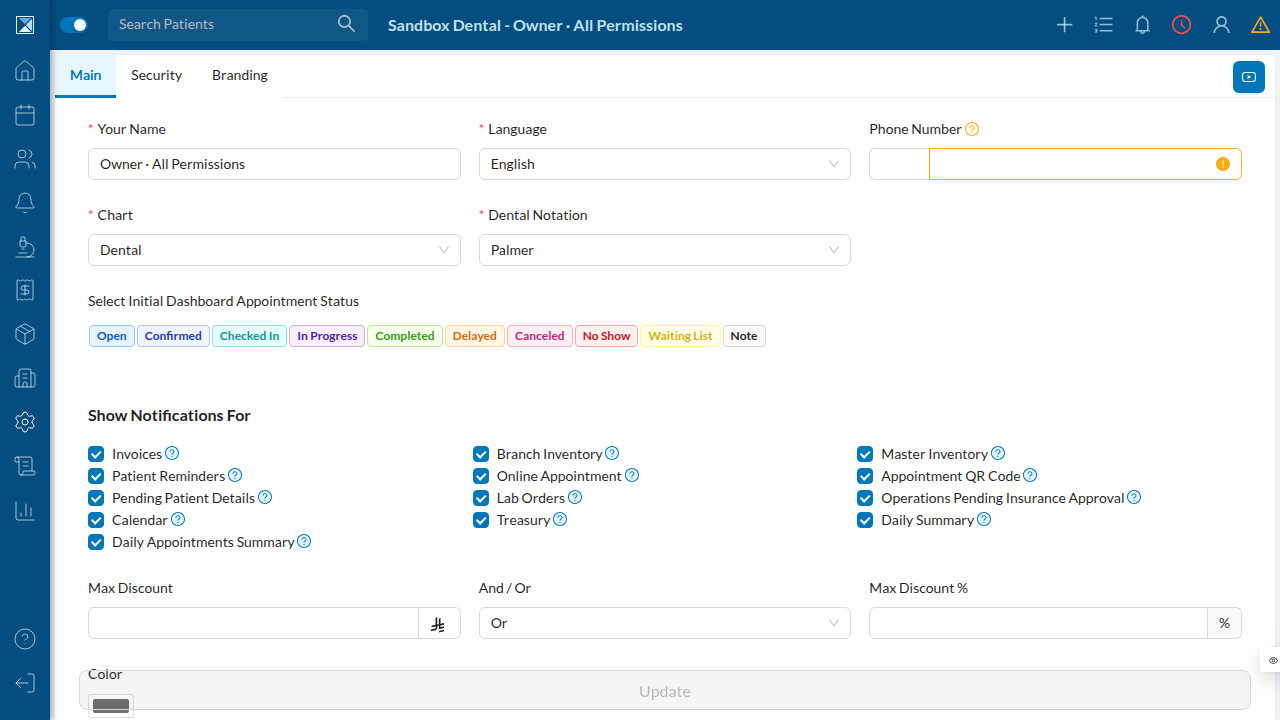
From the sidebar, go to Settings → Account. The form you land on is the "Main" tab of the account settings — the same place users already set their name, language, chart type, and every other existing notification preference.
2. Scroll to "Show Notifications For"
Two new checkboxes sit at the end of the existing notification list, right after "Treasury": Daily Summary and Daily Appointments Summary. Both are checked by default, matching every other notification in this list.
3. Read what each toggle actually promises
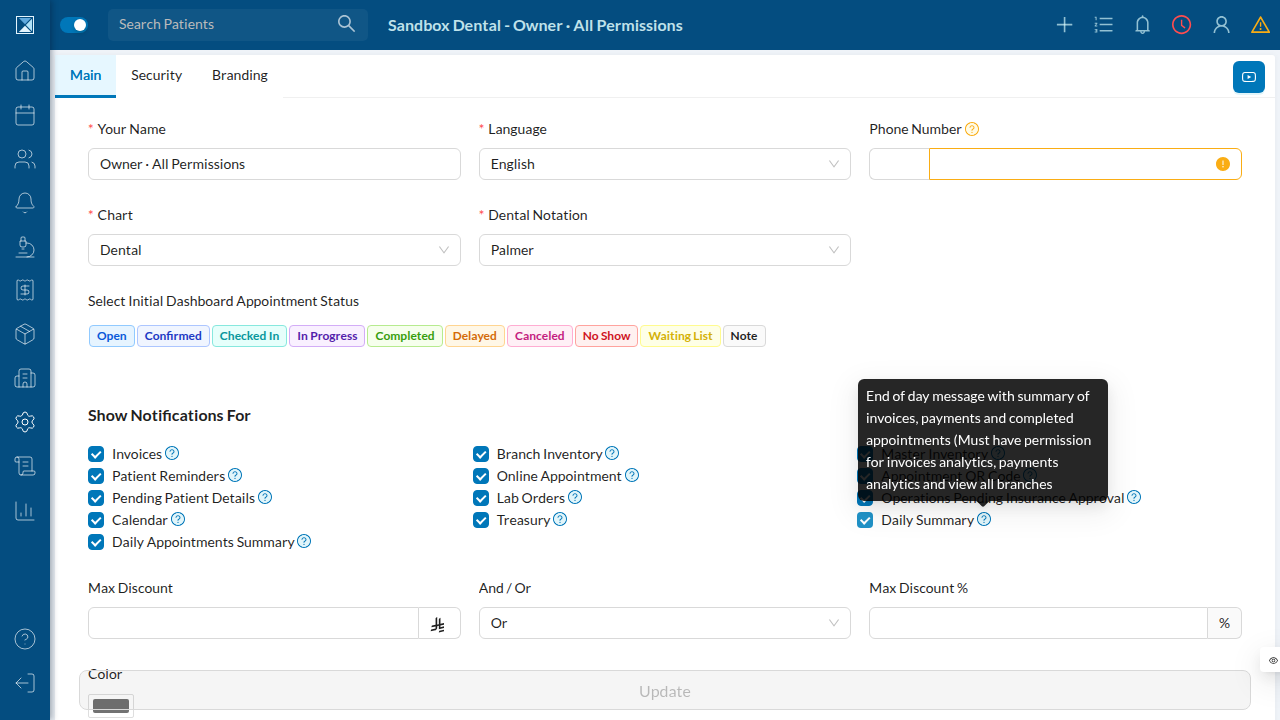
Hovering the ? icon next to each new toggle shows the same tooltip copy that ships in all 9 supported languages. The Daily Summary tooltip is explicit about the permission requirement — it only reaches users who also have analytics access (see Notification Settings Toggles):
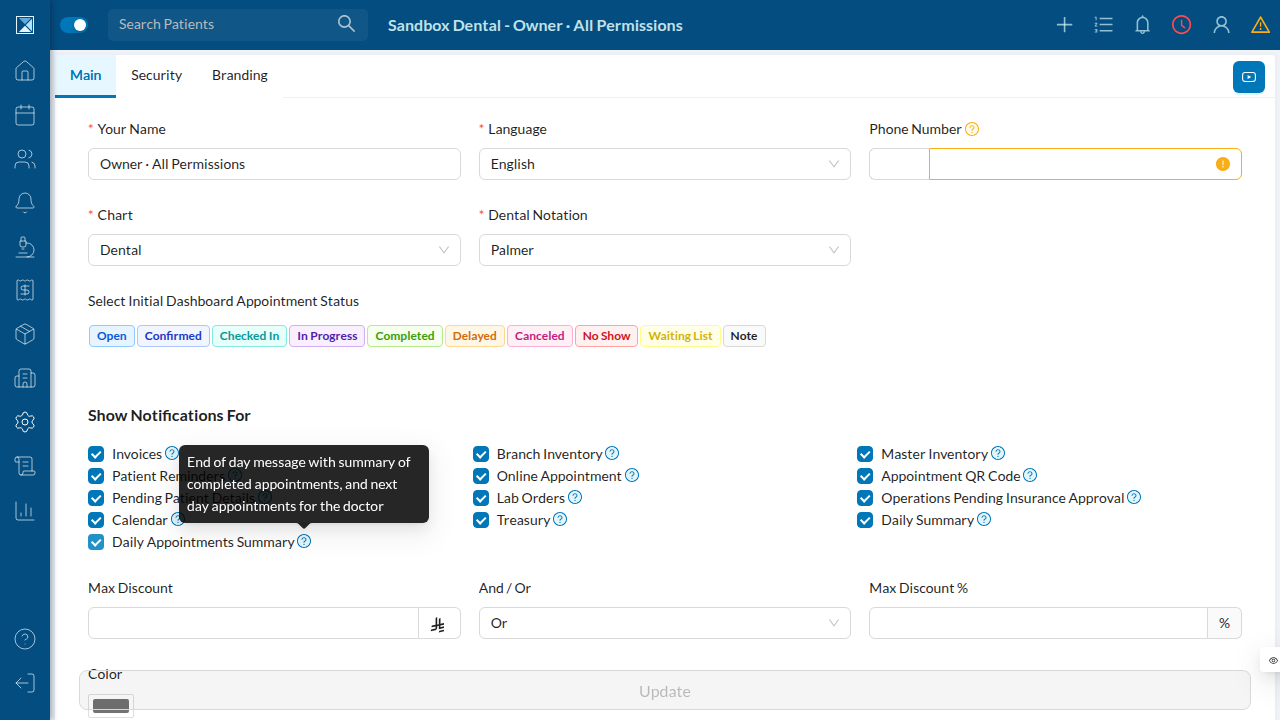
The Daily Appointments Summary tooltip describes the per-doctor appointment recap instead — no permission requirement here, since it's scoped to whatever appointments are assigned to the viewing user:
4. Turn a toggle off
Unchecking either box and clicking Update persists immediately — no confirmation dialog, since this is treated the same as any other notification preference on this page. The mobile app exposes the identical two switches under More → Settings → Notifications, using the same summaryCron / appointmentsCron field names end to end (see packages/clinic-mobile/src/components/dashboard/More/settings/NotificationsScreen.js:126-134 in /work/repo).
What you won't see in a screenshot
The actual notification is a push message that lands on a phone with the Dentolize mobile app installed, sent once per day when the clinic's local clock hits 23:30. There is no in-app inbox or history for these messages — they behave like any other push notification the app already sends (e.g. the existing appointment reminders). The Feature breakdown pages describe exactly what each message says and who receives it.