Reviews & Reputation
Business view
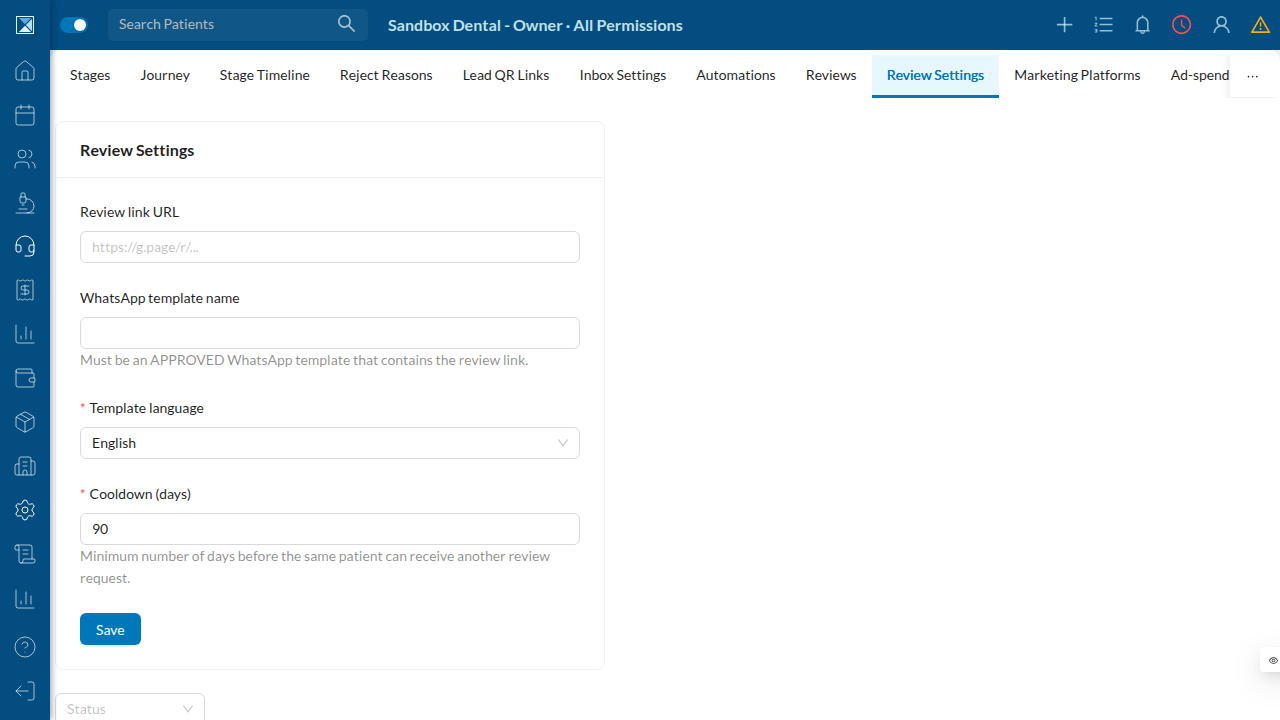
Happy patients are a clinic's best marketing — if you ask them at the right moment. The Reviews feature lets staff send a WhatsApp review request to a patient, containing a tracked link. When the patient taps it, Dentolize records the click and forwards them to the clinic's public review page (e.g. a Google review link).
This is deliberately API-free: it works with whatever public review URL the clinic already has, so it needs no Google approval to start driving reviews. (Pulling reviews back from Google Business Profile is a separate, later capability — see Scope, Gaps & Honest Notes.)
Three controls keep it respectful and measurable:
- A cooldown (default 90 days) so the same patient is never asked twice in a short
window.
- An approved WhatsApp template — the message must use a template that's been approved by
WhatsApp and contains the review link.
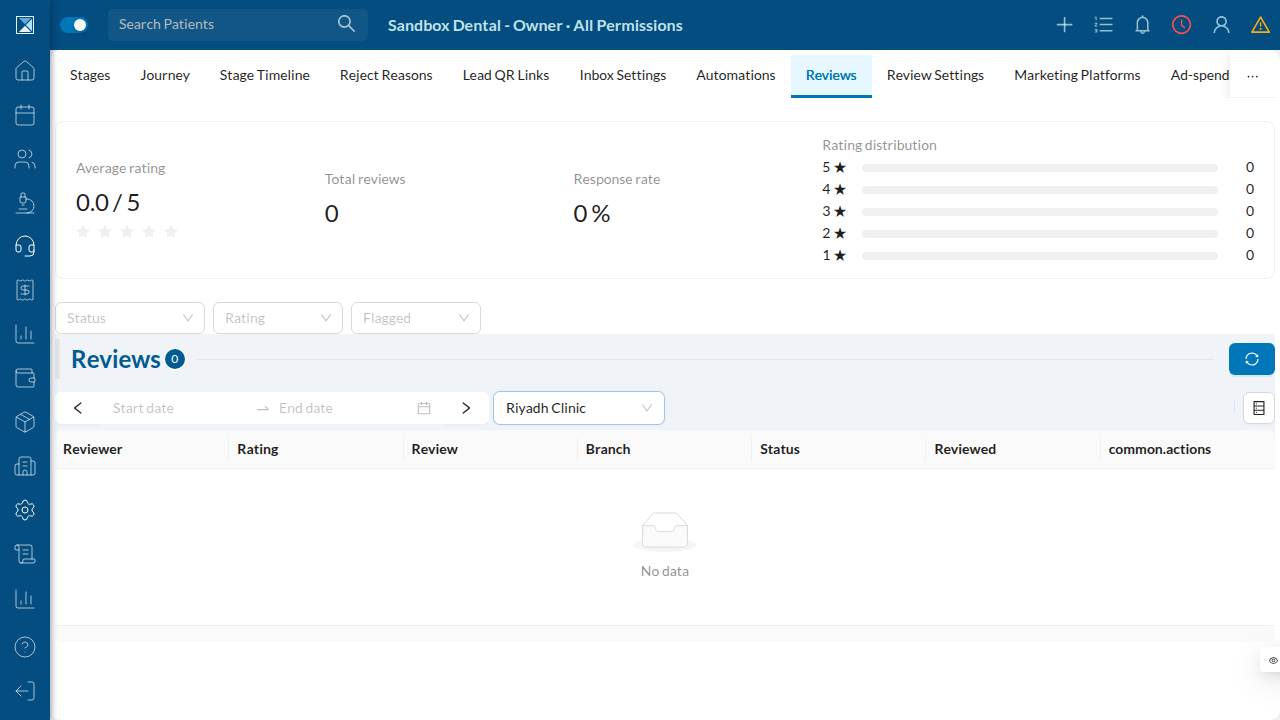
- Click tracking — the clinic can see who was asked, who clicked, and (once GBP review
ingestion is enabled) the resulting ratings, response rate, and per-branch breakdown.
Technical view
Data model
ReviewConfig(schema.prisma:9094) — per company (companyId @unique):
reviewLinkUrl, templateName, language, and cooldownDays Int @default(90) (:9102).
ReviewRequest(:9113) — one ask to one patient, with ashortCode @unique(:9122)
that backs the tracked /r/<code> redirect, and a status (ReviewRequestStatus {PENDING, SENT, CLICKED, FAILED}).
Review(:9146) — an ingested platform review (GBP), deduped on
@@unique([assetId, externalReviewId]) (:9167), with status (ReviewStatus {PUBLISHED, REPLIED}), an operator flagged bit, and a branch for per-branch reputation.
Sending a request
sendReviewRequest (schema.graphql:1460) enforces the cooldown at send time (reviews/sendReviewRequest.js:55): it computes cooldownStart = now − cooldownDays and throws if any non-FAILED ReviewRequest exists for that patient since then. There is no separate cooldown cron — the guard is the write path itself.
The tracked link
The WhatsApp worker builds the link as ${WEBHOOKS_PUBLIC_URL}/r/${shortCode} (crm/review-request.worker.ts:81). The redirect route (@Get(":shortCode"), :120) stamps clickedAt, flips the request to CLICKED, then 302-redirects to reviewConfig.reviewLinkUrl. Because the code is a per-request shortCode, each click is attributable to a specific patient and request.
Ingesting reviews (GBP)
The socialReviewSync cron (20 */2 * * *, cronJobs.js:159) pulls Google Business Profile reviews and upserts Review rows idempotently. Operators can replyToReview and toggleReviewFlag. The reviews analytics header aggregates average rating, total, response rate, star distribution, and per-branch breakdown (REVIEWS_ANALYTICS).
Front-end
- Mobile:
ReviewsScreen.js(config summary + send request + list),
ReviewsListScreen.js (analytics, filters, reply modal, flag toggle), EditReviewConfigScreen.js.
- Web:
Reviews/ReviewsList.jsandReviews/ReviewSettings.jsunder the CRM settings hub.
Permissions
editReviewConfig requires EDIT_LEAD_SETTINGS; sendReviewRequest requires SEND_WA; replyToReview and toggleReviewFlag require REPLY_REVIEW; reviews / reviewsAnalytics require VIEW_REVIEW (permissions.js:4384, :2834). All are gated by the FEATURE_CRM_REVIEWS flag. Inputs are validated by editReviewConfigInput (inputRules.js:3951), sendReviewRequestInput (:4038), replyToReviewInput (:4047), and toggleReviewFlagInput (:4062).