Unified Inbox
Business view
Patients and prospects message clinics on whatever app they already have open — WhatsApp, Facebook Messenger, Instagram DMs — and they comment on posts and ads. Before this module, that meant staff juggling four apps and losing track of who replied to whom. The Unified Inbox pulls every social conversation into one Dentolize screen, sorted by most recent activity, with response-time targets built in.
Each conversation shows its channel, who it's assigned to, an unseen-message count, and — most importantly — its SLA status:
- 🟢 Resolved — closed out.
- 🟠 Due — a first reply is expected soon (shows a live countdown on web).
- 🔴 Breached — the response window was missed.
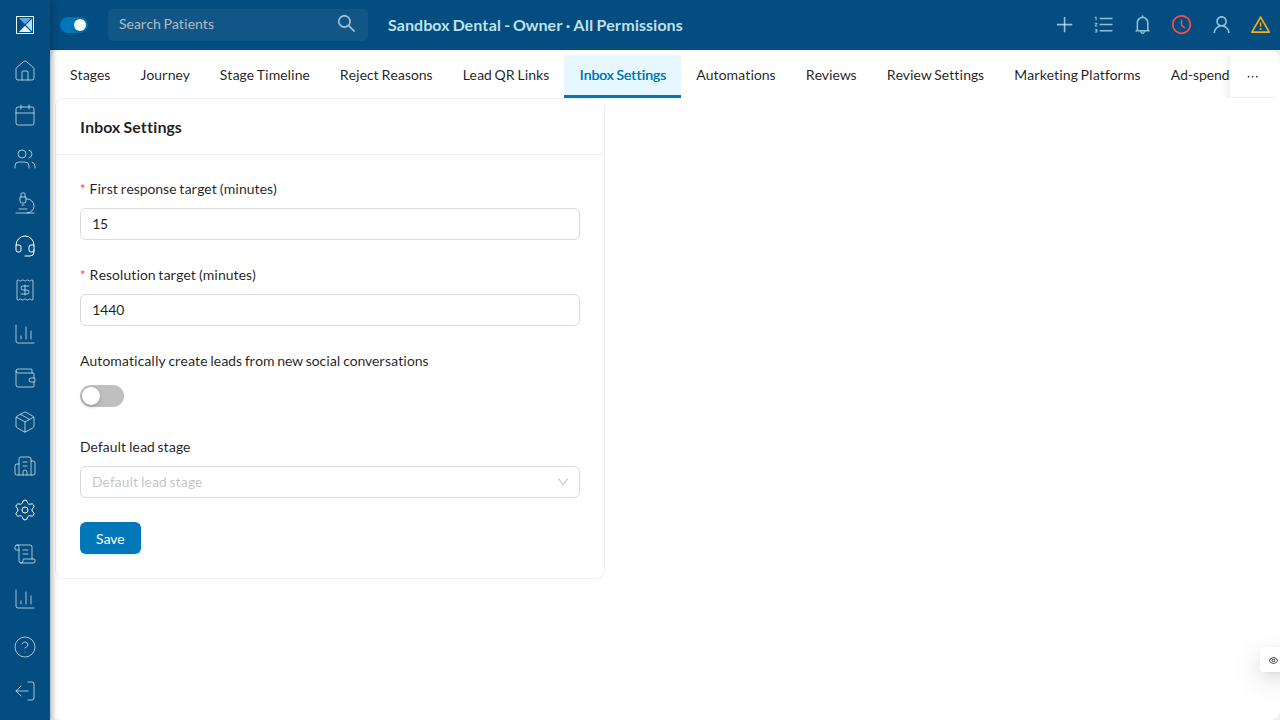
Reply targets are configurable (default 15 minutes to first response, 24 hours to resolution). A background job flips conversations to "breached" the moment they cross the line, so managers can see SLA health at a glance.
The 24-hour rule
Meta only allows businesses to send a free-form message within 24 hours of the customer's last message. Dentolize enforces this honestly: if the window has closed, the reply box is replaced with a clear notice rather than letting staff type a message that the platform would silently reject. On web, the header even shows a live countdown to the window's expiry.
Two deliberate limits:
- Comments are read-only in this release. FB/IG comment threads appear in the inbox,
but replying to them from here is not yet supported (an info banner explains this).
- WhatsApp keeps its own home. On mobile, WhatsApp is intentionally not in the social
inbox — the existing WhatsApp module is untouched. On web, a WhatsApp tab appears but simply routes to the full WhatsApp screen. This was a regression-safety decision: the new channel schema generalizes the old WhatsApp conversation model, and the team kept the proven WhatsApp screens as-is.
Leads from conversations
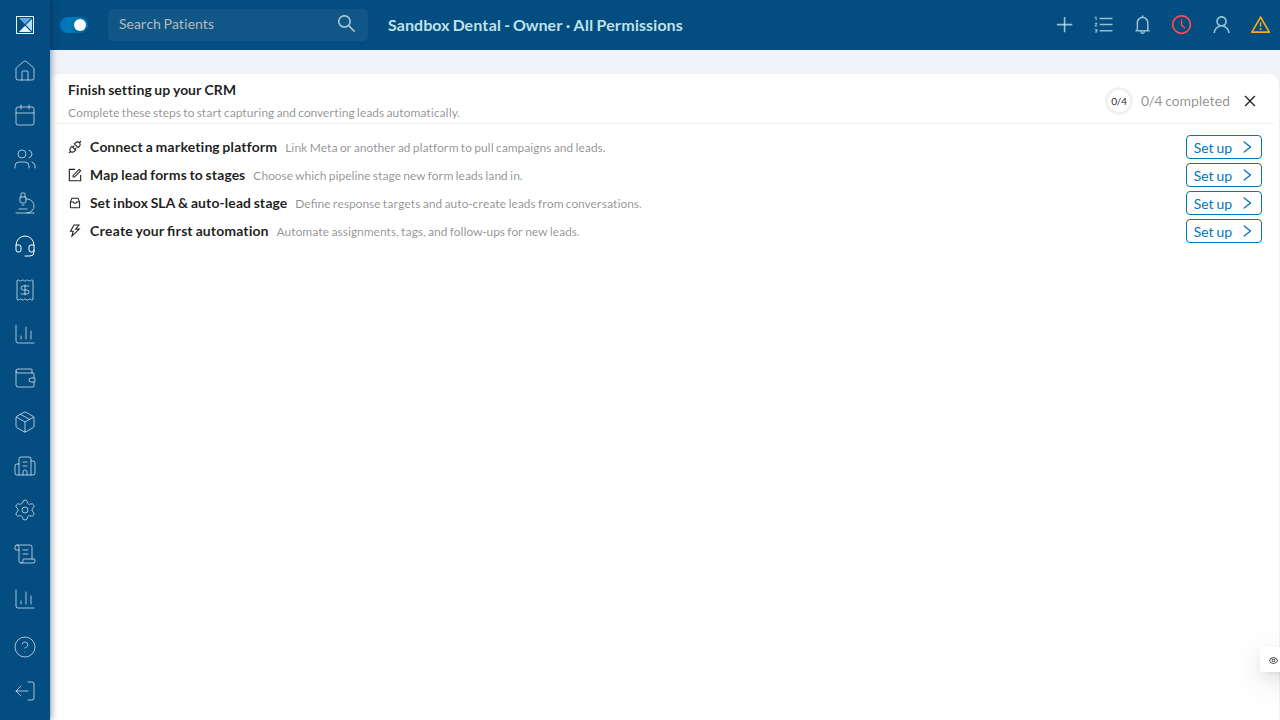
If auto-create leads is on (the default), a brand-new social conversation from someone who isn't already a patient or lead automatically becomes a lead in your default stage — so an Instagram DM at midnight is a tracked prospect by morning.
Technical view
Channel-agnostic conversation model
OnlineConversation (schema.prisma:4755) was generalized from the WhatsApp-only model to carry a channel (ConversationChannel {WHATSAPP, MESSENGER, INSTAGRAM, FB_COMMENT, IG_COMMENT, GOOGLE_BUSINESS}, schema.prisma:8900) plus a contactKey. The upsert identity is @@unique([companyId, channel, contactKey]) (:4803); phone is retained only for WhatsApp display. SLA timers live on the row: firstResponseDueAt, firstRespondedAt, resolveDueAt, slaBreachedAt (:4774), plus assignedTo, unseenCount, messagesCount, resolved. The old tags String[] field is deprecated in favour of a proper patientTags relation (:4782). ConversationMessage (:4822) dedupes inbound messages on @@unique([conversationId, messageId]).
Configuration lives in InboxConfig (schema.prisma:9461): slaFirstResponseMins (default 15), slaResolveMins (default 1440), autoCreateLeads (default true), defaultLeadStage.
Arming and breaching SLAs
Inbound messages arm the timers in the gateway (crm/conversation-ingest.service.ts, ingestInbound :48): it reads InboxConfig, sets firstResponseDueAt / resolveDueAt, re-arms on each new inbound, and — when autoCreateLeads is on and there's no lead/patient yet — creates a lead, mapping channel → source via CHANNEL_LEAD_SOURCE (:26).
The SLA breach cron (packages/server/src/cronJobs/crm/slaBreachCron.js, every 5 min via cronJobs.js:164) takes a Redis lock, then a single updateMany flips slaBreachedAt = now for conversations that are unresolved, not yet breached, with no first response, past their firstResponseDueAt (slaBreachCron.js:21). Replying clears the flag.
Sending — two-layer 24h enforcement
- Server pre-check (
resolvers/mutations/actions/inbox/sendConversationMessage.js,
mutation sendConversationMessage(conversation, message), schema.graphql:1472): rejects the WhatsApp channel (use the WA mutation), rejects comment threads (SENDABLE_CHANNELS = ['MESSENGER','INSTAGRAM'], :10), rejects blocked contacts, and checks the last incoming message is within MESSAGING_WINDOW_HOURS = 24 (:6) → throws MESSAGING_WINDOW_CLOSED. On success it enqueues to the BullMQ social-message-send queue and returns true; the outbound row is created by the gateway, not here (:24).
- Gateway authority (
platforms/meta/message-send.worker.ts): re-validates the 24h
window as the final authority, refuses non-ACTIVE integrations (INTEGRATION_INACTIVE), calls Meta's Send API, records the outbound ConversationMessage, closes the first-response SLA (sets firstRespondedAt, clears slaBreachedAt), and publishes over the realtime subscription.
The client-side window checks (mobile InboxChatScreen.js:22 / web InboxChat.js:20) are explicitly labelled "UX pre-check only — the server/gateway is the authority."
Live updates
Two GraphQL subscriptions carry live inbox state (schema.graphql:1579): whatsappMessageSubscription(conversation) and whatsappConversationsSubscription. The conversation subscription's resolver (resolvers/Subscription.js:120) is the multi-channel bridge: it detects slim social-ingest payloads (which lack a channel), hydrates the full OnlineConversation from the DB, and defaults legacy WhatsApp-gateway payloads to channel: 'WHATSAPP' — so old and new producers coexist.
Front-end notes
- Mobile (
components/dashboard/Inbox/*): filter chips over social channels
(SOCIAL_CHANNELS = ['MESSENGER','INSTAGRAM','FB_COMMENT','IG_COMMENT'], inboxUtils.js:1); SLA badge logic in InboxConversation.js:14; static window banner in chat; comment channels disable the composer.
- Web (
components/dashboard/inbox/*): master-detail layout with a right-side
conversation panel (InboxConversationPanel.js — channel, SLA, assignee, linked lead/patient), an Ant Statistic.Countdown to window expiry in the chat header (InboxChat.js:129), and a live-countdown SLA tag (InboxSlaTag.js). The web WhatsApp tab redirects to /whatsapp (Inbox.js:84).
Permissions
Conversation operations (block / resolve / assign / tags) require isSameCompanyAsOnlineConversation + WhatsApp view/edit permissions (permissions.js:4206). sendConversationMessage additionally requires SEND_WA and passes sendConversationMessageInput validation (:4397, inputRules.js:3271, message 1–4000 chars). Editing inbox config requires EDIT_LEAD_SETTINGS and the FEATURE_CRM_INBOX_UNIFIED flag.